

Since release, the FusionAuth CLI has helped users better manage FusionAuth instances. Common use cases include theme management, email template configuration, and lambda function editing.
But what if the CLI could also help you get started with FusionAuth? The latest release of the CLI does exactly that.
Install the CLI#
$ npm install @fusionauth/cli
To use the CLI, you'll need a working install of Docker. Follow the Docker Desktop install guide to set that up.
Kickstart your educational process#
We want to make sure that every new user of FusionAuth can get up and running as quickly as possible. Testing FusionAuth should be more about integrating with your application than it is about configuring your authentication provider.
In order to get you there faster, we now have a new suite of commands to get you a simple, well-configured starting point for your projects.
By running the following command, you'll get a FusionAuth Docker compose file and a Kickstart configuration file that contains all you need to be ready to implement authentication: a FusionAuth instance, an API key, and an application. All with one command instead of tedious configuration and setup.
The Kickstart process will initialize a FusionAuth instance with all the data provided by the CLI so that you don't need to set that yourself in the admin.
$ npx fusionauth kickstart:install
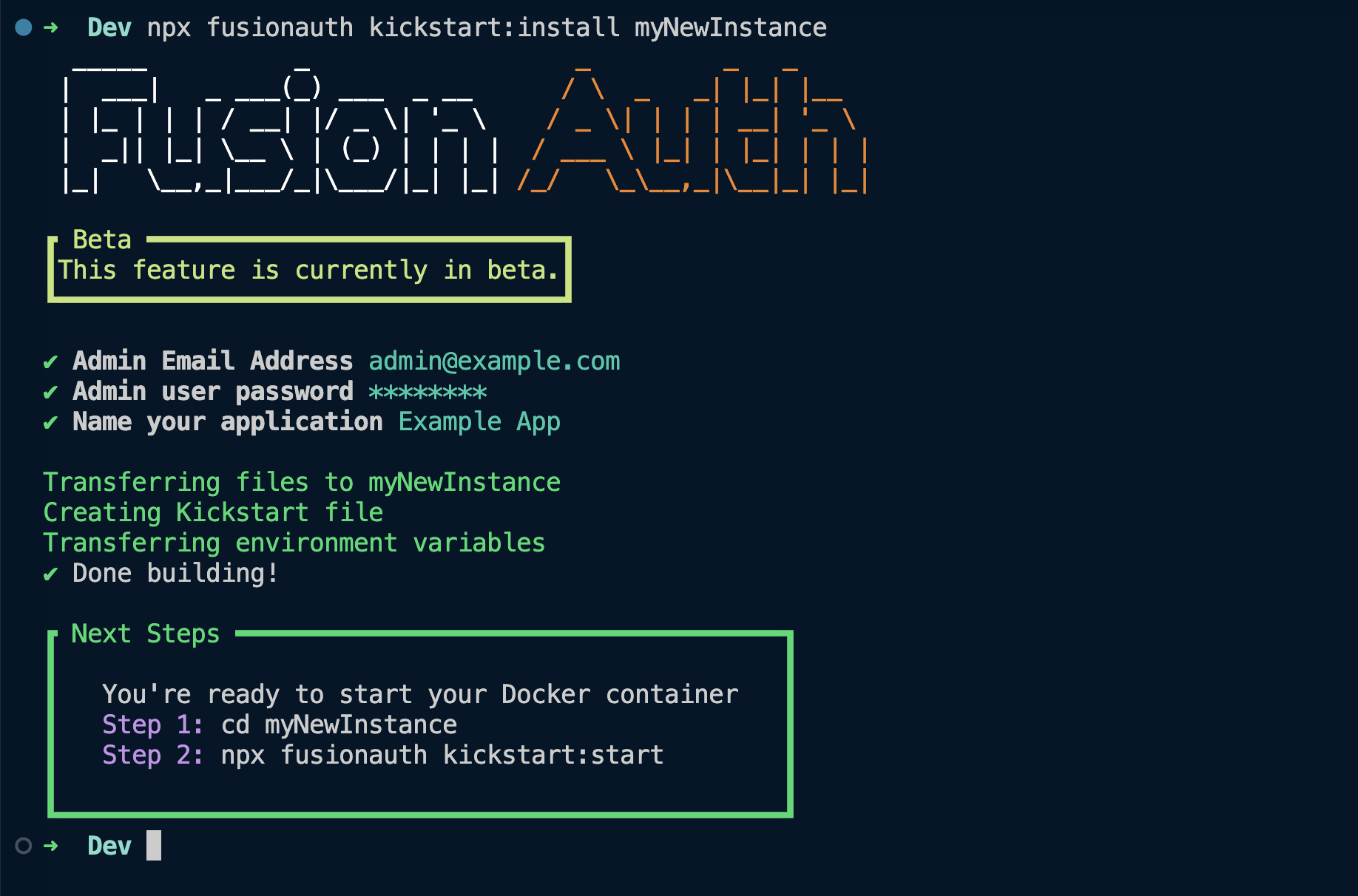
Use these commands from the new directory to manage your new FusionAuth Docker setup.
npx fusionauth kickstart:start: starts your FusionAuth container and configures your instancenpx fusionauth kickstart:stop: non-destructively pauses your FusionAuth containernpx fusionauth kickstart:kill: shuts down and removes your FusionAuth container
The future of the CLI#
Developers should use whatever environment works best for them. For the most part, that's writing code. What better way to stay focused than using the command line as much as possible?
As we improve the CLI, let us know what you'd like to see! You can file requests in the CLI repo's GitHub Issues.