-
I want to configure the admin panel to log a user out after 3600 seconds of inactivity, or to end an active session after 43200 seconds. Is this possible?
-
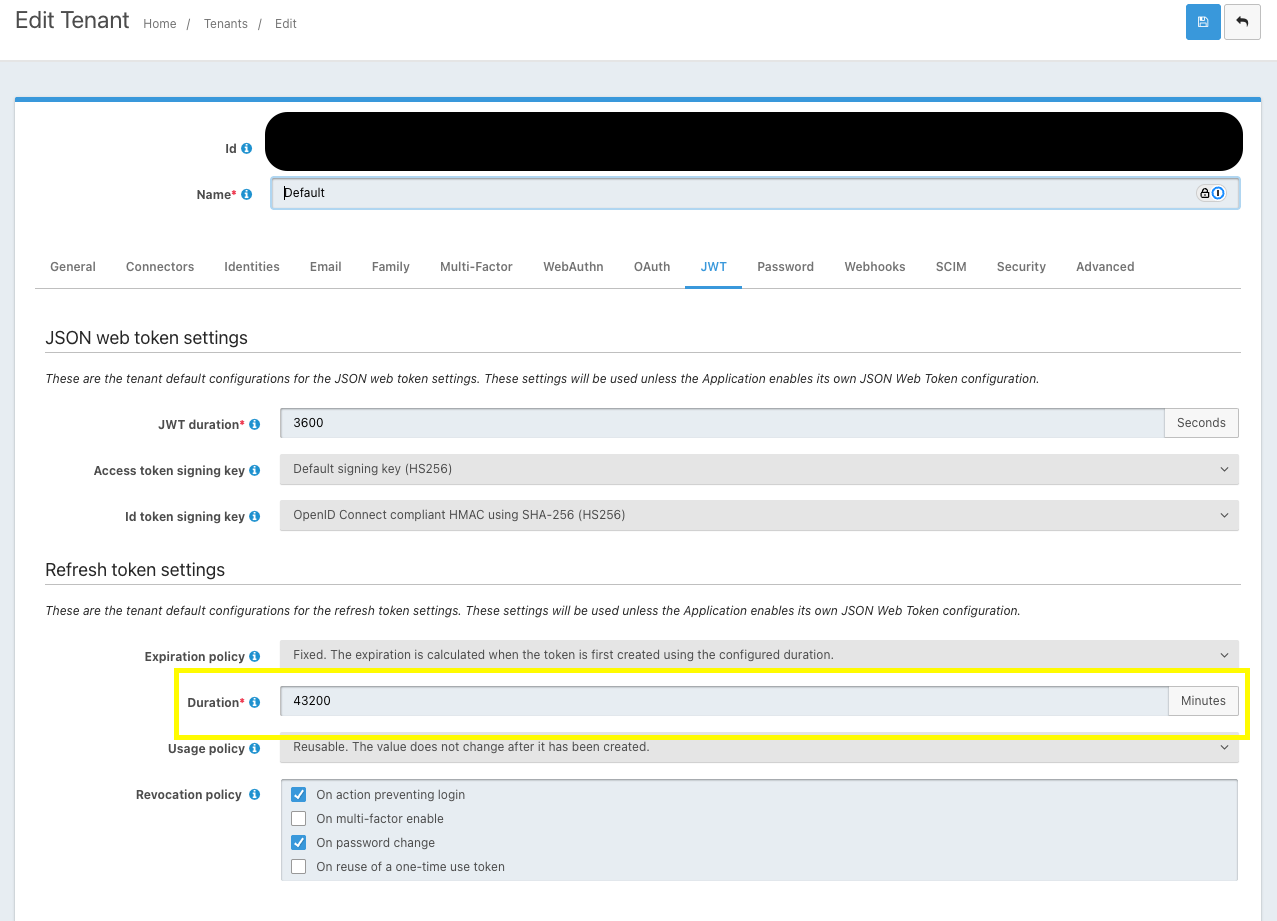
@rachel-flatt OK, it looks like your application is using the JWT setttings from the Tenant. You can go to the Admin UI select Tenants -> Find the tenant your application is under -> Select Edit and go to the JWT tab. You should find the settings there.
-
@rachel-flatt There are a couple of settings you can take a look at. If you go to Applications -> FusionAuth and look at the OAuth tab, you should see the Session timeout. Is this what you are looking for? The other is the Applications -> FusionAuth -> Edit -> JWT -> Refresh Token Settings -> Refresh Token duration. This is set to 60 minutes, for a 3600 second duration.
I found this post that may help as well.
-
@mark-robustelli Thanks for this. We don't have the setting
Applications -> FusionAuth -> Edit -> JWT -> Refresh Token Settings -> Refresh Token duration, and I can't enableJWTon the FusionAuth application.Did you mean the Oauth tab in the tennant? That is currently set to 3600 seconds, but I find I'm still logged in to the admin panel after well over an hour of inactivity.
-
@rachel-flatt It is odd that you do not see the page. Are you an admin user? Can you post a screenshot with what you do see? (Please be sure to redact secrets and private information)
-
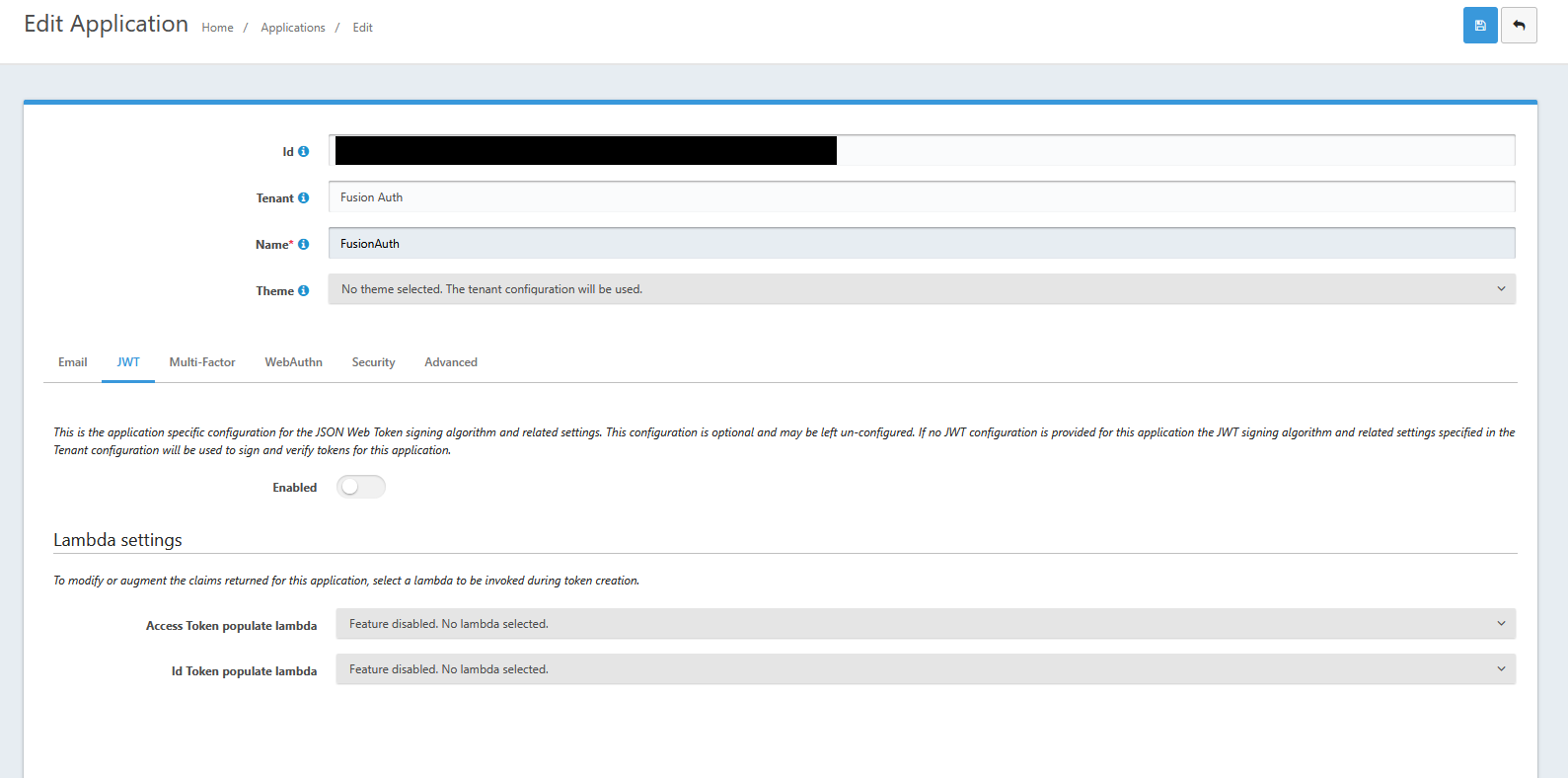
@mark-robustelli Thanks for your help on this. I've attached a screenshot below. I am unable to enable the JWT settings - the toggle does not move.
-
@rachel-flatt OK, it looks like your application is using the JWT setttings from the Tenant. You can go to the Admin UI select Tenants -> Find the tenant your application is under -> Select Edit and go to the JWT tab. You should find the settings there.
-
@mark-robustelli Thanks, I think that's resolved it!
-
 M mark.robustelli has marked this topic as solved on
-
 D dan moved this topic from Q&A
-
D dan moved this topic from Frequently Asked Questions (FAQ)