Adding a 'sign up or login CTA' to your pages for unauthenticated users
-
How can I add a CTA to get users to log in to my news site, like this one from vox?
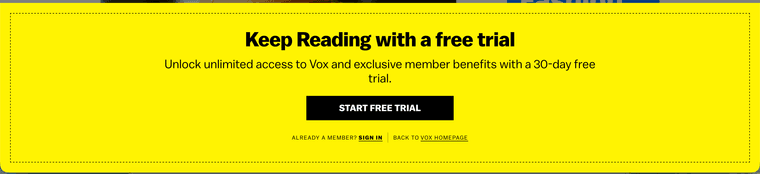
--
FusionAuth - Identity Without Constraints
https://fusionauth.io -
This is going to vary based on your publishing system, but you can use FusionAuth's OIDC
prompt=noneto see if users have an active SSO session.If the user has checked
remember meand has logged in within the tenant session timeout, the request will succeed, otherwise it will fail.Step 1: Main Page
This creates the iframe and listens for the result.
On your main page, create the hidden iframe targeting FusionAuth with
prompt=none. You also listen for a message event from the iframe to know whether to display or hide the CTA <div>, which needs the idtrial-cta:// 1. Listen for the result sent back from the iframe callback page window.addEventListener('message', (event) => { // Verify the origin matches your application domain for security if (event.origin !== window.location.origin) { return; } const ctaDiv = document.getElementById('trial-cta'); if (event.data && event.data.type === 'SILENT_AUTH_RESPONSE') { if (event.data.status === 'authenticated') { // User has an active SSO session; keep CTA hidden if (ctaDiv) { ctaDiv.style.display = 'none'; } } else if (event.data.status === 'login_required') { // User is not authenticated; show the trial CTA popup/div if (ctaDiv) { ctaDiv.style.display = 'block'; } } } }); // 2. Create the hidden iframe to initiate the prompt=none request const iframe = document.createElement('iframe'); iframe.style.display = 'none'; iframe.src = 'https://<your-fusionauth-instance>/oauth2/authorize?' + 'client_id=<YOUR_CLIENT_ID>&' + 'response_type=code&' + 'redirect_uri=https://<your-app-domain>/silent-callback.html&' + 'scope=openid&' + 'prompt=none&' + 'state=<YOUR_STATE>'; document.body.appendChild(iframe);Step 2: Callback Page
Configure this page as an authorized redirect URI in your FusionAuth application [Request Parameters].
When FusionAuth redirects back with the authorization code code or
error=login_required, this page parses the URL and communicates back to the parent window:// Parse query parameters from the redirect URI const params = new URLSearchParams(window.location.search); const code = params.get('code'); const error = params.get('error'); if (code) { // Session exists: notify the parent window window.parent.postMessage({ type: 'SILENT_AUTH_RESPONSE', status: 'authenticated', code: code }, window.location.origin); } else if (error === 'login_required') { // No active session: notify the parent window to show CTA window.parent.postMessage({ type: 'SILENT_AUTH_RESPONSE', status: 'login_required' }, window.location.origin); }Cautions And Additional Considerations
This won't work across all browsers, especially those with privacy features or if your FusionAuth instance isn't on the same root domain as the application. More details here.
Test the scenarios you need to support.
The CTA should include information about how to sign up or log in if the user already has an account.
You may want to add server or client side logic to obfuscate the page contents.
-
 D dan has marked this topic as solved