

Security measures often feel like they're just making life harder for customers. The problem is that too much friction can work against security. Frustrated users are more likely to reuse passwords, choose weaker credentials, or fall for phishing attempts, creating exactly the kinds of openings attackers look for.
Multi-factor authentication (MFA) adds another layer of protection when passwords are stolen or compromised. But for customer-facing applications, that protection comes with a tradeoff: every additional authentication step creates friction. If MFA challenges appear too often or at the wrong moments, customers may abandon the login, the transaction, or even the service altogether.
That's where risk-based MFA (sometimes known as adaptive MFA) comes in.
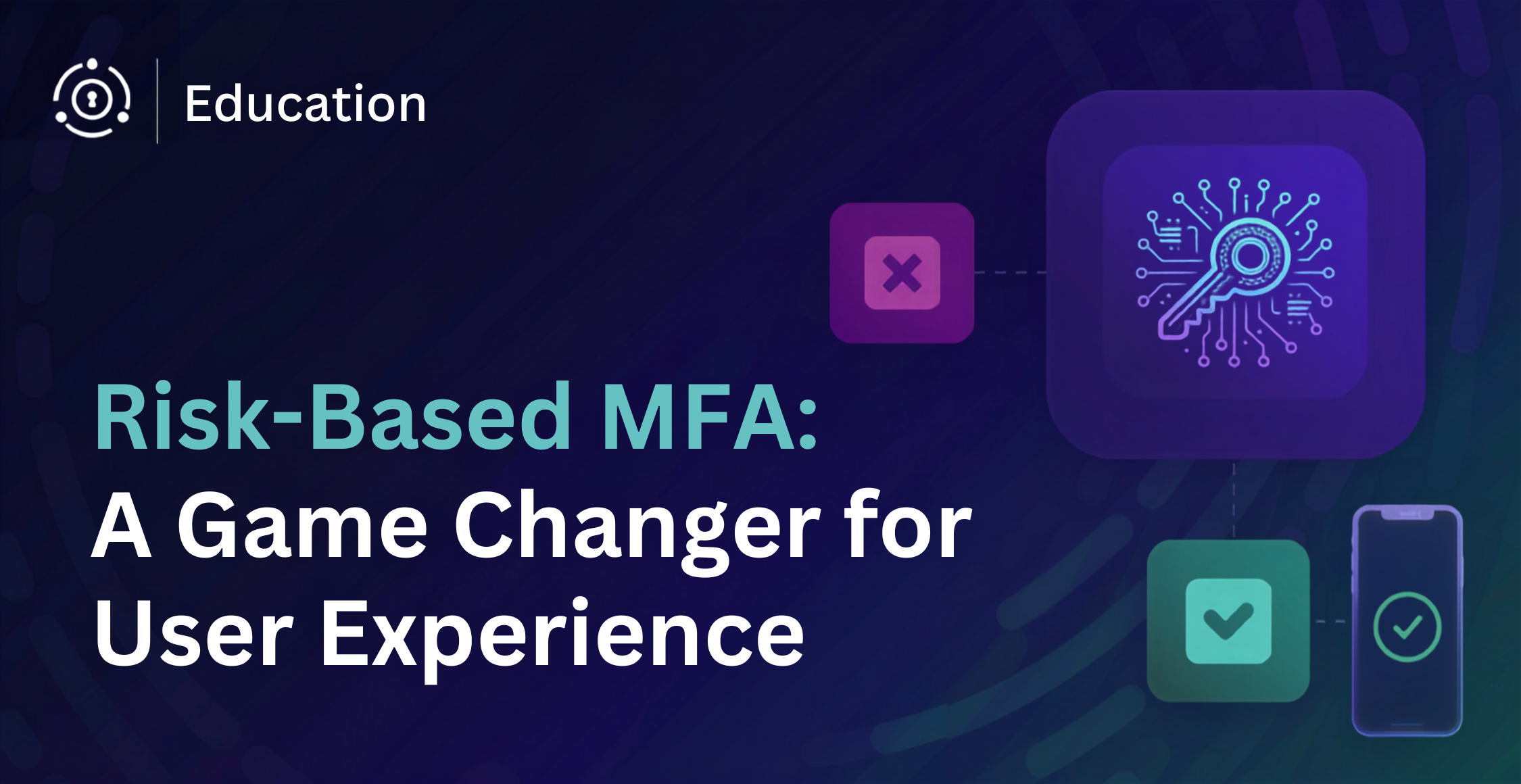
Rather than challenging every login every time, it adjusts authentication requirements based on the actual risk of each attempt. The idea is simple: users who log in from a two year-old laptop at the same time every day don't need to be challenged like someone logging in from a new device at 3am from a country they've never visited. Risk-based MFA can tell the difference. Standard MFA cannot.
While early versions of risk-based MFA required significant configuration work, the category has matured considerably. Modern implementations, like Intelligent MFA in FusionAuth 1.68, handle the risk-scoring engine automatically, without custom code or manual triggers.
Risk-based MFA remains a critical component of any modern authentication strategy. This article walks through what risk-based MFA solves, how it works, and what to look for in a risk-based MFA implementation.
Limitations of Traditional MFA#
A traditional approach to MFA is usually a huge step up in security, adding an additional layer of authentication that makes unauthorized access hard for most attackers.
But like most things in life, MFA comes with certain drawbacks.
Users Find MFA Inconvenient#
MFA may stop attackers, but customers are less interested in the security architecture behind a login than in getting where they need to go quickly.
Every additional authentication step creates friction. Customers may need to switch between apps or devices, retrieve a code, approve a push notification, or wait for an SMS message that never arrives. Even a small interruption can feel disproportionately frustrating when someone is simply trying to access an account, complete a purchase, or use a service.
That frustration matters. Customers have little patience for authentication that feels unnecessarily difficult, especially when competing services are only a click away. Too many MFA challenges can lead to abandoned logins, increased support requests, and lower conversion or engagement.
Strong authentication has to protect the account without turning every login into an obstacle course.
Not All MFA Is More Secure#
Another important thing to keep in mind is that some methods of MFA can actually create even greater vulnerabilities.
For example, SMS and email authentication are the least secure MFA authentication methodologies. Getting a six-digit code in an email account that's not secured by MFA and might have much less robust password protection can leave you exposed.
Likewise, SMS MFA is vulnerable to hackers that perform SIM swap attacks. They can clone SIM cards to have messages and calls redirected to the attacker's phone.
MFA for the sake of MFA is not the same as using MFA to strengthen security.
What Is Risk-Based MFA?#
Traditional MFA applies the same authentication requirements to every login. Risk-based MFA adjusts those requirements based on the level of risk associated with each authentication attempt.
That means a routine login can pass with minimal friction, while a suspicious attempt triggers additional verification. Instead of forcing every customer through the same MFA flow, organizations can apply stronger authentication only when the situation warrants it.
For customer-facing applications, that balance matters. Risk-based MFA helps protect accounts without adding unnecessary friction to every login.
How Risk-Based MFA Detects Risk#
Risk-based MFA evaluates each login against defined signals and rules to determine whether additional authentication is required. Those signals can include device, location, IP address, network, recent authentication activity, and conditions such as impossible travel.
An organization might configure a policy that requires MFA when a customer signs in from a new device, connects from a malicious IP address, or attempts to authenticate from an unexpected location. When those conditions are met, the corresponding MFA challenge is triggered.
Because the decision is based on explicit signals and configured rules, security teams can understand why a login was challenged and adjust their policies as risk requirements change.
Benefits of Risk-Based MFA#
The biggest advantage of risk-based MFA is that it makes stronger authentication more selective. Legitimate customers encounter fewer unnecessary challenges, while higher-risk login attempts receive additional scrutiny.
That improves more than security. Fewer interruptions can create a smoother customer experience, reduce abandoned logins and support requests, and help protect conversion and retention. At the same time, security teams gain more control over when stronger authentication is required and why.
Built-In Risk Scoring Simplifies Authentication Management#
Risk-based MFA is easier to manage when the risk engine is built into the identity platform rather than added as a separate service. The platform already has access to the user database, device history, and login events needed to evaluate risk, so those signals do not have to be stitched together across multiple systems.
That also makes it easier to apply the same risk policy across every application the identity platform protects. A customer can receive consistent risk treatment whether they are signing in through a web app, mobile app, or API.
Because the risk decision happens inside the identity platform, those events can also flow into the rest of the security stack through webhooks and integrations. Security teams can see MFA challenges alongside other threat signals and automate responses without having to operate a separate risk service.
Risk-Based MFA Strikes a Better Balance between Simplicity and Security#
Risk-based MFA strikes a more acceptable balance between security and simplicity.
Since risk-based MFA works with behavioral signals, geolocation, and trusted IPs, users who regularly work within the same "safe" conditions are not prompted for MFA authentication. In internal networks, risk-based MFA can even be integrated with single sign-on (SSO). That means those who work on an SSO-enabled device will not even need a password to log in as long as they work from their safe device and within trusted boundaries (IPs, geolocation, etc.).
Adding simplicity to security is particularly useful in certain situations:
-
Where the user is your customer. You'll notice that e-commerce services such as eBay or Amazon ask for little to no authentication when you log in from the same network and device as usual. But they will prompt you for MFA for more sensitive tasks such as adding or removing a credit card.
-
In the healthcare industry. Healthcare workers are governed by strict legislation such as HIPAA to protect patients' personally identifiable information (PII). Risk-based MFA allows them to work more seamlessly while complying with security regulations.
-
On mobile devices. Prompting users for excessive written credentials and asking them to swap between apps for authentication is especially grating on mobile devices. Risk-based MFA makes simplicity and fluency a reality with smartphones.
Risk-Based MFA Can Be Easier to Implement and Manage#
Like many security initiatives, risk-based MFA can require an investment in technology, implementation, and ongoing management. The size of that investment depends heavily on the identity platform.
Amazon Cognito, for example, places risk-based adaptive authentication in its Plus tier. Enabling it requires configuring threat protection, setting MFA appropriately, choosing enforcement modes and risk responses, and, for some application flows, passing additional context data such as IP address, device information, and request headers so Cognito can evaluate risk accurately. The Plus tier is also priced per monthly active user, with no general free tier for those users.
FusionAuth takes a simpler approach to both implementation and pricing. Intelligent MFA evaluates logins against ten configurable risk signals and is included in every paid FusionAuth plan without a separate add-on or additional per-user charge for the feature itself.
That difference matters because the value of risk-based MFA depends on how practical it is to deploy and maintain. Lower implementation complexity, fewer moving parts, and more predictable costs make it easier to adopt the capability broadly and keep it working as authentication requirements evolve.
Where Intelligent MFA Takes It Further#
The principles above describe what risk-based MFA is supposed to do. But in practice, risk-based MFA platforms differ significantly in how much context they evaluate and where that risk evaluation happens.
First, the number and variety of risk signals matter. A system that looks at only a few conditions has less context to work with than one that evaluates device trust, IP reputation, impossible travel, suspicious browsers, bot activity, dormant accounts, stale credentials, and recent account changes. The more relevant signals available to the decision, the better equipped the system is to distinguish a routine login from one that deserves additional verification.
Where that risk evaluation happens matters too. Some platforms send authentication data to a vendor-hosted service for scoring. For organizations with strict data residency requirements, regulated environments, or security policies that limit where identity data can travel, keeping risk evaluation inside their own infrastructure can be an important requirement.
That becomes even more critical in air-gapped environments, where authentication systems may have no connection to the public internet at all. Risk-based MFA that depends on an external scoring service simply won't work there, so deployment architecture becomes part of the security decision.
FusionAuth 1.68 introduces Intelligent MFA, a built-in risk-scoring engine that addresses both of these gaps. Here's how it works.
The 10-Signal Risk Engine#
Every login is evaluated against up to ten independent signals before a challenge decision is made. Each signal is scored HIGH, MEDIUM, or LOW:
| Risk Signal | Behavior Identifier |
|---|---|
| Impossible Travel | The account just logged in from a location physically impossible to reach since the last login, which strongly suggests credentials are being used by two different parties. One of them could be an attacker. |
| Untrusted Device | The user never marked this device as "remembered" during a prior MFA prompt, so we have no standing signal that they personally vouch for it. Absence of that trust marker warrants re-verifying identity. |
| Unrecognized Device | This device has never been seen on the account before. New hardware is a classic indicator of credential theft or session hijacking, so confirm the person is really them. |
| Blocklisted IP | The login originates from an IP on a known-malicious set tied to attacks, botnets, or abuse. Traffic from these sources is far more likely to be hostile. |
| Stale Credentials | The password is many months or even years old, giving it a long window to have leaked in a breach or been guessed. Stale credentials are more likely already compromised. |
| Suspicious Password Reset | The password was changed recently, which is exactly what an attacker does right after taking over an account to lock out the real owner. A fresh change so recently is suspicious until proven legitimate. |
| Account Owner Change | A login identifier was added or changed recently, a common takeover move to hijack recovery and notifications. The recency of the change is the red flag, and risk drops the longer ago it happened. |
| Dormant Account Reactivation | The account has been dormant for a long time, a prime target since the real owner isn't watching for unauthorized access. Reactivation after long silence often signals takeover. |
| Suspicious Browser | The browser/client string matches a list of known-bad user agents associated with attack tooling. Such fingerprints rarely belong to genuine human sessions. |
| Bot Detected | Input timing indicates a bot or automated system rather than a human. Automation at the login screen points to credential stuffing or scripted abuse. |
The individual signal scores combine into a single composite. More HIGH signals raise that average, but the result is still bucketed as LOW, MEDIUM, or HIGH. You configure the policy: challenge only on HIGH, or challenge on MEDIUM and above.

A returning user on a known device with a recent login and a clean IP scores LOW and passes through with no friction. A login from an unrecognized device on a flagged IP, with a password unchanged for months, stacks HIGH across multiple signals, triggering the policy automatically. No custom code required.
Deterministic Scoring: Why It Matters for Compliance#
Most vendor risk engines use machine learning (ML). ML-based scoring can catch patterns a rules-based system might miss, but it has a real cost for compliance teams: it can't explain itself at the signal level. When an auditor asks why a specific user was challenged on a specific date, you can't get a documented and reproducible answer.
Intelligent MFA uses deterministic scoring. Every challenge decision is driven by named signals, each mapped to a risk level, combined into a composite score. The composite score is logged in your event log. With Enterprise, the triggered threat signals are available to your SIEM via webhooks, with the full per-signal scores recorded in your event log. So when the question comes up (and in SOC 2, ISO 27001, and NIST 800-63B reviews, it will), you have a documented, auditable answer.
Conclusion#
Risk-based MFA represents an important shift in how organizations approach authentication. Instead of treating every login as equally trustworthy or suspicious, it evaluates the context of each attempt and responds accordingly.
Legitimate customers face fewer unnecessary challenges, while suspicious logins receive stronger verification. That means a better customer experience, fewer abandoned logins, and fewer authentication-related support issues.
The business impact is just as important. Less login friction can improve conversion, reduce churn, and support stronger gross revenue retention. Fewer support requests can lower service costs, while stronger protection against account takeover helps reduce fraud losses, remediation costs, and damage to customer trust.
As risk-based MFA continues to evolve, organizations have access to richer risk signals, more transparent decision-making, and greater flexibility in how authentication policies are applied. The question is no longer whether risk-based MFA improves on traditional MFA. It's how effectively your implementation can distinguish between trusted users and genuine threats.
To see how Intelligent MFA handles a real login flow, request a demo. You'll walk through a scored session (one clean, one suspicious) and see exactly where the policy challenges and where it doesn't.