Weird behavior for OpenID connect login after 1.62 upgrade - MS prompts to verify email
-
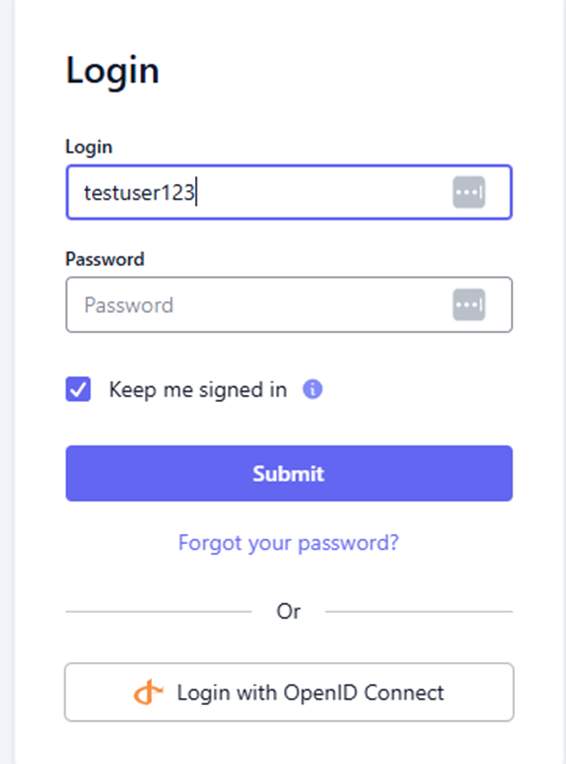
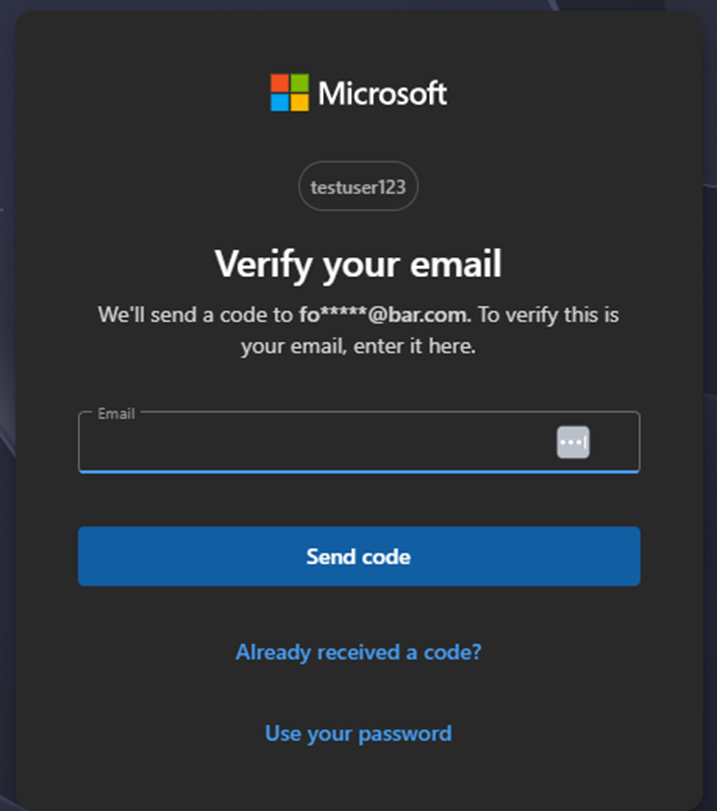
Since upgrading from 1.59 to 1.62 if a username is entered on the FusionAuth login screen, if you select to login with OpenID connect (ours is validating against M365), we get a prompt to "verify your email". If you don't fill in a username, the prompt does not come up and login works as it should. This was not an issue in 1.59 or earlier.
Login with fake username added (username does not exist in M365 or FusionAuth)
Result after hitting "Login with OpenID Connect" -- note the username and wonky email foo*****@bar.com
-
@scottw Hopefully, I can get a little time over the next couple of days and see if I can duplicate it. I will let you know if I find anything. Anyone else seeing his behavior?
-
@mark-robustelli I just upgraded to 1.64, still happens, exact same behavior