I'd like to update the user data object in the UI. I know I can do it via the API: https://fusionauth.io/docs/v1/tech/apis/users

dan
@dan
Principal Product Engineer at FusionAuth.
Enjoys ruby, java, php. Finds golang challenging.
Likes the authorization code grant, automation, stories and clear documentation.
Hiker, camper, gardener. Used to have chickens, now just tomatos.
Best posts made by dan
-
Is there a way to update user data in the UI?posted in Q&A
-
Seeking product feedback on FusionAuth's loggingposted in Announcements
FusionAuth's logging isn't one system, it's three: system/app logs on disk or stdout (monitor docs, troubleshooting), audit logs for admin UI changes via webhooks or the Audit Log API, and event logs for debugging surfaced through webhooks or the Event Log API.
None of them ship anywhere on their own, so if you want this in Datadog or Splunk, you're polling the API or writing your own ingester (by following doc, but still).
We're looking for feedback on this.
What's great about FusionAuth's logging, and what sucks or needs to be improved?
-
RE: Block authentication until user is verified?posted in Q&A
Is modifying the JWT via a lambda equivalent to accessing the verified property of the user profile?
Within a lambda, you have access to the user and registration properties. So you'd pull the
verifiedproperty from wherever you wanted and put it into the JWT as a custom claim. Here's a blog post about how that might work.So yes, it is the same data. It's the tradeoff between a bigger JWT and having to make the additional call from your API.
Don't forget that the JWT will live for a while, so if this sequence happens and you use the JWT, you might have a user with a verified email prevented from using the API.
- user registers
- JWT issued, with
verifiedset tofalsebecause the user isn't verified. - User verifies their email
- User visits API, but is denied because the JWT has stale data.
I don't know timelines and how long your JWTs live for, but this is something to consider. Does that answer your question?
-
RE: Trouble getting the user object post loginposted in Q&A
OK, we just released 1.18.8 and that is the version you want to use:
In
requirements.txt:fusionauth-client==1.18.8And then this is the call you want to make (with
client_idbeforeredirect_uri) :resp = client.exchange_o_auth_code_for_access_token(request.args.get("code"), client_id, "http://localhost:5000/oauth-callback", client_secret) -
Can I configure the inactivity timeout of the FusionAuth Session cookie?posted in Q&A
I have a quick question about FusionAuth and configuring the inactivity timeout of the session cookie it creates. Specifically... Is it possible?
-
RE: I want to send email from my docker imageposted in Q&A
I end up using a docker image of mailcatcher.
I use the default
docker-compose.yml, but use thisdocker-compose.override.yml:version: '3' services: mailcatcher: image: yappabe/mailcatcher ports: - "1025:1025" - "1080:1080" networks: - mailcatcher search: image: docker.elastic.co/elasticsearch/elasticsearch:7.8.1 environment: cluster.name: fusionauth bootstrap.memory_lock: "true" discovery.type: single-node FUSIONAUTH_SEARCH_MEMORY: ${FUSIONAUTH_SEARCH_MEMORY} ES_JAVA_OPTS: ${ES_JAVA_OPTS} # Un-comment to access the search service directly # ports: # - 9200:9200 # - 9300:9300 networks: - search restart: unless-stopped ulimits: memlock: soft: -1 hard: -1 volumes: - es_data:/usr/share/elasticsearch/data fusionauth: depends_on: - search - mailcatcher environment: SEARCH_SERVERS: http://search:9200 SEARCH_TYPE: elasticsearch networks: - mailcatcher - search networks: search: driver: bridge mailcatcher: driver: bridge volumes: es_data:Then I configure the SMTP settings to use the hostname
mailcatcherand the port1025. I can then send email and view it in the mailcatcher interface, atlocalhost:1080.Here's the relevant dockerfile: https://github.com/yappabe/docker-mailcatcher/blob/master/Dockerfile
Here's more about mailcatcher: https://mailcatcher.me/
-
RE: Error loading mysql backupposted in Q&A
I haven't seen that before.
Does this happen in your customized version of FusionAuth (where you've added a few applications and users) or the default version?
From looking at the mysqldump man page, maybe try
--hex-blob?You could try loading the schema from the .sql files ( https://fusionauth.io/direct-download/ ) and loading the data separately (that is, exporting with
--no-create-info). Again, that's a wild guess, not sure what the issue is, but some more investigation seems to make sense. -
RE: Having an issue with nginx in front of FusionAuthposted in Q&A
Ah, the answer is that Nginx defaults to HTTP/1.0 and if you are on a recent version of FusionAuth, this protocol is not supported by our HTTP server (HTTP 1.1 was, after all, released in 1997
 ).
).The remedy is to update your Nginx configuration to use a later protocol with this change:
proxy_http_version 1.1;Hope that helps.
Latest posts made by dan
-
RE: lastLoginInstant data lost during upgrade from 1.57.0 to 1.59.1posted in Q&A
Hiya @florent-bossuyt ,
Thanks for using FusionAuth.
The upgrade to 1.59.0 added support for phone number as a first class identity. While I don't know for sure, it is possible that impacted
lastLoginInstant. I'm not aware of any bug filed.It's also possible you can find the data previously in the
lastLoginInstantin theuser.identities[x].lastLoginInstantvalue, available when you retrieve a user.Since this is not a known issue, there's no documented procedure for reconciling the data, unfortunately.
Here's one approach, though.
If you have a database backup of the 1.57.0 release, you could stand up a FusionAuth instance pointing to that, and find all the users with a
lastLoginInstantthat is not null (set A). You'd then run the same query against your prod instance (set B). Then find the folks in set A who are not in set B (call them set C). Set C are the people you need to update.Unfortunately, you can't update their
lastLoginInstantdirectly. But you can fake a login using the passwordless APIs, which should set it. That is outlined here.So you'd want to perform that for all the users in set C.
Hope that helps.
-
RE: Creating User without Passwordposted in Q&A
As of version 1.59.0, you can create users without passwords.
-
RE: Additional authentication assurance without using step-up MFAposted in Q&A
You can use the linked APIs, and that’s the option most people find first. The step-up flow in the API docs works, but means your app owns the challenge. It has to start it, collect the code, and handle the result. That’s a lot for what is basically “make the user log in again because they are about to do a sensitive thing.”
There’s another way that’s a little different, and it leverages login. Since version 1.60 the
authorizeendpoint supports the standard OIDCpromptandmax_ageparameters.When your app hits a sensitive action, don't call any specific APIs. Instead, it can redirect the user to /oauth2/authorize with
prompt=loginand/or with amax_agesmall enough that their existing SSO session doesn’t satisfy it. FusionAuth shows the hosted login page, the user authenticates, and you get a fresh token back. Same code you already wrote for login, with one query parameter added.Make sure you put the current page/location in the state so you can deliver the customer back to where they were. Here's a video on deep linking.
Using either
max_age=0andprompt=loginend up in roughly the same place. I’d usemax_ageif you want a window like “re-auth if it’s been more than five minutes,” andprompt=loginif you want it every time.A successful redirect doesn’t prove everything. Your app still has to decide whether the token it’s looking at came from a recent authentication.
That’s what the
auth_timeclaim is for. It’s a reserved claim in the JWT body (it moved there in 1.60, and lambdas can’t override it), so your resource server compares it against the clock and rejects beyond your threshold. If it’s too old, send the user back throughauthorize.That’s basically the
max_agehalf of RFC 9470, just without FusionAuth issuing theWWW-Authenticatechallenge for you. You’d write that 401 yourself.Caveats:.
- This forces a re-login, not necessarily a stronger one. If the user re-authenticates with a password and nothing else, you’ve proven recency and nothing about strength. If you need the second factor on that re-auth, you need MFA to actually fire. A static policy of
Requiredwill do it. On Enterprise, the MFA Requirement Lambda can make the decision per request. - There’s no
acr-style “this was step-up” claim. You get “authenticated at time T,” not “authenticated with a second factor at time T.” If your auditors need the latter, this approach won’t give it to you cleanly, and falling back to the step-up auth API is a better option. - It’s a full redirect. For a banking-style “confirm this transfer” flow where bouncing the user to another page is a non-starter, the step-up API approach is still right.
- This only works when you are using the hosted login pages, not the Login API.
The short version: if sensitive actions are coarse-grained (“view the billing page,” “change the email address”), the redirect approach might work for you. It’s less code, the hosted pages handle the UI, and you’re not maintaining a custom MFA challenge.
But if you need per-operation binding or proof of which factor was used, look at the step-up API.
- This forces a re-login, not necessarily a stronger one. If the user re-authenticates with a password and nothing else, you’ve proven recency and nothing about strength. If you need the second factor on that re-auth, you need MFA to actually fire. A static policy of
-
Additional authentication assurance without using step-up MFAposted in Q&A
I need the user to prove they’re still the user before a sensitive action. Do I really have to wire up the Two-Factor APIs to use step-up MFA auth to do that?
-
RE: Adding a 'sign up or login CTA' to your pages for unauthenticated usersposted in Q&A
This is going to vary based on your publishing system, but you can use FusionAuth's OIDC
prompt=noneto see if users have an active SSO session.If the user has checked
remember meand has logged in within the tenant session timeout, the request will succeed, otherwise it will fail.Step 1: Main Page
This creates the iframe and listens for the result.
On your main page, create the hidden iframe targeting FusionAuth with
prompt=none. You also listen for a message event from the iframe to know whether to display or hide the CTA <div>, which needs the idtrial-cta:// 1. Listen for the result sent back from the iframe callback page window.addEventListener('message', (event) => { // Verify the origin matches your application domain for security if (event.origin !== window.location.origin) { return; } const ctaDiv = document.getElementById('trial-cta'); if (event.data && event.data.type === 'SILENT_AUTH_RESPONSE') { if (event.data.status === 'authenticated') { // User has an active SSO session; keep CTA hidden if (ctaDiv) { ctaDiv.style.display = 'none'; } } else if (event.data.status === 'login_required') { // User is not authenticated; show the trial CTA popup/div if (ctaDiv) { ctaDiv.style.display = 'block'; } } } }); // 2. Create the hidden iframe to initiate the prompt=none request const iframe = document.createElement('iframe'); iframe.style.display = 'none'; iframe.src = 'https://<your-fusionauth-instance>/oauth2/authorize?' + 'client_id=<YOUR_CLIENT_ID>&' + 'response_type=code&' + 'redirect_uri=https://<your-app-domain>/silent-callback.html&' + 'scope=openid&' + 'prompt=none&' + 'state=<YOUR_STATE>'; document.body.appendChild(iframe);Step 2: Callback Page
Configure this page as an authorized redirect URI in your FusionAuth application [Request Parameters].
When FusionAuth redirects back with the authorization code code or
error=login_required, this page parses the URL and communicates back to the parent window:// Parse query parameters from the redirect URI const params = new URLSearchParams(window.location.search); const code = params.get('code'); const error = params.get('error'); if (code) { // Session exists: notify the parent window window.parent.postMessage({ type: 'SILENT_AUTH_RESPONSE', status: 'authenticated', code: code }, window.location.origin); } else if (error === 'login_required') { // No active session: notify the parent window to show CTA window.parent.postMessage({ type: 'SILENT_AUTH_RESPONSE', status: 'login_required' }, window.location.origin); }Cautions And Additional Considerations
This won't work across all browsers, especially those with privacy features or if your FusionAuth instance isn't on the same root domain as the application. More details here.
Test the scenarios you need to support.
The CTA should include information about how to sign up or log in if the user already has an account.
You may want to add server or client side logic to obfuscate the page contents.
-
Adding a 'sign up or login CTA' to your pages for unauthenticated usersposted in Q&A
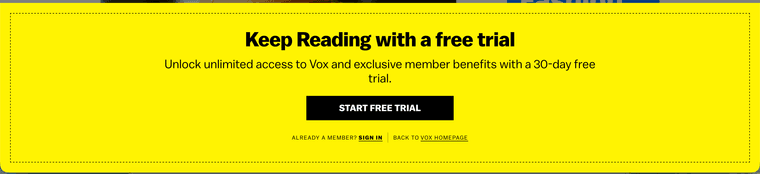
How can I add a CTA to get users to log in to my news site, like this one from vox?
-
RE: Slack-style multi-tenant login: resolve the tenant, then send (or fake) a passwordless codeposted in Q&A
Both entry points, and especially the anti-enumeration behavior on the known-tenant path, are best built by calling FusionAuth's passwordless APIs directly from your own UI rather than relying on the hosted login pages. Here's more on the difference.
Using the API is the only way to get full control over what the UI shows on a failure.
Known-tenant entry (acme.ourapp.com)
- Maintain your own slug/domain → tenantId table (outside FusionAuth), populated when you provision each tenant via the Tenant API. FusionAuth has no built-in hostname-to-tenant mapping. You can learn more in the multi-tenant guide.
- At request time, resolve the subdomain to a tenantId from that table (outside FusionAuth). If nothing matches, show "Workspace not found" — this never touches FusionAuth.
- Build your own "enter your email" screen for this workspace (not FusionAuth's hosted page — you need to control what's shown on failure, which the hosted page won't let you do).
- When the user submits an email, your backend calls /api/passwordless/start with that tenantId + your Universal Application id + the email as loginId. Universal Application docs here.
- Branch on the response, entirely inside your backend:
- 200, code sent → hang onto the returned code value, respond to your frontend with a generic "we sent you a code" message, and show your own "enter the code" screen.
- 404, no user found → this is the real signal Slack is hiding. FusionAuth returns a 404 with an empty body when no user matches the tenant. Instead of surfacing that: send your own "no account with this email in this workspace" notice through your own transactional email provider (outside FusionAuth or using the send email API), then respond to your frontend with the exact same "we sent you a code" message. Show the identical "enter the code" screen either way.
- Completing the challenge:
- Real branch: verify the code the user types via /api/passwordless/login (tenantId + code), which returns tokens; pair this with the Hosted Backend / BFF if it's a SPA. Alternatively, redirect the browser to /oauth2/passwordless/{code}?tenantId=<tenantId>&client_id=<id> and let FusionAuth's hosted page take over the code-entry step. This is the URL FusionAuth's own passwordless email template constructs for the "click to log in" link, so redirecting there yourself just skips the email round-trip.
- Fake branch: there is no FusionAuth code to hand off, so there's nothing to redirect to on FusionAuth's hosted domain — you have to own the "enter code" screen yourself here. Whatever the user types, respond with the same generic "invalid or expired code" error you'd give a real wrong code; never a distinct message. If you're using the hosted-page redirect for the real branch, don't try to fake that redirect for this branch — just render your own equivalent screen and always reject, rather than attempting a look-alike hosted destination.
- Pad the fake branch's response time to roughly match a real Start call, so the two paths don't diverge on timing, which would leak the same thing you're hiding in the UI.
Generic entry (ourapp.com/login)
- Call /api/user/search with a global (not tenant-scoped) API key and no tenantId filter, searching by the submitted email. Each matching User record already includes its own tenantId, so this single call tells you every workspace the email belongs to. This pattern (global key, /api/user/search?queryString=<email>, results include per-tenant matches) is answered on the forum. Keep the key server-side only.
- If you'd rather not run a global-key search on every anonymous request (latency, or wanting the key confined to a webhook receiver instead of a public endpoint), you can maintain your own email → tenantId[] table fed by FusionAuth's user.create / user.update / user.delete webhooks instead. Docs at https://fusionauth.io/docs/extend/events-and-webhooks/. Either is fine — this is a trade-off, not a hard requirement.
- Branch on the result (outside FusionAuth):
- No match → "No account found," stop there.
- One match → continue with that tenant.
- Multiple matches → show a workspace picker, then continue with the chosen one. This is currently functionality you have to build yourself, though there is an open issue.
- Once a tenant is resolved, it's the same steps as section 1 from "build your own enter-email screen" onward — including the fake-challenge branch, if you want the same anti-enumeration behavior here too (Slack's generic "find your workspaces" entry also avoids confirming or denying a match directly, for the same reason).
A few things worth flagging
- FusionAuth users are tenant-scoped records — the same person needs a separate User object per workspace they belong to.
- API key scope matters: the cross-tenant search in section 2 needs a global key; the tenant-specific calls in section 1 can safely use a tenant-scoped key. [Docs](Docs at https://fusionauth.io/docs/apis/api-keys).
- The SSO session cookie isn't tenant-aware across hostnames — FusionAuth doesn't currently support true multi-tenant SSO through the hosted pages, so the user behavior when switching tenants requires another login. Always pass tenantId explicitly on every call.
- Passwordless API reference for the exact Start/Login request and response shapes:
-
Slack-style multi-tenant login: resolve the tenant, then send (or fake) a passwordless codeposted in Q&A
We're building a multi-tenant app where each customer is a FusionAuth tenant, similar to how Slack has one "workspace" per customer. We'd like two entry points, like Slack has:
- A known-tenant URL (acme.ourapp.com) that takes returning users straight to their workspace's login.
- A generic entry point (ourapp.com/login) where someone just types an email — if it doesn't match any tenant, show "No account found"; if it does, send them a one-time code.
We'd also like to match Slack's exact behavior on the known-tenant URL: even if the email typed in isn't a member of that workspace, still show the same "enter your code" challenge screen. The "no account" information should only ever reach the person by email, never through the UI — that's what lets someone try a few email addresses if they forget which one they used for a given workspace.
What's the current best practice for doing this with FusionAuth?
-
Seeking product feedback on FusionAuth's loggingposted in Announcements
FusionAuth's logging isn't one system, it's three: system/app logs on disk or stdout (monitor docs, troubleshooting), audit logs for admin UI changes via webhooks or the Audit Log API, and event logs for debugging surfaced through webhooks or the Event Log API.
None of them ship anywhere on their own, so if you want this in Datadog or Splunk, you're polling the API or writing your own ingester (by following doc, but still).
We're looking for feedback on this.
What's great about FusionAuth's logging, and what sucks or needs to be improved?
-
RE: What are the use cases for the user.data.email field?posted in Q&A
It is useful in a few scenarios.
- When you have users that share an email address, but are in the same tenant and have distinct accounts. FusionAuth enforces uniqueness on
user.emailper-tenant. - When your users have a username (such as an account number) as a main unique identifier, but need self-service account recovery.
- When you have duplicate email addresses in a legacy system and are migrating them to FusionAuth, whether they point to the same account or not. You can move the users over and address email updates or account merges later.
Not all email related functionality is available when using
user.data.email, but common workflows like forgot password are. - When you have users that share an email address, but are in the same tenant and have distinct accounts. FusionAuth enforces uniqueness on