

In the Northern Hemisphere, the world awakens with springtime splendor: the earth turns a vibrant emerald, daffodils burst into bloom, and FusionAuth marks the season with the release of version 1.65.0.
Meanwhile in the Southern Hemisphere, autumn is settling in. But at least one species is hard at work, eating bugs to prepare for brumation (reptilian hibernation): the Tasmanian mountain skink.
Out of respect for this noble creature's acronym, we named this release the Tenant Manager SSOTasmanian Mountain Skink.
If that sounds like a mouthful, call it TMSTMS.

This version includes a self-service SSO solution for Tenant Manager, a new identity provider testing API, a way to set custom favicons in simple themes, a voice option for MFA for improved accessibility, a declarative way to reconcile user identities, a new limited option for self-service incomplete user registration, and a new way to filter logs by tenant. And just like the real Tasmanian mountain skink, this release eats up plenty of bugs!
Unfortunately, we weren't able to ship the skink-like functionality of regrowing arms. But we did manage to improve the performance of multi-node clusters (and plenty of other performance and reliability improvements), which is basically the same thing.
Self-Service SSO in Tenant Manager#
For the first time, tenant administrators can configure SSO entirely within Tenant Manager.
First, ask your FusionAuth admin to enable Self-Service SSO in the FusionAuth Admin UI -- they'll only have to do this once:
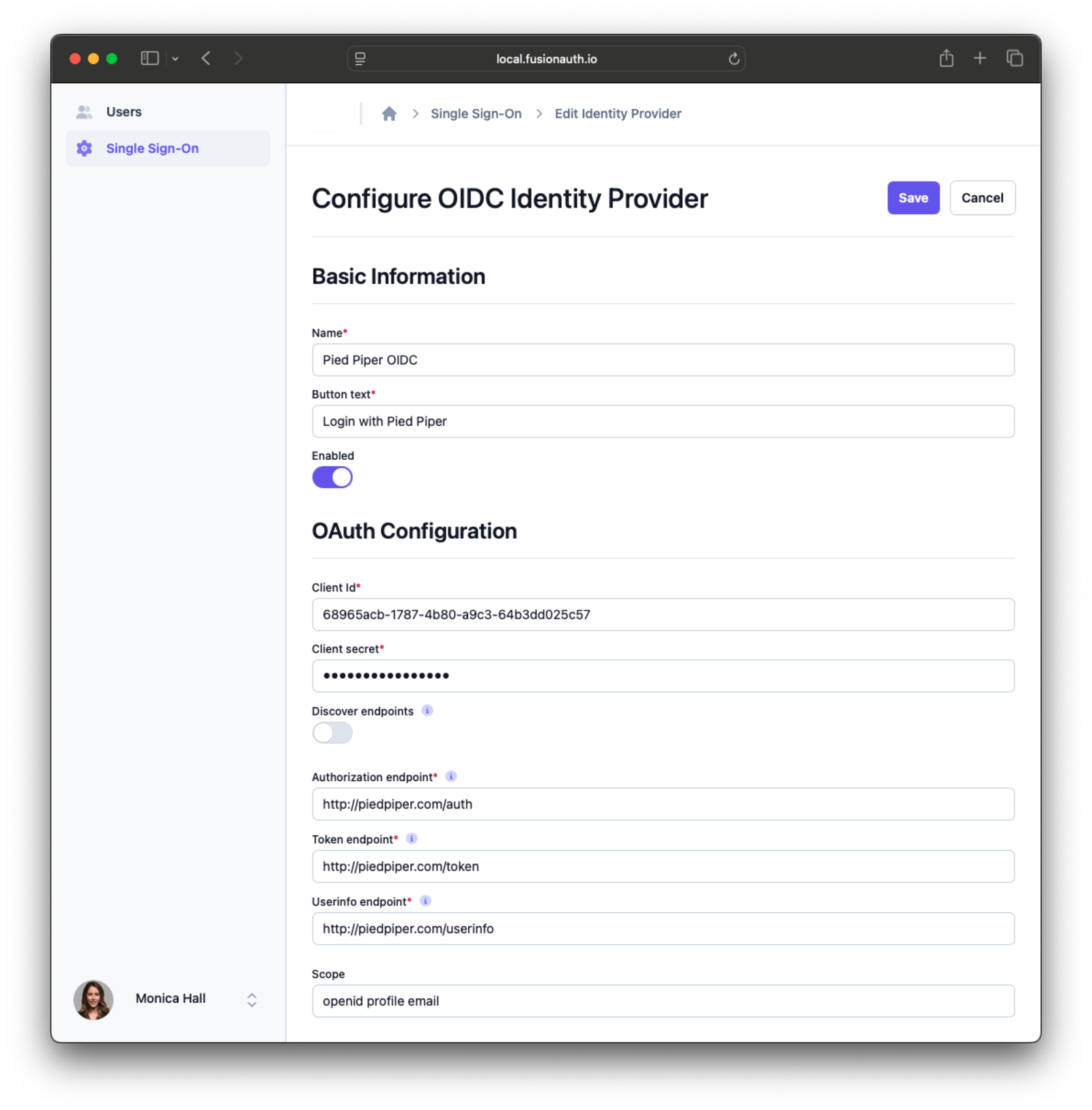
From there, tenant administrators can configure, test, and enable SSO in Tenant Manager using the Single Sign-On page:
Identity Provider Testing API#
To support self-service SSO in Tenant Manager, we created a whole new API for testing identity provider configurations, and a UI in Tenant Manager for visual testing. Tenant administrators can use these tests to verify an identity provider configuration before enabling an identity provider.
To test an identity provider, open the Single Sign-On page, expand the action menu for an identity provider, and click Test .
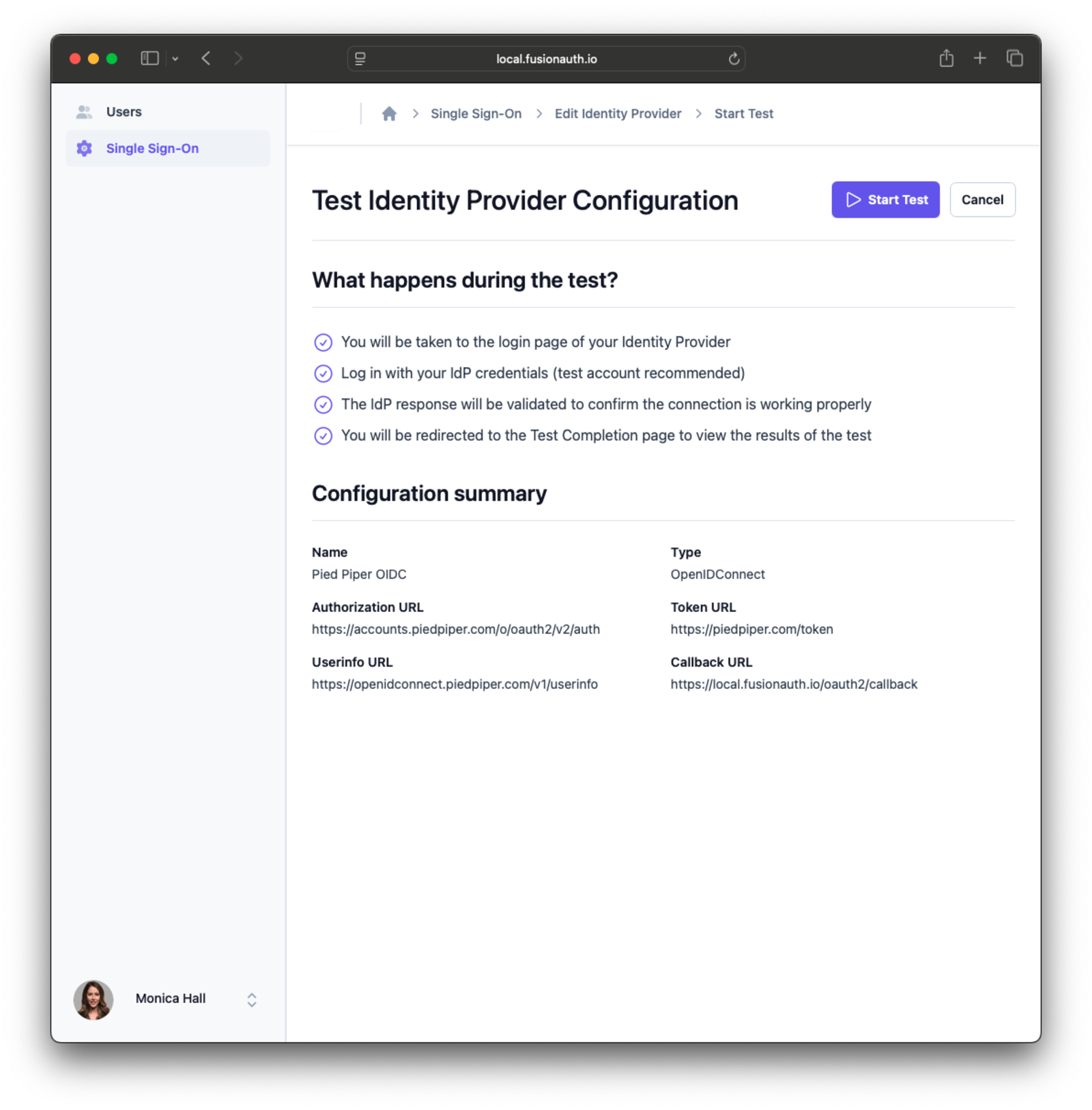
The connection test start page shows a summary of your configuration.
Click Start Test to begin the test.
Complete the login flow using an identity provider, and you'll see the test success page:
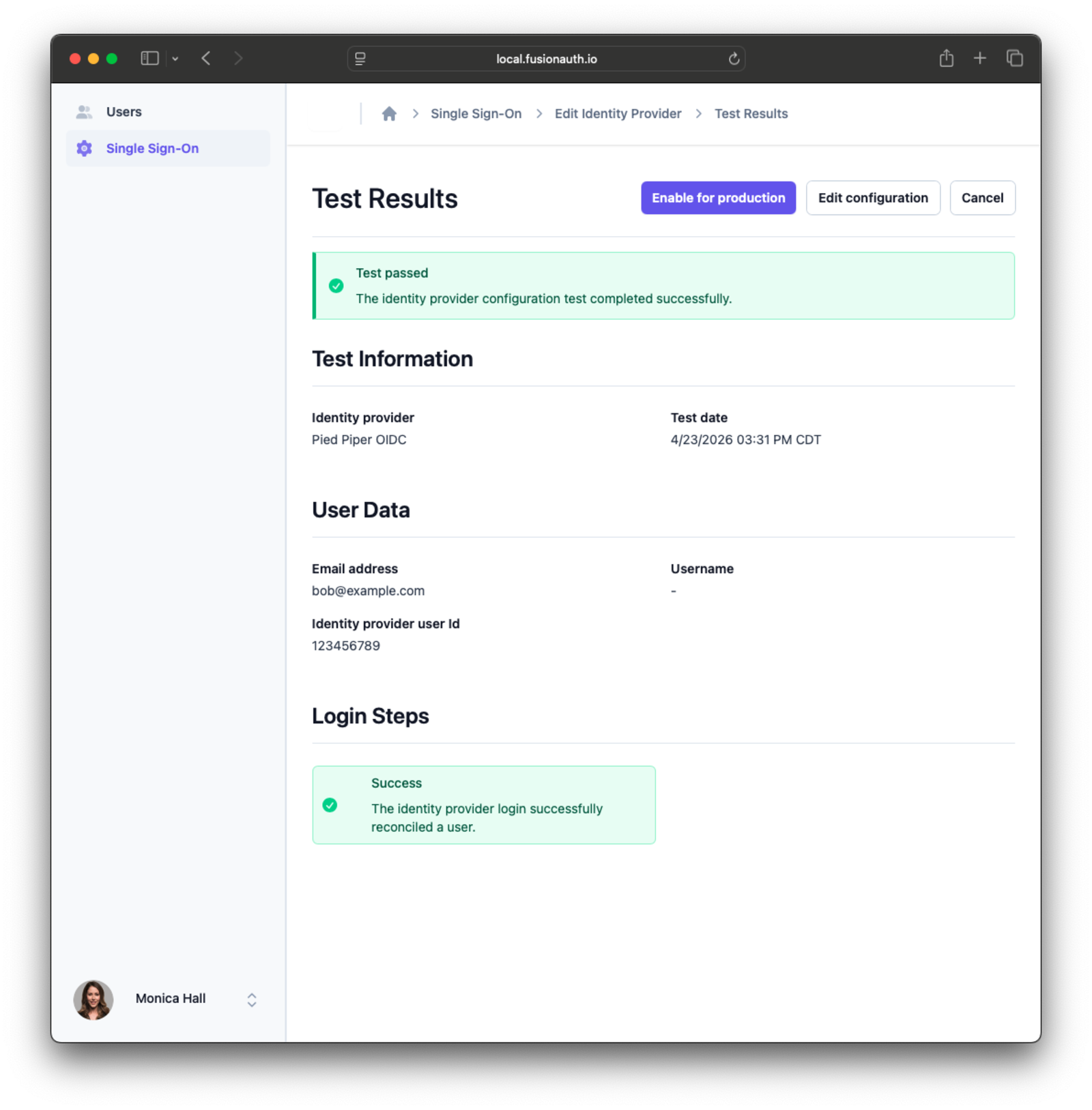
If your login flow works, you can click Enable for production to ship SSO to your users.
If your login flow doesn't work, you'll see the test failure page, which provides logs and other information you can use to debug the problems with your configuration. Keep testing until your configuration works.
Custom Favicons for Simple Themes#
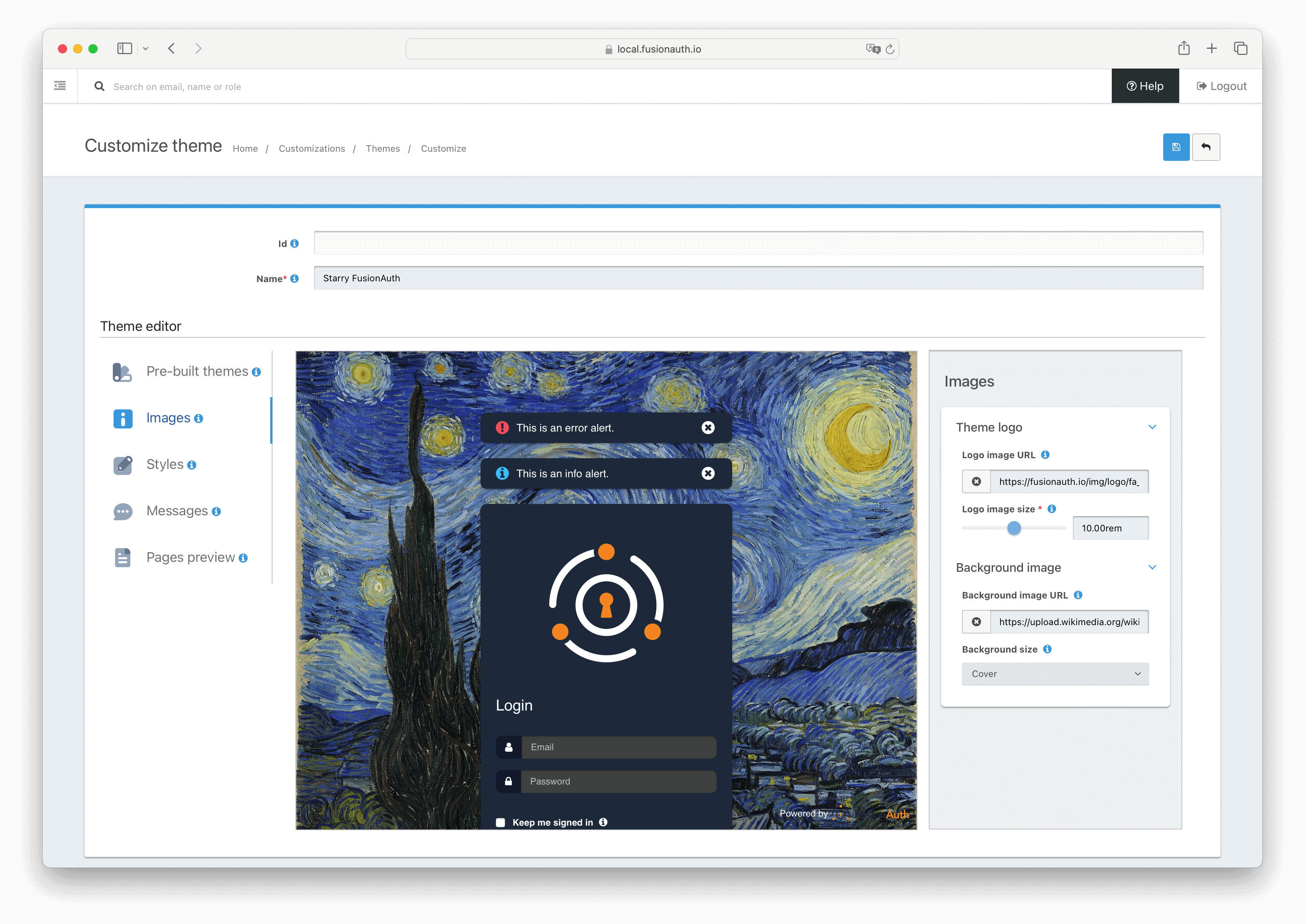
As we know, our users love customization. That's why we have now added an option to upload your own favicon for hosted login pages using simple themes:
I'd say more, but that about explains it. I guess I can fill this extra space with a fun fact about Tasmanian mountain skinks. Did you know that, when preparing for brumation (the reptilian hibernation I mentioned before), lizards store both fat and glycogen? While mammals rely primarily on fat reserves for hibernation, reptiles going into brumation use a mixture of fat and glycogen.
Anyway, now that we've filled up this section, back to the exciting features:
Voice MFA#
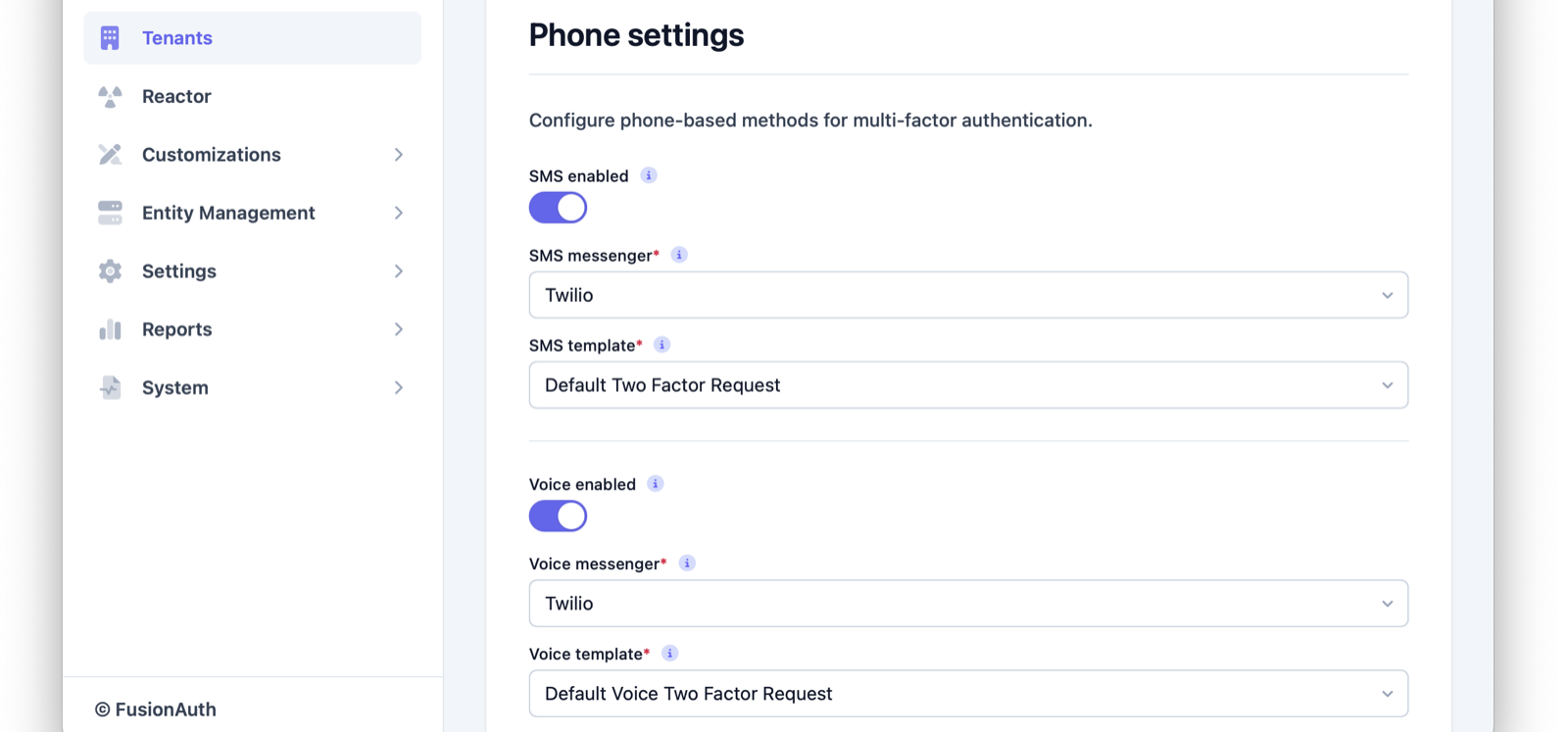
Accessibility is for everyone. Even if you have the sharpest eyes and best hearing, you're bound to have a friend or loved one who isn't so lucky. That's why we added a new voice option for multi-factor authentication (MFA), allowing users to receive codes via audio instead of text.
In the MFA settings for a tenant, find the Phone section. Enable the Voice enabled toggle to enable MFA audio codes!
Wow, that was another short one. OK, I guess I can fit another fun fact about Tasmanian mountain skinks: it's also known as the heath cool-skink. Which, aside from sounding like a character from Wuthering Heights, is almost as cool as the species name, orocryptum, a combination of the Greek words oros (mountain) and kryptos (hidden), because the Tasmanian mountain skink lives in the mountains and proved pretty difficult to discover.
Enough fun, let's talk about declarative configuration!
Declarative User Reconciliation#
Many of our users currently use reconcile lambdas like our OIDC reconcile lambda to reconcile user identities across identity providers. But it turns out we didn't need anything as powerful as a lambda to define reconciliation for self-service SSO in Tenant Manager.
We just needed attribute mappings. In fact, to use Tenant Manager SSO, you need to configure attribute mappings -- a reconcile lambda just won't do.
Attribute mappings allow you to map claims from an identity provider response directly to FusionAuth user and registration fields. FusionAuth admins can configure these key-value pairs using the Identity Provider API or the identity provider configuration page in the Admin UI. Tenant administrators can customize them for their tenants in Tenant Manager.
During reconciliation, FusionAuth reads the claims in the identity provider response based on your configured attribute mappings. FusionAuth assigns the retrieved values to the corresponding key on the FusionAuth user or registration. But don't worry, all attribute mappings are optional; if FusionAuth can't retrieve a claim value or set a key, it omits the mapping, but reconciliation continues.
Self-Service Incomplete User Registration#
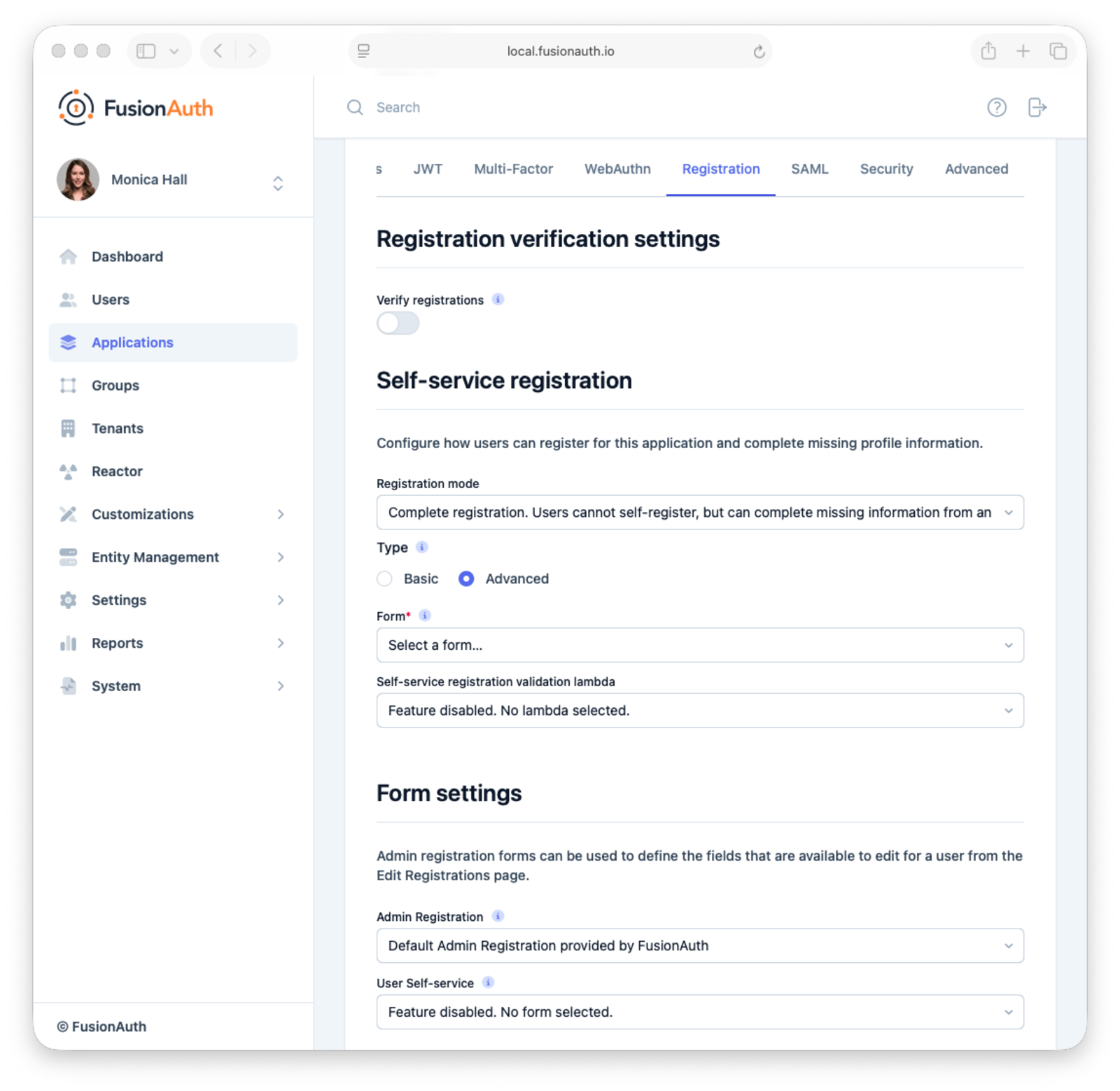
This release also adds a new self-service option for applications that allows users to complete an existing (but incomplete) registration, without opening the door for entirely new users to create accounts. We call it complete registration.
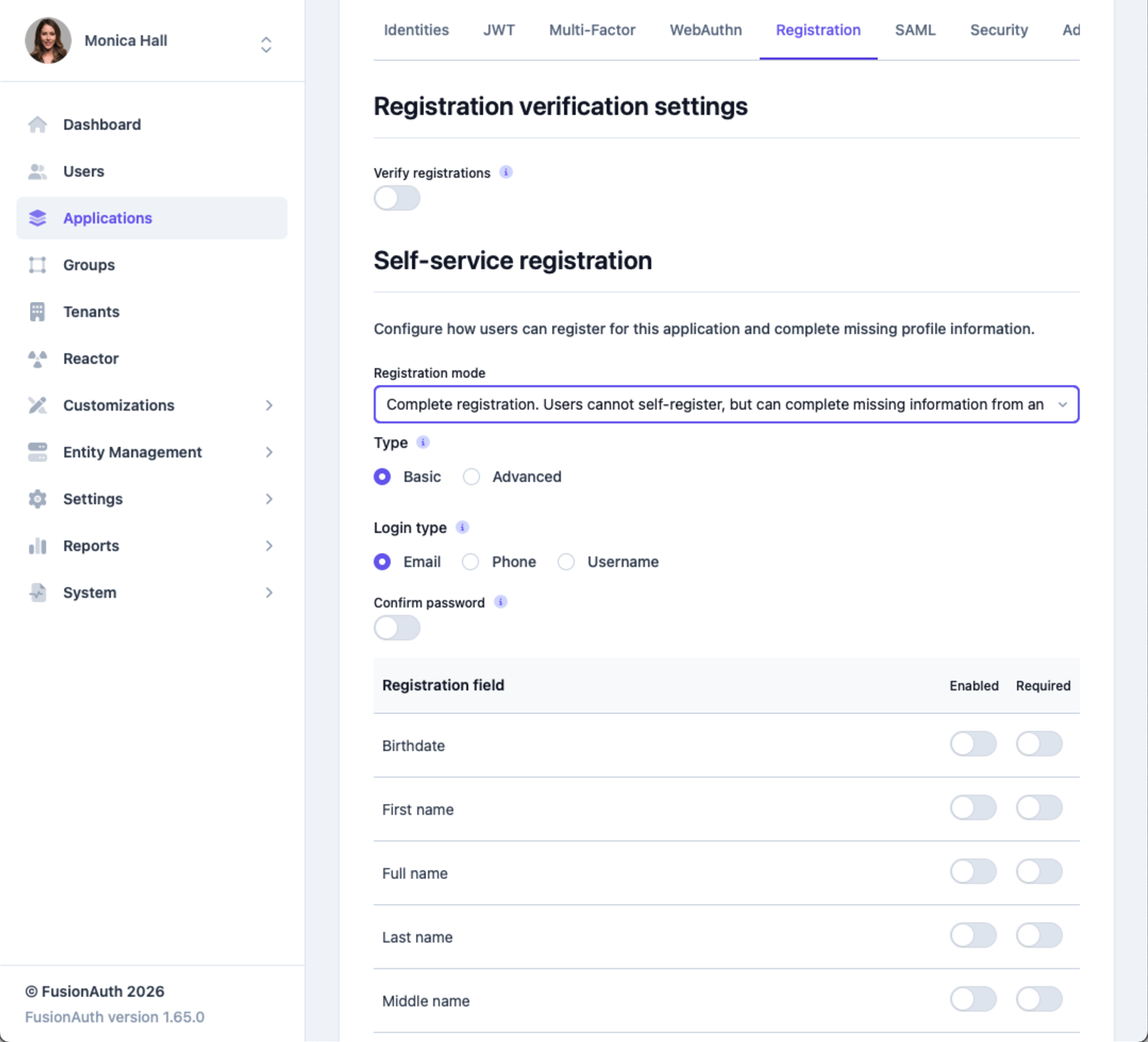
When complete registration is enabled on an application, FusionAuth checks whether a registered user lacks any user or registration data required by the configured form. After authenticating, the user must supply that data before completing the hosted login flow.
To enable complete registration for an application, go to the Self-service-registration settings and select complete registration from the Registration mode dropdown.
Filter Logs by Tenant#
Finally, we added the auditLog.tenantId field to the Audit Logs API. Now you can filter audit logs by tenant using the API and in Tenant Manager. This should make it that much easier to debug problems that only impact a single tenant.
We also fixed a large number of bugs: for a full list, take a look at entries marked with the fix category in the release notes.
Thanks again for using FusionAuth! Don't forget to say "thank you" to any Tasmanian mountain skinks you meet out there.