Identity Provider Scope
On this page
Tenant-scoped Identity Providers require FusionAuth 1.62.0 or later.
Every Identity Provider is either global or tenant-scoped. A tenant-scoped Identity Provider works only in authentication workflows for the Identity Provider's Tenant. Use a tenant-scoped Identity Provider to offer an Identity Provider configuration only to the users of one Tenant. A global Identity Provider works in every Tenant. Every Identity Provider created before FusionAuth 1.62.0 is global.
Choose a Scope#
You choose the scope when you create the Identity Provider. You can't change the scope later.
- In the Admin UI, select a Tenant on the Add Identity Provider page to create a tenant-scoped Identity Provider. Select
Global identity providerto create a global Identity Provider. - With the API, set
identityProvider.tenantIdto a Tenant Id to create a tenant-scoped Identity Provider. Leave outidentityProvider.tenantIdto create a global Identity Provider.
Global Identity Providers and Tenant-Scoped API Keys#
A tenant-scoped API key can change only the objects in the API key's Tenant. A global Identity Provider spans every Tenant, so a tenant-scoped API key can't change a global Identity Provider through the Identity Providers API. A tenant-scoped API key can manage Identity Provider links, because each link belongs to a user in one Tenant.
Link Limits#
An Identity Provider can limit the number of links that each user in a Tenant can have to the Identity Provider. Links to other Identity Providers don't count toward the limit. Every Identity Provider type except HYPR has a Tenants tab for link limits.
On a global Identity Provider, the Tenants tab starts empty. To set a limit for a Tenant, click Add tenant configuration , turn on Limit links per user, and set Maximum link count. A global Identity Provider without a configuration for a Tenant still works in the Tenant, with no link limit. On a tenant-scoped Identity Provider, the tab lists only the Identity Provider's Tenant.
The following Google Identity Provider limits each user in the Default tenantThe Tenant that FusionAuth creates during installation. You can't delete the Default Tenant, which hosts the FusionAuth Admin UI Application. to two links:
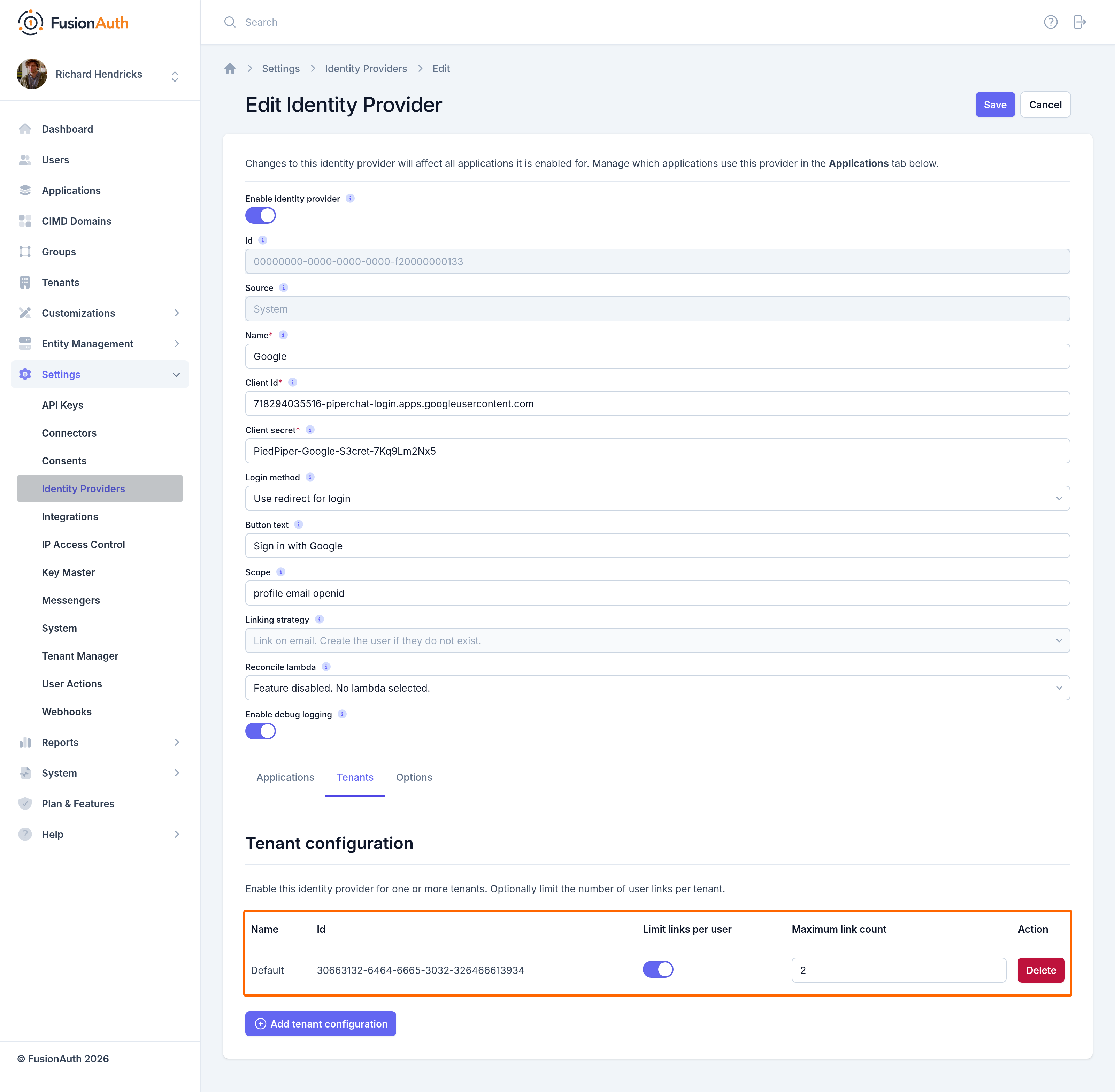
When a user reaches the limit, FusionAuth rejects a new link. The Link API returns a 400 with the [tooManyLinks]userId error code, including for a request that completes a pending link. A pending link on the hosted login pages shows an error that the user reached the link limit.
To set link limits through the API, use identityProvider.tenantConfiguration. For more information, see the Identity Providers API.
Related
Learn about the APIs for retrieving and updating Tenant Manager configuration.
API documentation for the FusionAuth Create a Tenant API.
API documentation for the FusionAuth Delete a Tenant API.
Learn about the APIs for creating, retrieving, updating and deleting tenants.