Add a LinkedIn IdP
On this page
1.23.0
Add a Sign in with LinkedIn button to the FusionAuth login page. This guide shows how to collect the credentials from LinkedIn and configure the LinkedIn Identity Provider, a Social loginLogin through an account the user already has with a consumer service, such as Google or Apple. option.
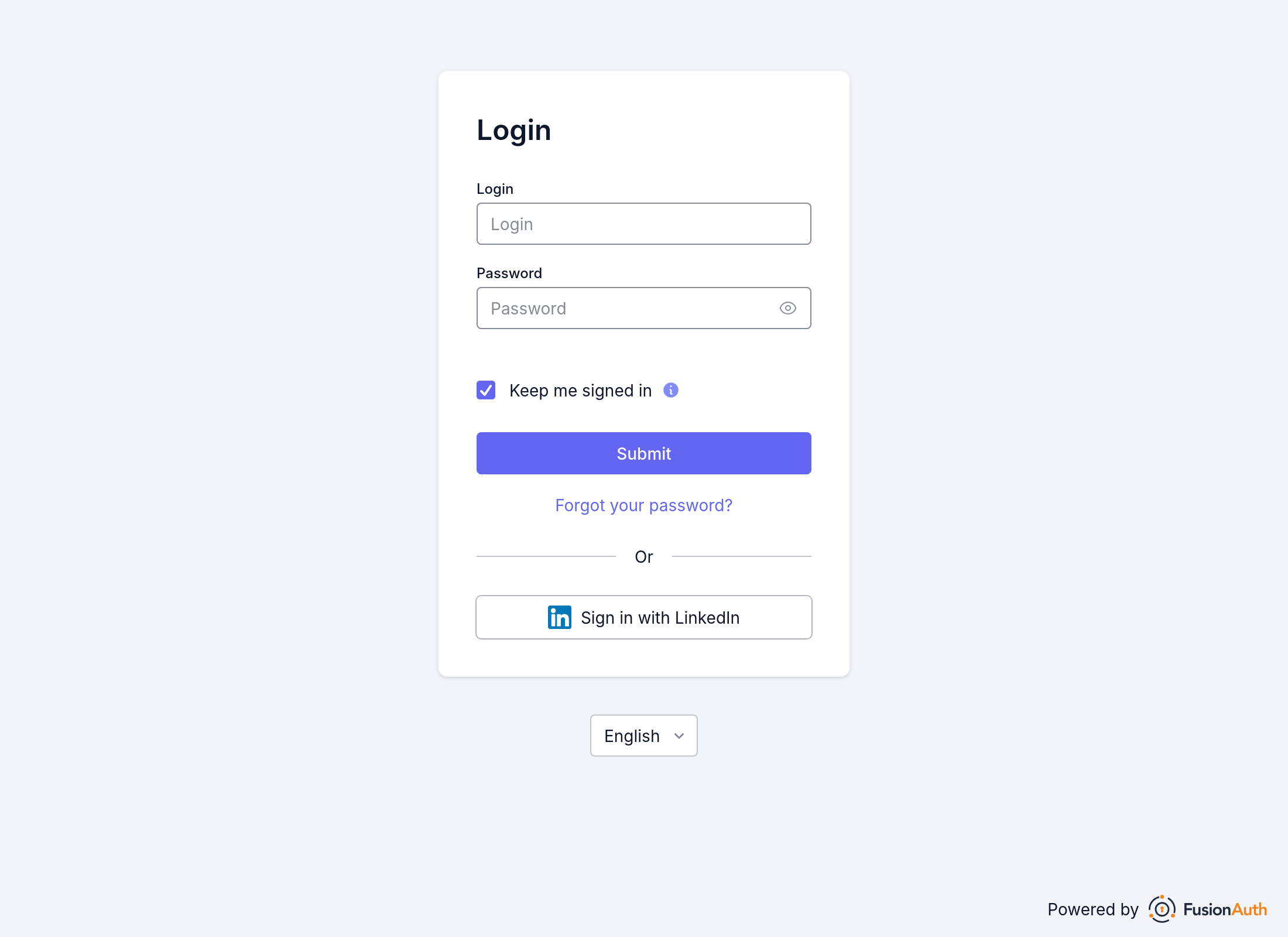
After you configure the Identity Provider, you can enable the LinkedIn login button for one or more FusionAuth Applications. The following login page shows the LinkedIn Identity Provider:
The following diagram shows a login through LinkedIn on the FusionAuth hosted login pages:
A user logs in through an Identity Provider on the FusionAuth hosted login pages.
The user sees only the FusionAuth login page, the login page of LinkedIn, and your application. Your application completes a standard OAuth authorization code grant with FusionAuth, and FusionAuth handles the exchange with LinkedIn.
Create a LinkedIn Account#
Log in to LinkedIn, or create a LinkedIn account. Then open the LinkedIn developer portal.
Create a LinkedIn App#
When you have a LinkedIn app to use, skip this step.
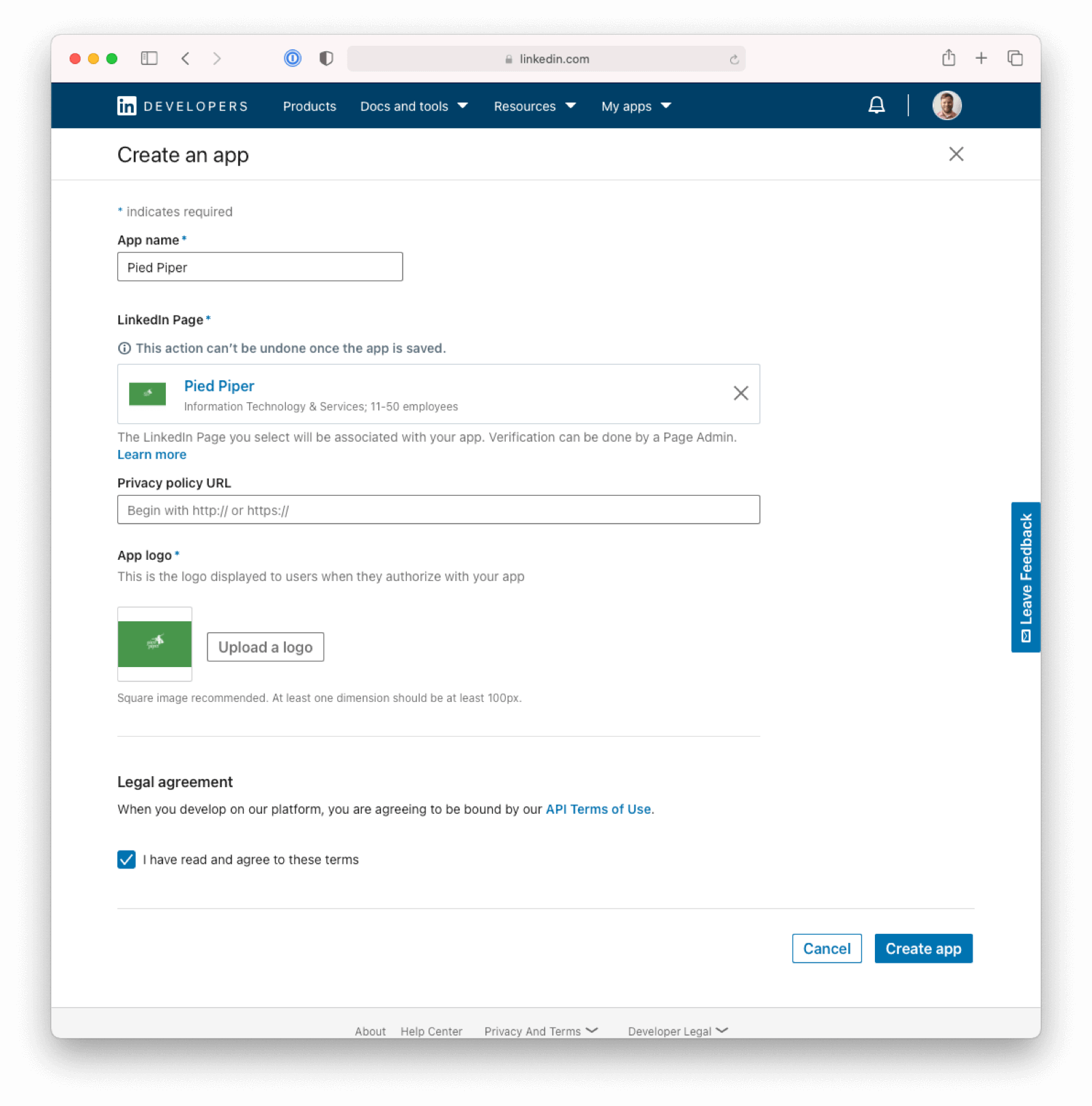
Otherwise, fill out the new application form. The following example creates an app named Pied Piper:
Grant Your App the Required Permissions#
- In the LinkedIn developer portal, navigate to My apps -> Your Application .
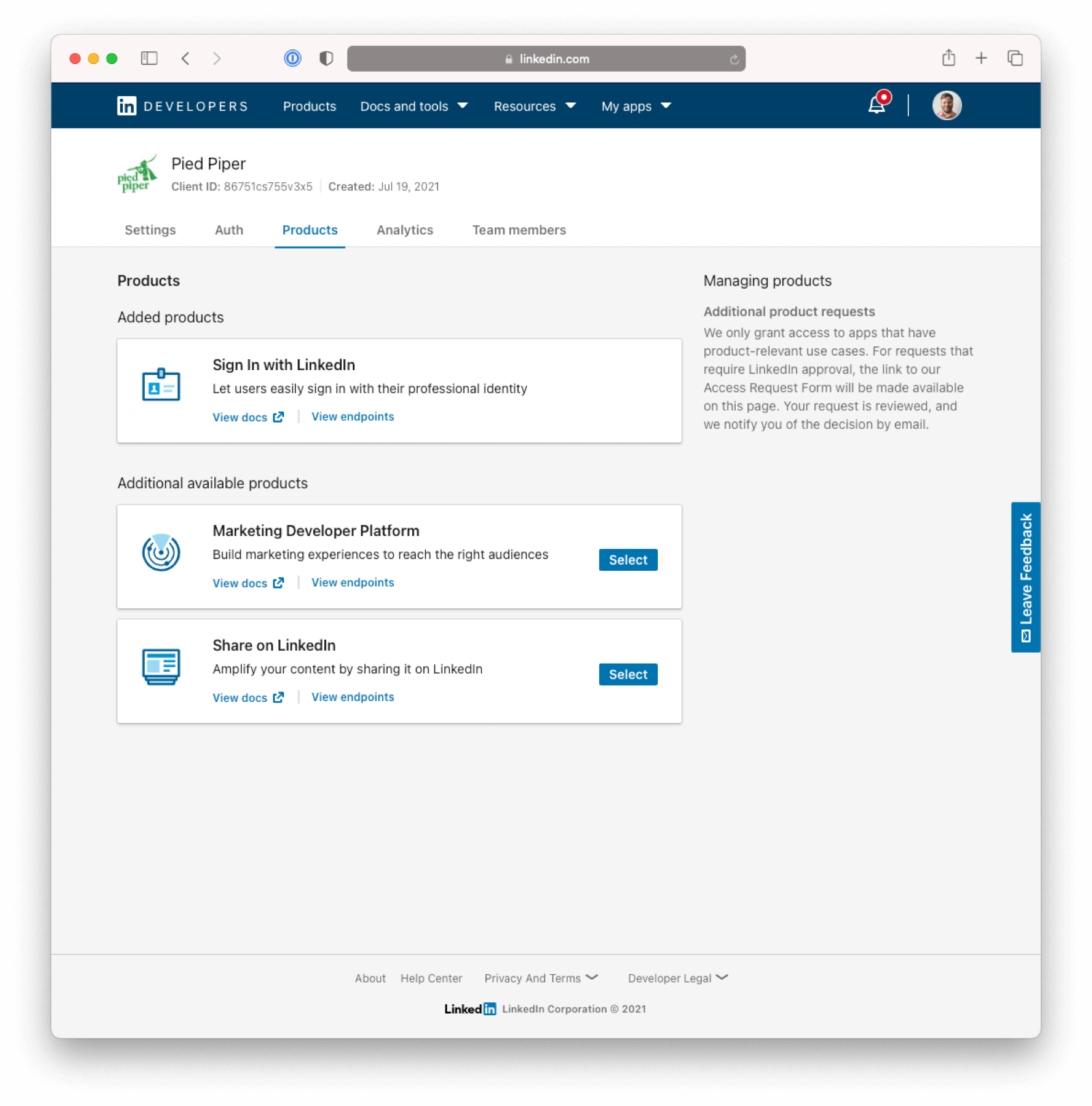
- Navigate to My apps -> Your Application -> Products . When the application has no Products tab, such as for your first LinkedIn application, navigate to Products in the top-level menu instead.
- Select
Sign In With LinkedInand accept the terms.
The LinkedIn platform team may review the application before the product is available.
Set Up Your LinkedIn App Client Credentials#
-
In the LinkedIn developer portal, navigate to My apps -> Your Application .
-
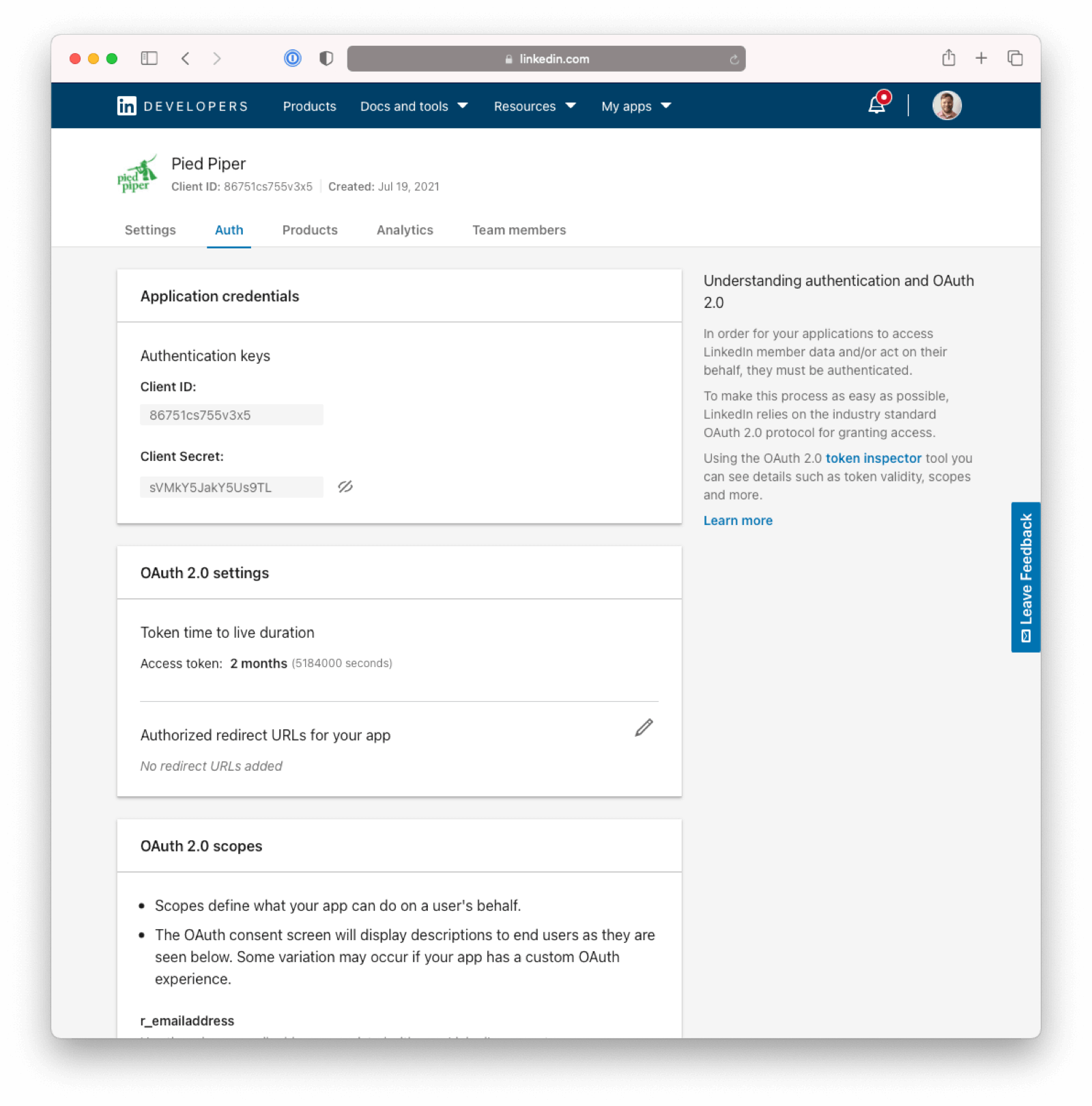
Navigate to Auth -> Application credentials . Record the Client ID and the Client Secret.
-
Add your redirect URLThe URL where the authorization server sends the browser after login, with an authorization code or an error. to Authorized redirect URLs for your app. The redirect URL is the FusionAuth hostname followed by
/oauth2/callback. For example, when FusionAuth runs athttps://login.piedpiper.com, addhttps://login.piedpiper.com/oauth2/callback. -
Save the setting.
The OAuth 2.0 Scopes section shows the following scopes:
openidprofileemail
When the LinkedIn UI doesn't show the scopes, add the scopes to the FusionAuth configuration and log in through the integration. The first login should make LinkedIn update the configuration in the LinkedIn UI. For more information, see Create a LinkedIn Identity Provider.
LinkedIn Identity Provider Scopes#
LinkedIn has changed the LinkedIn API programs over time.
The scopes available to your application depend on when you created the application in LinkedIn. An older Compliance program, which no longer registers new apps, uses different scopes than the newer program based on OpenID Connect.
The legacy scopes are r_emailaddress for the email address and r_liteprofile or r_basicprofile for the rest of the user info. The legacy scopes call the LinkedIn Profile API.
Before FusionAuth 1.49.0, FusionAuth supports only the legacy scopes. The new scopes openid, profile, and email call the LinkedIn UserInfo API. To use the new scopes, update to FusionAuth 1.49.0 or later.
When the scopes don't appear, check that you added the LinkedIn product to the LinkedIn app. You may also need to reload the app page, or log out of LinkedIn and log back in, so the application shows the right permissions.
Create a LinkedIn Identity Provider#
Create the LinkedIn Identity Provider in FusionAuth. Fill in Client Id and Client secret with the values you recorded. Button text is required and defaults to Sign in with LinkedIn.
To enable LinkedIn for an Application or CIMD domain:
-
In the Admin UI, navigate to Settings -> Identity Providers .
-
Click the arrow next to the add button, and select LinkedIn .
-
Select the Tenant for the Identity Provider, or select
Global identity provider. You can't change the scope later. For more information, see Identity Provider Scope. -
Fill out the form. Your identity provider supplies most of the values. For a description of each field, see Form Fields.
-
On the Applications tab, turn on Enabled for each Application or CIMD domain that uses the Identity Provider.
-
To register new users for the Application with the Application's default roles, turn on Create registration. When Create registration is off, a user needs a registration for the Application before the user can log in through the Identity Provider.
-
Click .
The login page of each enabled Application then shows a login button for the Identity Provider. An Identity Provider with managed domains asks for the user's email address instead of showing a button.
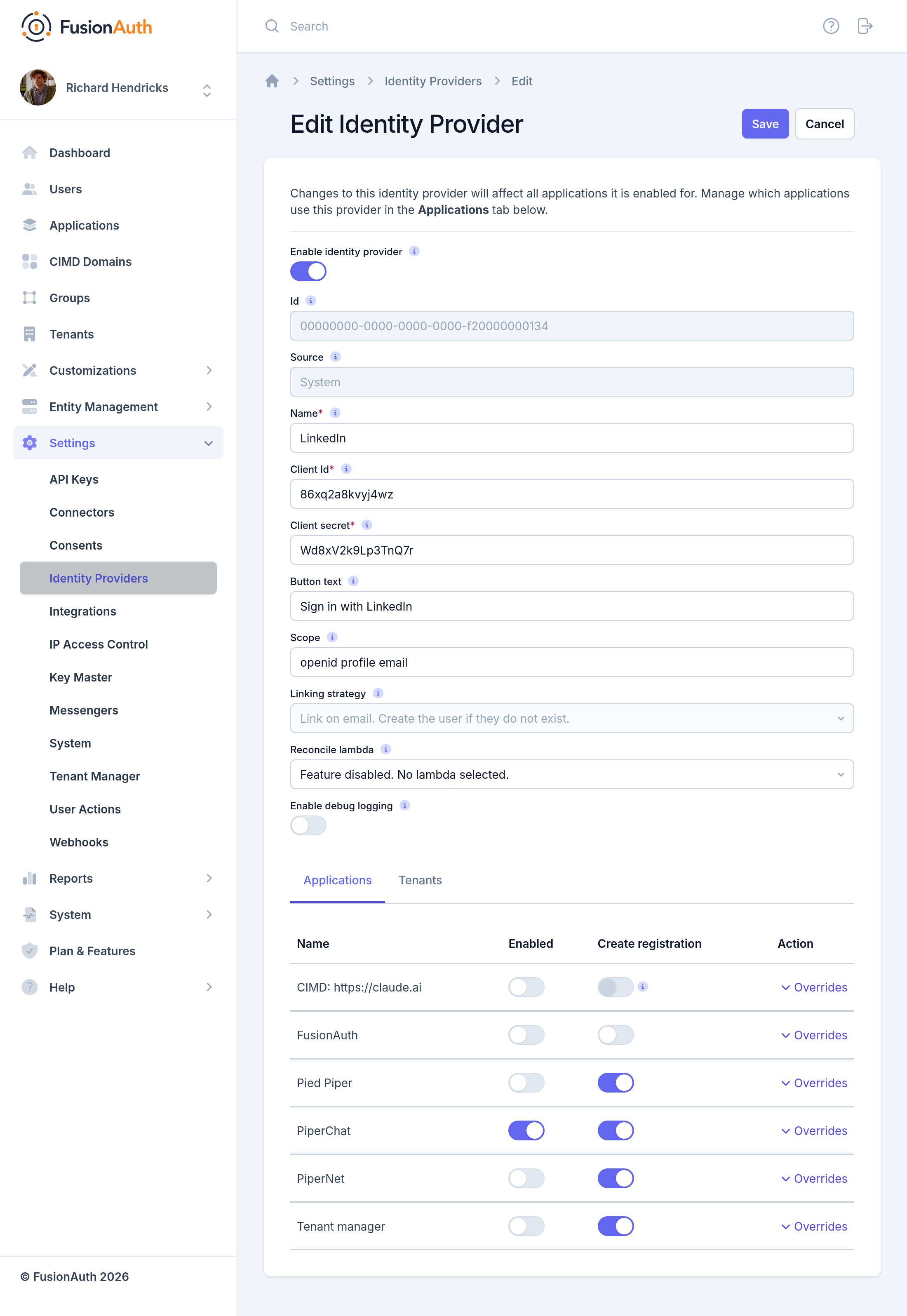
Form Fields#
IdAn optional UUID. When you leave out the Id, FusionAuth generates a unique Id.
TenantThe Tenant that this Identity Provider belongs to. The field appears only when you select a specific Tenant on the previous page. When you select Global identity provider on the previous page, the field doesn't appear.
NameA unique name for the Identity Provider. FusionAuth uses the name for display only, and you can change the name later.
Client IdThe Client ID from the LinkedIn credentials settings.
Client secretThe Client Secret from the LinkedIn credentials settings.
Button textThe text of the button on the login form. The default value is Sign in with LinkedIn.
ScopeThe scopes that FusionAuth requests from the user during login. The default scopes are the suggested values. For more information, see the LinkedIn documentation.
Linking strategyHow FusionAuth links a LinkedIn user to a FusionAuth user. For more information, see Linking Strategies.
Available since 1.65.0 You can only change this value when the identity provider is disabled. To change the linking strategy for an identity provider that is already enabled, disable the provider, change the value, and then re-enable the provider.
When Linking strategy links on email and the LinkedIn response contains an email_verified claim of false, FusionAuth doesn't create the link. FusionAuth returns an error that says a link can't use an unverified email address.
Reconcile lambdaA lambda that maps custom claims from LinkedIn to the user. For more information, see the LinkedIn Reconcile lambda documentation.
To create a lambda, navigate to Customizations -> Lambdas .
Enable debug loggingCreates Event Log entries that help you debug integration errors. To read the entries, navigate to System -> Event Log .
Tenants#
The Tenants tab limits the number of links that each user in a Tenant can have to this Identity Provider. Links to other Identity Providers don't count toward the limit. On a global Identity Provider, the tab starts empty. To set a limit for a Tenant, click Add tenant configuration . On a tenant-scoped Identity Provider, the tab lists only the Identity Provider's Tenant.
Limit links per userWhen turned on, FusionAuth enforces Maximum link count for users in the Tenant.
Maximum link countThe maximum number of links that a user can have to this Identity Provider. When a user reaches the limit, FusionAuth rejects a new link. The Link API returns a 400, and the hosted login pages show an error.
For more information, see Identity Providers and Tenants.
Building Your Own Integration#
To build your own login experience instead of using the FusionAuth hosted login pages, start the Identity Provider flow in your application, and complete the login with the Login API. The following diagram shows the flow:
Your application starts the Identity Provider login and completes the login with the FusionAuth API.
For the request that completes the login, see the LinkedIn Identity Provider API.
When your application needs a refresh token after the login, turn on Enable JWT Refresh for the Application. In the Admin UI, navigate to Applications -> Your Application -> Security -> Login API settings .
Related
Learn about the APIs for creating, retrieving, updating and disabling a LinkedIn identity provider.
Learn how to map the data from a LinkedIn login to a FusionAuth user and registration with a reconcile lambda.
Learn about the APIs for creating, retrieving, updating and disabling an Apple identity provider.
Learn about the APIs for creating, retrieving, updating and disabling an Epic Games identity provider.