OAuth Client Credentials Grant
On this page
This feature requires at least a Starter plan.
The Client Credentials grant lets one service get an access token to call another service, with no user involved. The grant runs between two EntitiesA FusionAuth object that represents something other than a user, such as a server or an organization. instead of an Application. To set up the Entities, see Configure Entities.
The following video shows one use of the Client Credentials grant:
Configure Entities#
Two Entities take part in a Client Credentials grant. The recipient Entity requests the access token. The target Entity receives requests with the access token and controls access to itself. To learn more about Entities, see Entity Management.
For example, a todo API sends email reminders through an email API. The todo API is the recipient Entity, because the todo API receives permissions to call the email API. The email API is the target Entity, because the email API checks the token. To set up the relationship:
- Create an API Entity TypeA category of Entity that defines the Permissions available to Entities of that type. with the permissions
readandwrite. - Create a todo API Entity and an email API Entity with the API Entity Type.
- Grant the todo API
readpermission on the email API.
You set up the relationship once. After that, the todo API runs the Client Credentials grant whenever the todo API needs to call the email API.
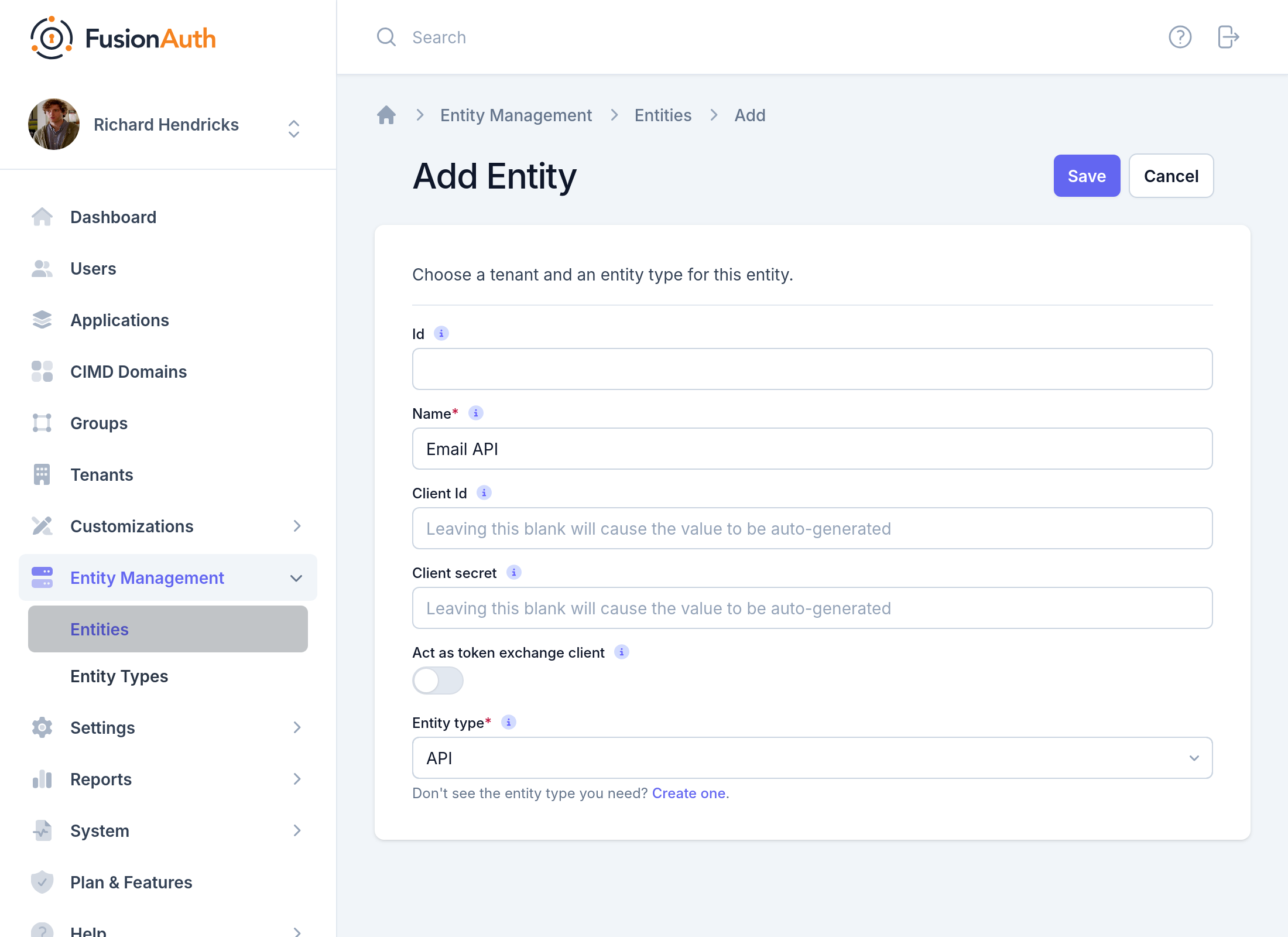
You can configure Entities and Grants in the Admin UI or with the API. You can set the Client Id and Client secret of an Entity, or let FusionAuth generate the values. To create an Entity, navigate to Entity Management -> Entities and click :
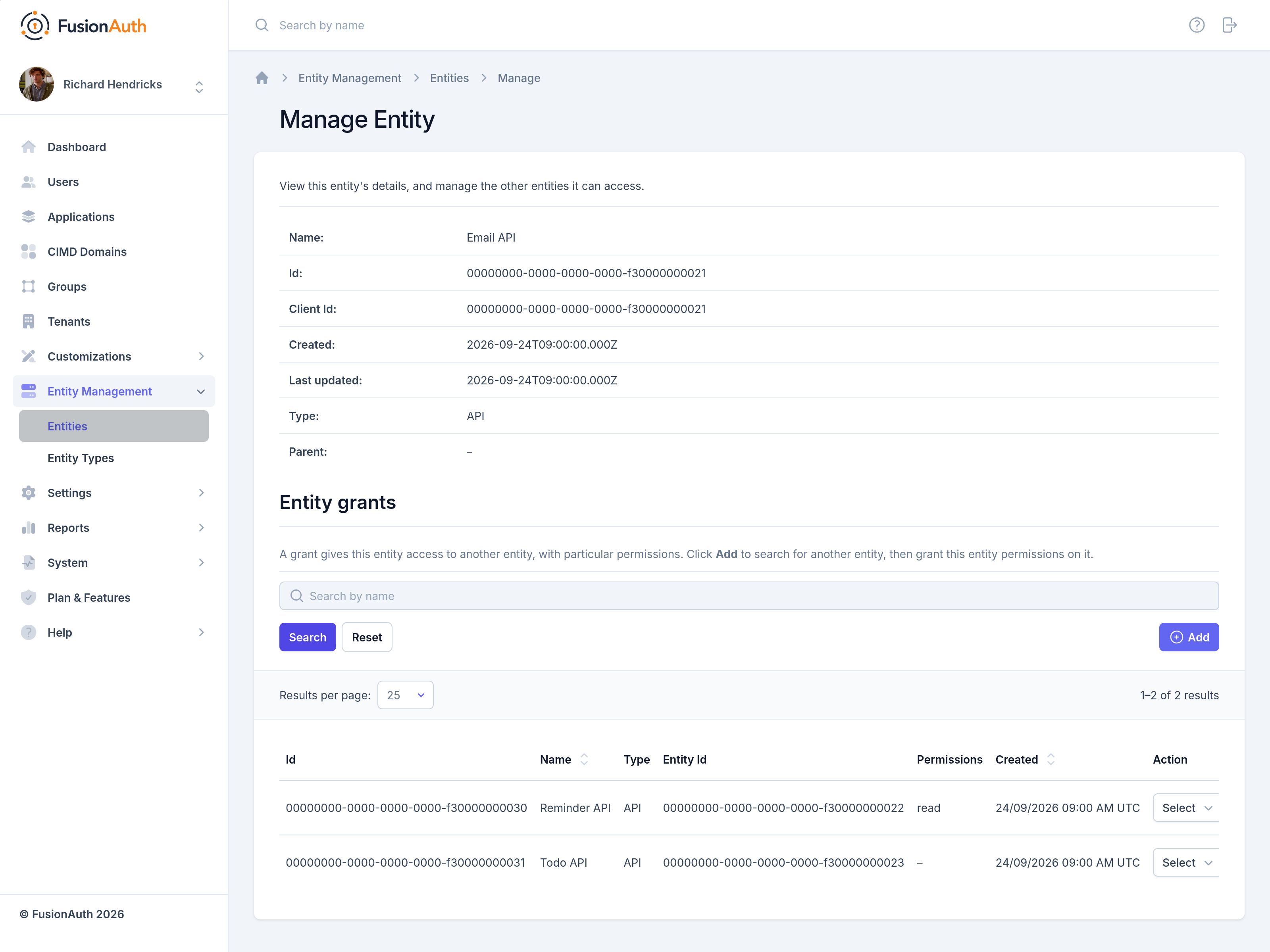
To add or remove Grants, manage the target Entity:
To add a Grant with the API, send the recipient Entity Id and the permissions to the Entity Grants API:
API_KEY=...
TARGET_ENTITY_ID=e13365f1-a270-493e-bd1b-3d239d753d53
RECIPIENT_ENTITY_ID=2934f41f-d277-4a32-b0d5-16e47dad9721

curl \
  -XPOST \
  -H "content-type: application/json" \
  -H "Authorization: $API_KEY"  \
  'https://local.fusionauth.io/api/entity/'$TARGET_ENTITY_ID'/grant' -d'
{
  "grant": {
    "recipientEntityId": "'$RECIPIENT_ENTITY_ID'",
    "permissions" : ["read"]
  }
}
'
Exchange Credentials for an Access Token#
Send the Client Id and the client secret of the recipient Entity to the /oauth2/token endpoint, with grant_type set to client_credentials. The example sends the credentials in an Authorization: Basic header, and adds line breaks for readability.
POST /oauth2/token HTTP/1.1
Host: piedpiper.fusionauth.io
Authorization: Basic MDkyZGJkZWQtMzBhZi00MTQ5LTljNjEtYjU3OGYyYzcyZjU5OitmY1hldDlJdTJrUWk2MXlXRDlUdTRSZVoxMTNQNnlFQWtyMzJ2NldLT1E9
Content-Type: application/x-www-form-urlencoded

grant_type=client_credentials
    &scope=target-entity%3Ae13365f1-a270-493e-bd1b-3d239d753d53%3Aread
FusionAuth returns the access token:
{
  "access_token": "eyJhbGciOiJIUzI1NiIsInR5cCI6IkpXVCIsImtpZCI6IjM0ZjE3ZDdiNzIifQ.eyJhdWQiOiJlMTMzNjVmMS1hMjcwLTQ5M2UtYmQxYi0zZDIzOWQ3NTNkNTMiLCJleHAiOjE2MjAyMzc3MjksImlhdCI6MTYyMDIzNDEyOSwiaXNzIjoiaHR0cHM6Ly9sb2NhbC5mdXNpb25hdXRoLmlvIiwic3ViIjoiMjkzNGY0MWYtZDI3Ny00YTMyLWIwZDUtMTZlNDdkYWQ5NzIxIiwianRpIjoiMGIwMmY1MDktYmNmMy00YjhkLWEzZGItMDNmOThhY2U5ZDlmIiwicGVybWlzc2lvbnMiOnsiZTEzMzY1ZjEtYTI3MC00OTNlLWJkMWItM2QyMzlkNzUzZDUzIjpbInJlYWQiXX19.1BR367JxpWp33HuHEY0_zHuVDmnYrgi7CzzjlIYwtqQ",
  "expires_in": 3599,
  "scope": "target-entity:e13365f1-a270-493e-bd1b-3d239d753d53:read",
  "token_type": "Bearer"
}
Client Credentials Scopes#
The scope parameter names the target Entities and the permissions to request. Separate multiple values with spaces. Each value has the following format:
target-entity:entity_id:permission
The entity_id is the Id of the target Entity and is required. The permission is an optional comma-separated list of permissions.
To request every permission the recipient has on a target Entity, name only the target Entity:
target-entity:92dbded-30af-4149-9c61-b578f2c72600
To request specific permissions, add the permissions after the Entity Id:
target-entity:92dbded-30af-4149-9c61-b578f2c72600:read,write
To request permissions on several target Entities, list several values:
target-entity:92dbded-30af-4149-9c61-b578f2c72600:read,write target-entity:119a84d9-06c5-4d1f-a0d4-a60490b70ac5:read
FusionAuth checks the requested permissions against the permissions granted to the recipient Entity. When the recipient has every requested permission, FusionAuth returns an access_token.
When you leave out scope, FusionAuth still returns an access token for an authorized request. The access token then has no aud or permissions claim.
Permissions associated with the grant from the target entity to the recipient entity will be available in the permissions claim in the token. If specific permissions are requested, the recipient entity must have previously been granted all of those permissions for a successful access request. If specific permissions are requested, only the requested permissions will be in the permissions claim, otherwise all permissions will be available in that claim.
For every claim in the access token, see Tokens.
Related
Learn about the APIs for creating, retrieving, updating and deleting entities, as well as searching them.
Learn about the APIs for creating, retrieving, updating and deleting entity types.
Learn about the APIs for granting and revoking permissions to entities.
Learn about the APIs for creating, retrieving, updating and deleting entities and entity types.