Generic Connector
On this page
A Generic Connector authenticates users against, or migrates users from, any user data source that FusionAuth can reach over HTTP or HTTPS.
Configuration#
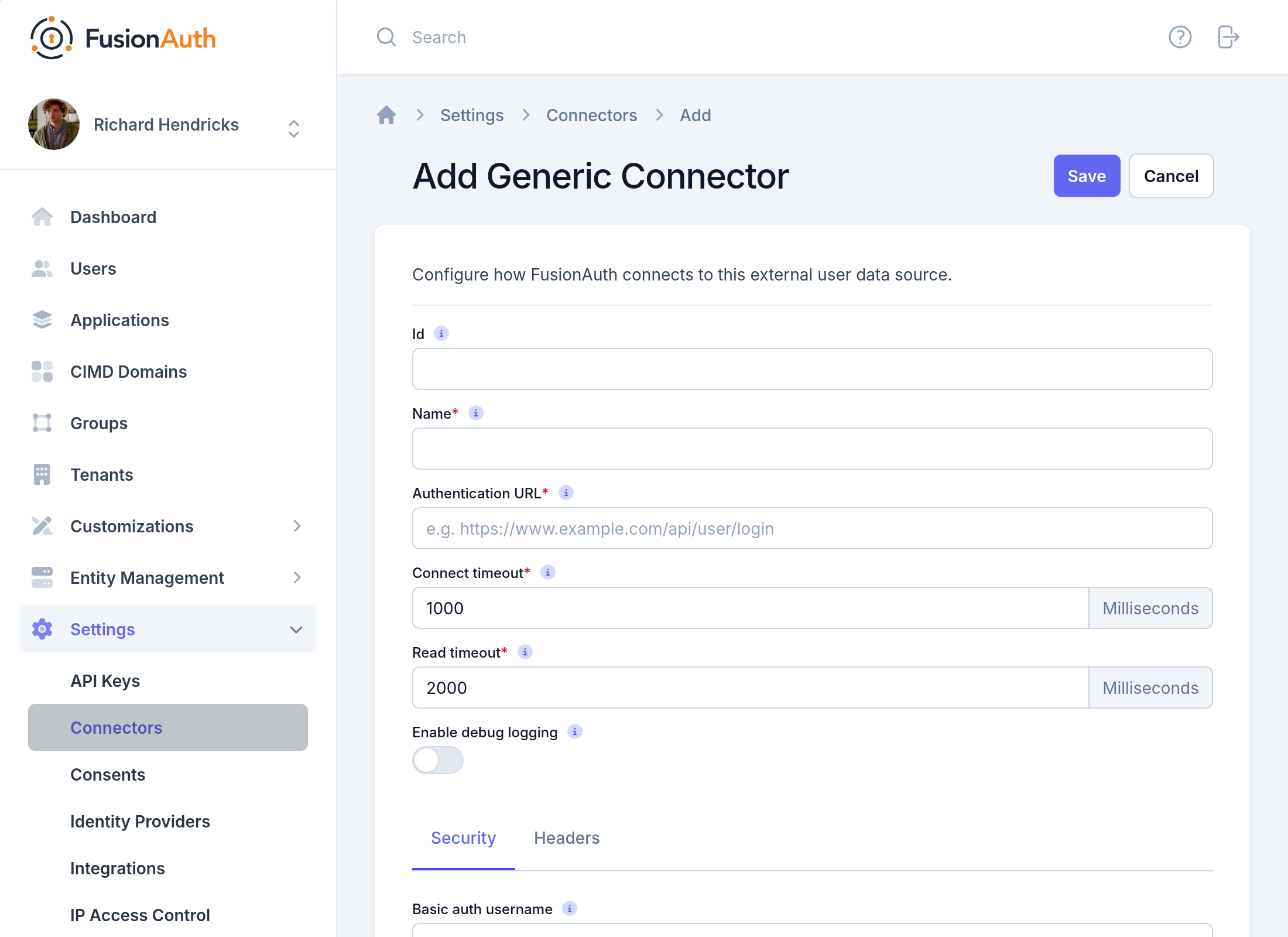
Form Fields#
IdAn optional UUID. When you omit the Id, FusionAuth generates a unique Id.
NameA unique name for the Connector. FusionAuth uses the name for display only, and you can change the name later.
Authentication URLConnect timeoutThe connect timeout for the POST request, in milliseconds.
Read timeoutThe read timeout for the POST request, in milliseconds.
Enable debug loggingWhen enabled, FusionAuth writes Event Log entries that help you debug integration errors. To view the entries, navigate to System -> Event Log .
Security#
Use the security settings to add authentication to the POST request that the Connector sends to the authentication endpoint.
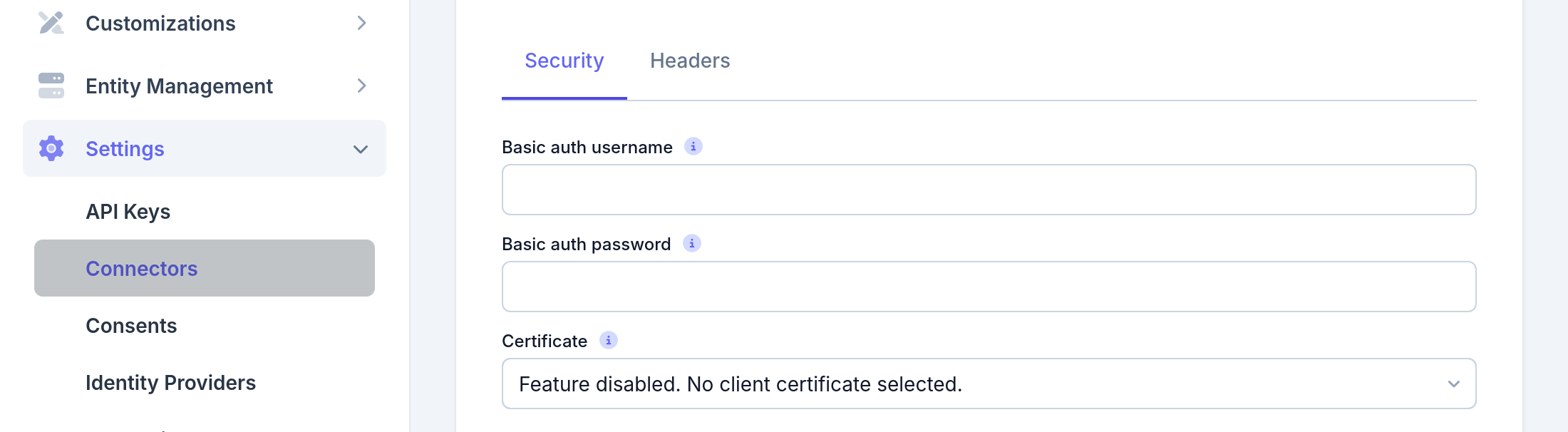
Form Fields#
Basic auth usernameThe username for HTTP Basic Authentication.
Basic auth passwordThe password for HTTP Basic Authentication.
CertificateThe SSL certificate that the Connector uses to connect to the POST endpoint.
To add a certificate, navigate to Settings -> Key Master and import the certificate. The certificate then appears as an option in the Certificate field.
Headers#
You can add headers to the HTTP POST request that the Connector sends to the authentication endpoint.
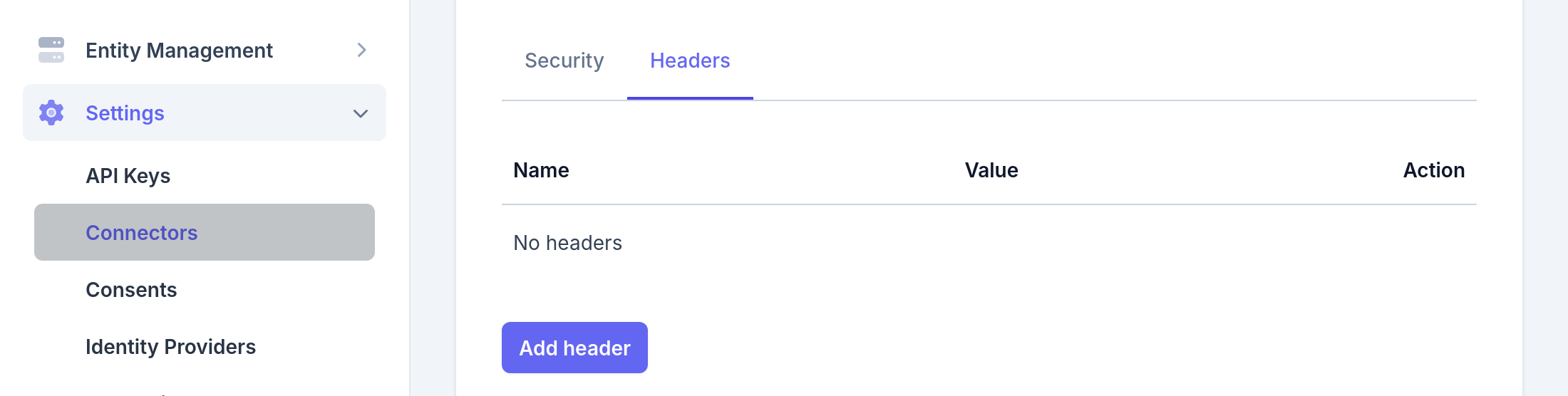
Form Fields#
NameThe name of the header to add to the HTTP request.
ValueThe value of the header.
Using the Generic Connector#
To use a Generic Connector:
- Build an API endpoint in your application that returns your user data. For the formats, see Request and Response.
- Configure the Connector in Settings -> Connectors , including the endpoint security.
- Add a Connector policy in Tenants -> Your Tenant -> Connectors . The policy sets the domains that the Connector applies to.
Request#
FusionAuth sends the request to your API endpoint as JSON:
{
  "applicationId": "10000000-0000-0002-0000-000000000001",
  "eventInfo": {
    "ipAddress": "127.0.0.1"
  },
  "loginId": "example@fusionauth.io",
  "loginIdTypes": [
    "email"
  ],
  "newDevice": false,
  "noJWT": false,
  "password": "password"
}
Your application looks up the user, checks the credentials, and returns a response.
Response#
When your API finds and authenticates the user, return a FusionAuth user object with status code 200. You can return any attribute of the user object, including nested objects such as application registrations with roles. The response must include the required fields. For the required fields, see Connectors.
When your API can't authenticate the user, return a 404. FusionAuth accepts no other status codes from your API.
Return a FusionAuth-compatible UUID in user.id, whether or not the Connector migrates the user. When the Connector authenticates users without migrating the users, return the same user.id at every login.
For the errors that a non-UUID value causes, see Response Parsing Errors.
| Code | Description |
|---|---|
| 200 | The request succeeded. The response contains a JSON body. |
| 404 | To prevent enumeration attacks, a 404 is returned for any non 200 status code returned from your connector. |
{
  "user": {
    "active": true,
    "birthDate": "1976-05-30",
    "data": {
      "displayName": "Johnny Boy",
      "migrated": true,
      "favoriteColors": [
        "Red",
        "Blue"
      ]
    },
    "email": "example@fusionauth.io",
    "expiry": 1571786483322,
    "firstName": "John",
    "fullName": "John Doe",
    "id": "00000000-0000-0001-0000-000000000000",
    "imageUrl": "http://65.media.tumblr.com/tumblr_l7dbl0MHbU1qz50x3o1_500.png",
    "lastLoginInstant": 1471786483322,
    "lastName": "Doe",
    "middleName": "William",
    "mobilePhone": "303-555-1234",
    "passwordChangeRequired": false,
    "passwordLastUpdateInstant": 1471786483322,
    "preferredLanguages": [
      "en",
      "fr"
    ],
    "registrations": [
      {
        "applicationId": "10000000-0000-0002-0000-000000000001",
        "data": {
          "displayName": "Johnny",
          "favoriteSports": [
            "Football",
            "Basketball"
          ]
        },
        "id": "00000000-0000-0002-0000-000000000000",
        "insertInstant": 1446064706250,
        "lastLoginInstant": 1456064601291,
        "preferredLanguages": [
          "en",
          "fr"
        ],
        "roles": [
          "user",
          "community_helper"
        ],
        "username": "johnny123",
        "usernameStatus": "ACTIVE",
        "verified": true,
        "verifiedInstant": 1698772159415
      }
    ],
    "timezone": "America/Denver",
    "tenantId": "f24aca2b-ce4a-4dad-951a-c9d690e71415",
    "twoFactor": {
      "methods": [
        {
          "authenticator": {
            "algorithm": "HmacSHA1",
            "codeLength": 6,
            "timeStep": 30
          },
          "id": "35VW",
          "method": "authenticator"
        },
        {
          "id": "V7SH",
          "method": "sms",
          "mobilePhone": "555-555-5555"
        },
        {
          "email": "example@fusionauth.io",
          "id": "7K2G",
          "method": "email"
        }
      ]
    },
    "usernameStatus": "ACTIVE",
    "username": "johnny123",
    "verified": true,
    "verifiedInstant": 1698772159415
  }
}
Response Parsing Errors#
FusionAuth reads the response into a FusionAuth User object. When a field in the response has the wrong type or format, FusionAuth can't read the response, and the Login API returns a 404. FusionAuth also writes an error to System -> Event Log , even when Enable debug logging is off.
The error says that FusionAuth failed to parse the HTTP response as JSON, even when the response body is valid JSON. The Cause part of the error names the field that failed and the type that FusionAuth expected. For example, an OIDC-style identifier in user.id produces the following error:
com.inversoft.rest.JSONException : Message: Failed to parse the HTTP response as JSON. Actual HTTP response body:
{"user":{"id":"auth0|5f1b2c3d4e","email":"richard@piedpiper.com","fullName":"Richard Hendricks"}}
Cause: com.fasterxml.jackson.databind.exc.InvalidFormatException
Message: Cannot deserialize value of type `java.util.UUID` from String "auth0|5f1b2c3d4e": UUID has to be represented by standard 36-char representation
 at [Source: REDACTED (`StreamReadFeature.INCLUDE_SOURCE_IN_LOCATION` disabled); line: 1, column: 15] (through reference chain: io.fusionauth.domain.api.LoginResponse["user"]->io.fusionauth.domain.User["id"])
The following values cause this error:
- A value other than a UUID in an Id field, such as
user.idoruser.registrations[].applicationId. - A date in
user.birthDatein a format other thanYYYY-MM-DD. - A date string in an instant field, such as
user.insertInstant. Instants are numbers of milliseconds. - A value other than an object in
user.data.
When the response has no user.id, FusionAuth discards the user, and the Login API returns a 404. FusionAuth logs the reason only when Enable debug logging is on.
For the type of each field, see the User response body.
Using the Generic Connector as the System of Record#
You can use the Connector to authenticate users or to migrate users:
- When the Connector authenticates users, the backing database accessed via API remains the system of record, which holds the canonical user data.
- When the Connector migrates users, FusionAuth copies each user after the user's first successful login. FusionAuth then becomes the system of record.
For the other differences between the options, see Connectors.
When the Connector authenticates users without migrating the users, each login replaces the stored user with the user that the Connector returns. FusionAuth resets the following user attributes at each login:
- Group memberships
- Application registrations
- Multi-factor authenticationAn authentication method that requires two or more independent factors. methods and recovery codes
For example, when you register a Connector user for an application through the FusionAuth API or the Admin UI, FusionAuth removes the registration at the user's next login.
When the Connector doesn't migrate users, FusionAuth doesn't keep the multi-factor authentication methods that users set up in FusionAuth. FusionAuth replaces the methods before the multi-factor authentication check, so the login completes without a challenge. For example, a user who sets up an authenticator app gets no challenge at the next login, and FusionAuth deletes the authenticator app method.
To use FusionAuth multi-factor authentication with Connector users, turn on Migrate user in the Connector policy. FusionAuth then keeps the methods and challenges the user at each login.
To keep group memberships and application registrations for these users, store the memberships and registrations in the backing database. Return the memberships and registrations in the user object of each response.
Security#
TLS v1.2#
The first step in securing your Generic Connector API endpoints is to ensure that they are using TLS v1.2 or higher. You should be using a web server that is configured with a certificate from a valid certificate authority and to only receive traffic from a secure connection. We also recommend that you disable all older secure protocols including SSL, TLS 1.0 and TLS 1.1.
If you need a certificate, most cloud providers offer them or you can use LetsEncrypt to generate a certificate and ensure it is always up-to-date.
Headers#
When you configure your Generic Connector API endpoint with FusionAuth, you should include a security header of some kind. There are two ways to define a security header:
- Add a Basic Authentication username and password under Security
- Define an HTTP header under the Headers tab
In either case, your Generic Connector API endpoint code should validate the security header to ensure the request is coming from FusionAuth. Here's some example code that validates an Authorization header:
Example Generic Connector API endpoint
router.route('/fusionauth-user-api').post((req, res) => {
const authorization = req.header('Authorization');
if (authorization !== 'API-KEY') {
  res.status(401).send({
    'errors': [{
      'code': '[notAuthorized]'
    }]
  });
} else {
  // process the request
}
});Certificates#
You may provide an X.509 certificate to use with your Generic Connector API endpoint. This must be an SSL certificate previously added to the Key Master. It is used to establish a TLS connection to the Generic Connector API endpoint endpoint. Use this option if FusionAuth cannot connect to your Generic Connector API endpoint without the certificate.
Providing this certificate will build a custom SSL context for requests made for the Generic Connector API endpoint. Therefore, any other JDK keystores and certificate authority chains will be bypassed for this request.
Firewalls#
In addition to using TLS and a security header, you might also want to put a firewall in front of your Generic Connector API endpoint. In most cases, this firewall will only allow traffic to your Generic Connector API endpoint that originated from your FusionAuth instance. Depending on how you are hosting your Generic Connector API endpoint, you might be able to lock down the URL for your Generic Connector API endpoint specifically. You might also leverage an API gateway or a proxy to ensure that only traffic coming from FusionAuth is routed to your Generic Connector API endpoint. The exact specifics of deploying and configuring a Firewall are outside the scope of this document, but you can consult the documentation for your proxy, API Gateway or hosting provider to determine how to manage it.
As an example, you can configure an AWS Application Load Balancer so that traffic coming from the IP address of your FusionAuth servers with a URL of https://apis.mycompany.com/fusionauth-user-api is routed through. You can then configure the Application Load Balancer so that all other traffic to that URL is rejected.
Controlling Traffic with a Proxy#
Since version 1.31.0, FusionAuth can be configured to send all outbound HTTP traffic, including that from a Generic Connector API endpoint, through a proxy. This allows you examine any messages sent from FusionAuth. You can audit them, only allow connections to certain hosts, or otherwise modify them.
To configure a proxy for FusionAuth outbound traffic, use the proxy.* configuration options.
Performance Considerations#
Each login through an enabled Connector waits for the Connector's response, so keep the Connector's latency low.
Set timeouts under one second. A longer timeout can starve FusionAuth of resources, because slow requests hold resources longer.
The following sections describe ways to improve the performance of your Generic Connector.
Network Connection#
The connection from the Connector to your API endpoint has the following phases:
- FusionAuth connects to the API endpoint.
- FusionAuth reads the first byte from the connection.
- The API endpoint completes and returns the response.
Connect timeout limits the first phase. When the connect timeout expires before FusionAuth establishes the connection, the login fails. Read timeout limits the second phase. When the read timeout expires before data is available to read, the login fails. The default timeouts usually work. Tune the timeouts when your server has resource contention.
Neither timeout limits the third phase. After the API endpoint starts writing the response, the HTTP request can take as long as the endpoint needs. When the endpoint doesn't end the HTTP response correctly, or takes too long to process the login request, FusionAuth can have problems under load.
To avoid these problems, write the login response and close the connection as quickly as possible. Give the API endpoint enough resources. Return the correct status code for each response, so FusionAuth handles the response correctly.
Add Database Indices#
When your API endpoint queries a database to authenticate users, check the queries with database tooling such as explain plan. Add the indices that the queries need.
Disable Logging#
Turn on Enable debug logging during development to troubleshoot the Connector. In production, turn on debug logging only while you troubleshoot. Debug logging writes entries to System -> Event Log , and each entry adds load to the database.
Perform Optional Actions Out of Band#
Your API endpoint might run other tasks after a successful login, such as calling APIs or sending messages. When a task doesn't affect the authentication result, run the task after the endpoint sends the response to FusionAuth. For example, store the task data in a queue, and process the queue later in a separate process.
Load Test#
Load test your Connector in a staging environment with the Login API. Configure the tenant to use your Connector, and create users in your system. Then use a load testing tool to send repeated login requests to FusionAuth. For more information, see Load Test.
Related
FusionAuth Connectors allow you to authenticate users against external data sources and optionally migrate them.
Learn how to move users into FusionAuth one at a time, as each user logs in, with an LDAP or Generic Connector.
Learn about the APIs for creating, retrieving, and updating Generic Connectors.
Learn about the APIs for creating, retrieving, updating and deleting identity providers.