Self-Service Registration Validation Lambda
On this page
When you use an Advanced Registration Form, you can add a lambda that validates the form fields as the user completes each step.
When you create a lambda in the Admin UI, FusionAuth provides an empty function for you to implement.
Lambda Structure#
When you create the lambda with the API, make sure the function has the following signature:
function validate(result, user, registration, context) {
  // Lambda code goes here
}
This lambda must contain a function named validate that accepts the following parameters:
result: an object used for returning validation errors. You can modify this object.user: the FusionAuth User object. This object is read-only.registration: the FusionAuth UserRegistration object. This object is read-only.context: an object containing data about the current form state. This object is read-only.
The result object contains an Errors object. For more information about the user and registration objects, see the User API and Registration API documentation.
With this information, you can run any validation you need as the user steps through the self-service registrationA feature that lets users create their own accounts. form. When the user submits a step with Next or Register , FusionAuth adds the user and registration fields from that step to the user and registration objects. Every object the lambda receives is immutable except result. The lambda returns validation errors to the form through result.
Give each field error a code that matches the invalid form field and a message defined in the theme. For example, when the form field user.data.name is invalid, use the error code [invalid]user.data.name.
The context Object#
The read-only context object has the following fields:
fields: an array of Form Fields in the current form step.form: the FusionAuth Form object. See the Forms API.step: the current step number, starting at 1.stepIndex: the zero-indexed number of the current step, alwaysstepminus 1.totalSteps: the total number of steps in the form.services: Available since1.64.0access to secrets throughcontext.services.secrets.get('<secret-name>').
The step values count every step in the form, including steps that FusionAuth skips for the current user.
Example Lambdas#
Allow Only Company Email Addresses and Adults#
The following lambda accepts registrations only from piedpiper.com and hooli.com email addresses, and rejects users younger than 18. FusionAuth runs the lambda after every form step, so the lambda checks a field only when context.fields includes the field. Each error code joins a custom prefix, such as [notAllowedDomain], to the field key. Add a message for each code to your theme.
// only lets people with a company email address register, and requires a minimum age
var allowedDomains = ['piedpiper.com', 'hooli.com'];
var minimumAge = 18;

function validate(result, user, registration, context) {
  // the lambda runs for every step, so only check fields on the current step
  var keys = context.fields.map(function (field) {
    return field.key;
  });

  if (keys.indexOf('user.email') !== -1 && user.email) {
    var domain = user.email.slice(user.email.lastIndexOf('@') + 1).toLowerCase();
    if (allowedDomains.indexOf(domain) === -1) {
      result.errors.fieldErrors['user.email'] = [{
        code: '[notAllowedDomain]user.email',
        message: 'Register with your company email address.'
      }];
    }
  }

  if (keys.indexOf('user.birthDate') !== -1 && user.birthDate && ageOn(user.birthDate, new Date()) < minimumAge) {
    result.errors.fieldErrors['user.birthDate'] = [{
      code: '[tooYoung]user.birthDate',
      message: 'You must be at least ' + minimumAge + ' years old to register.'
    }];
  }
}

// birthDate is a YYYY-MM-DD string
function ageOn(birthDate, date) {
  var parts = birthDate.split('-').map(Number);
  var age = date.getUTCFullYear() - parts[0];
  var month = date.getUTCMonth() + 1;
  if (month < parts[1] || (month === parts[1] && date.getUTCDate() < parts[2])) {
    age--;
  }
  return age;
}
Validate One Field Based on Another#
The following example asks users for their current and future auth providers. When a user names a current auth provider, the lambda requires FusionAuth as the future auth provider.
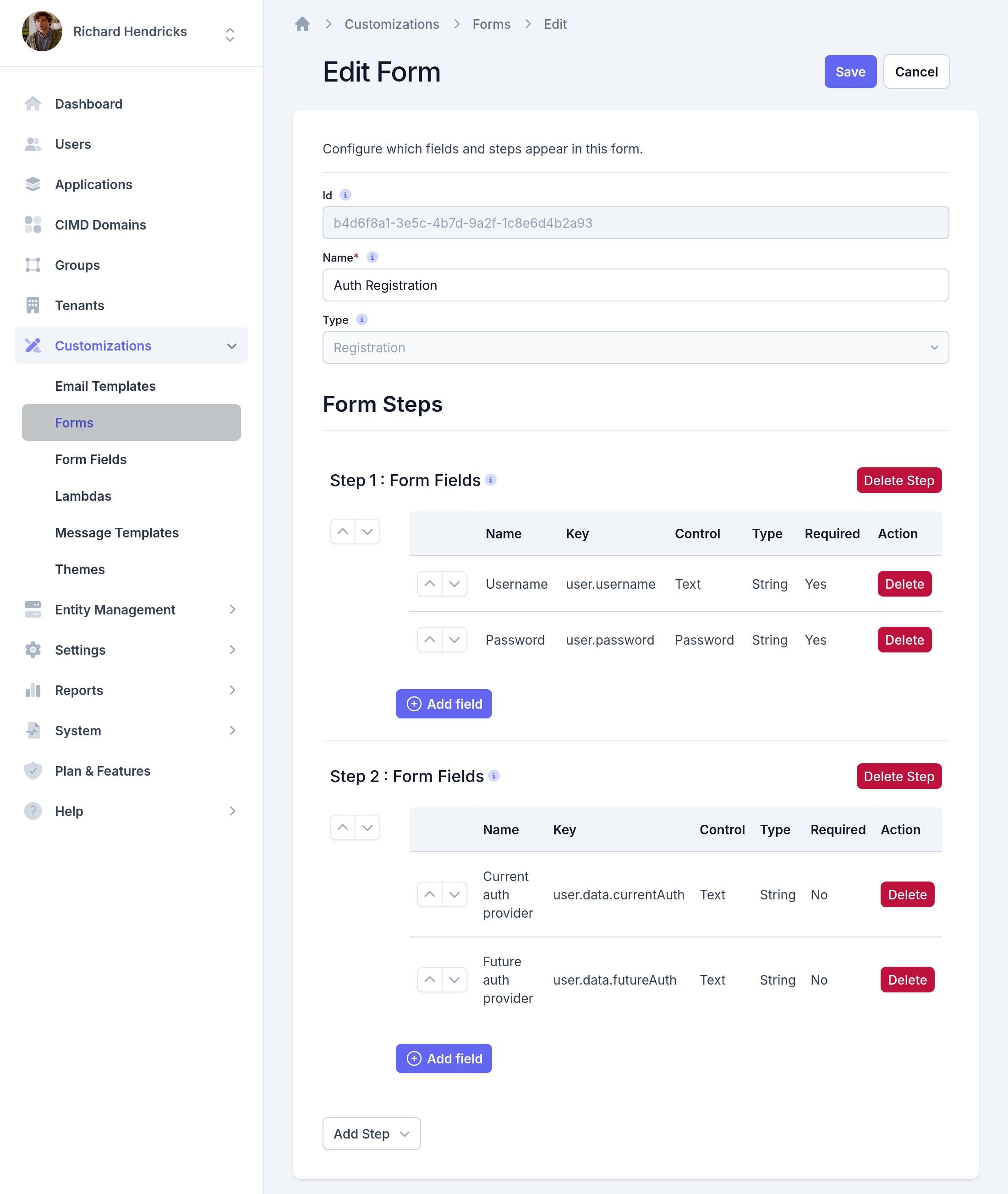
First, create an advanced registration form with two steps. The lambda validates the second step.
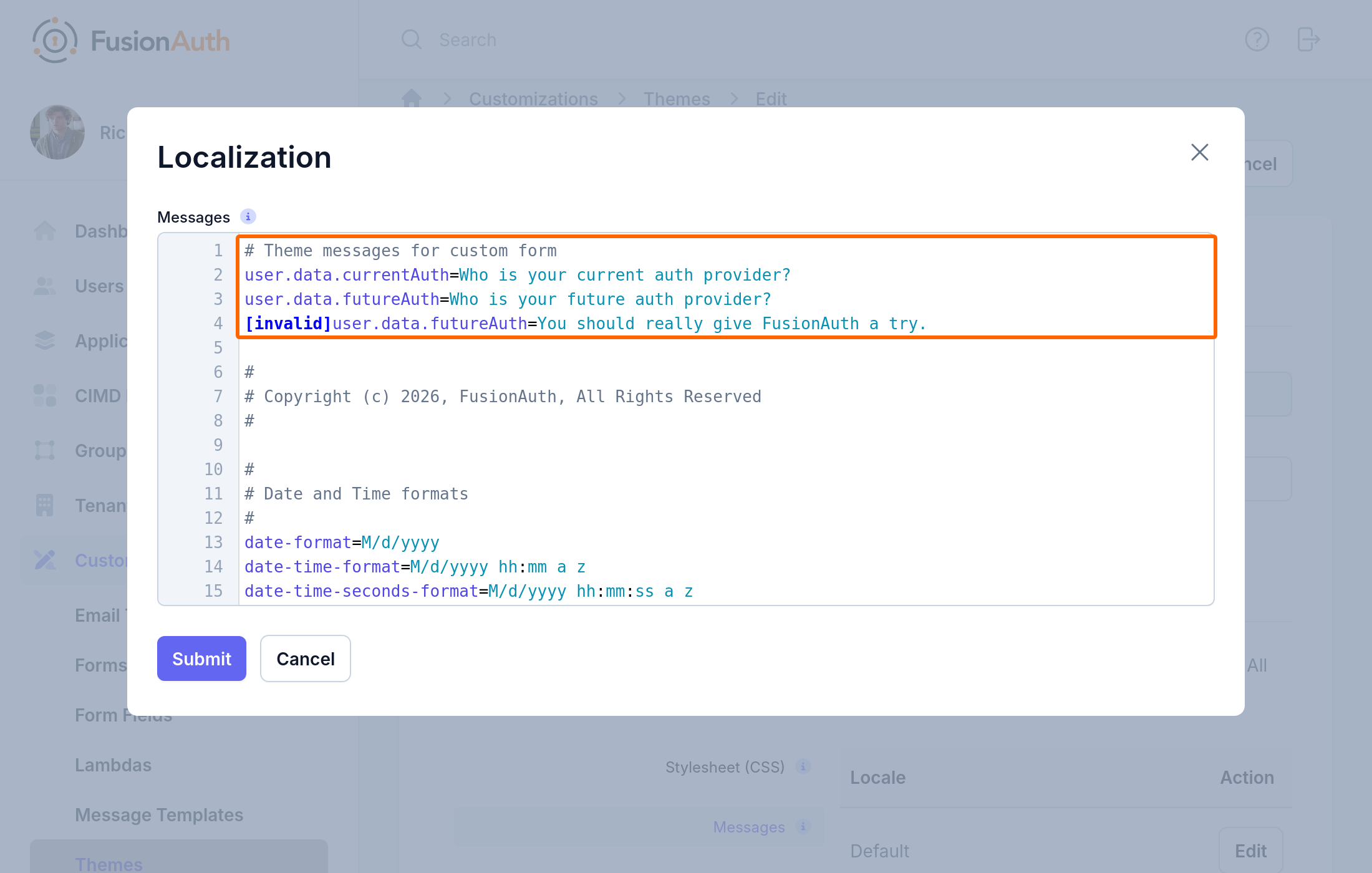
Next, add messages for the custom fields and the error code to your theme.
Then create the lambda:
// on the second form step, requires FusionAuth as the future auth provider when the user named a current one
function validate(result, user, registration, context) {
  if (context.step === 2 && user.data && user.data.currentAuth && user.data.futureAuth !== 'FusionAuth') {
    // the theme defines the message for this code
    result.errors.fieldErrors['user.data.futureAuth'] = [{ code: '[invalid]user.data.futureAuth' }];
  }
}
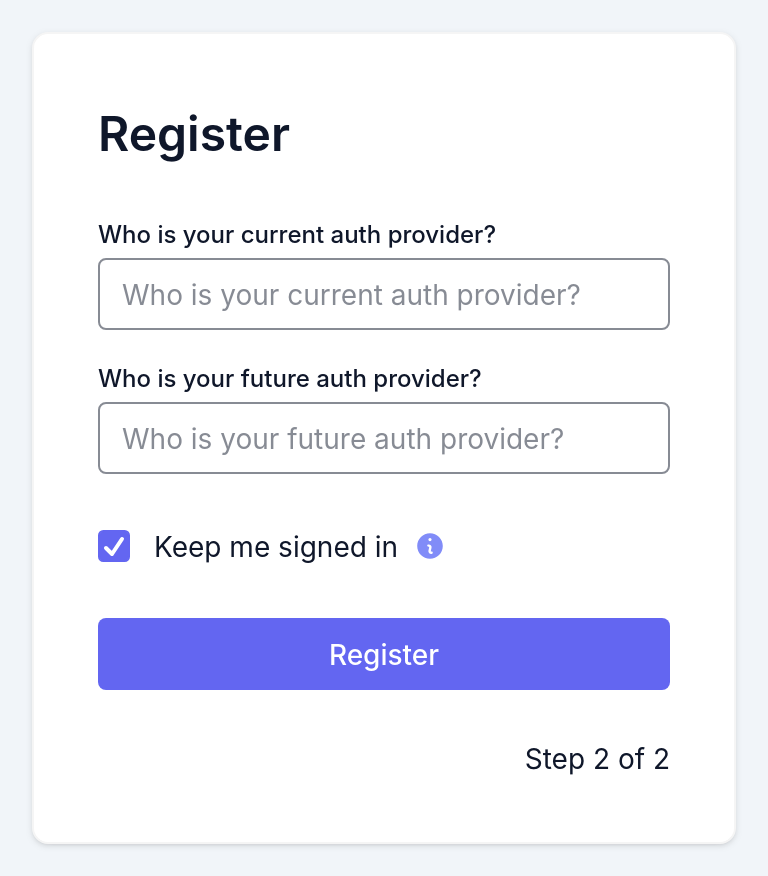
The user sees the second form step after the first:
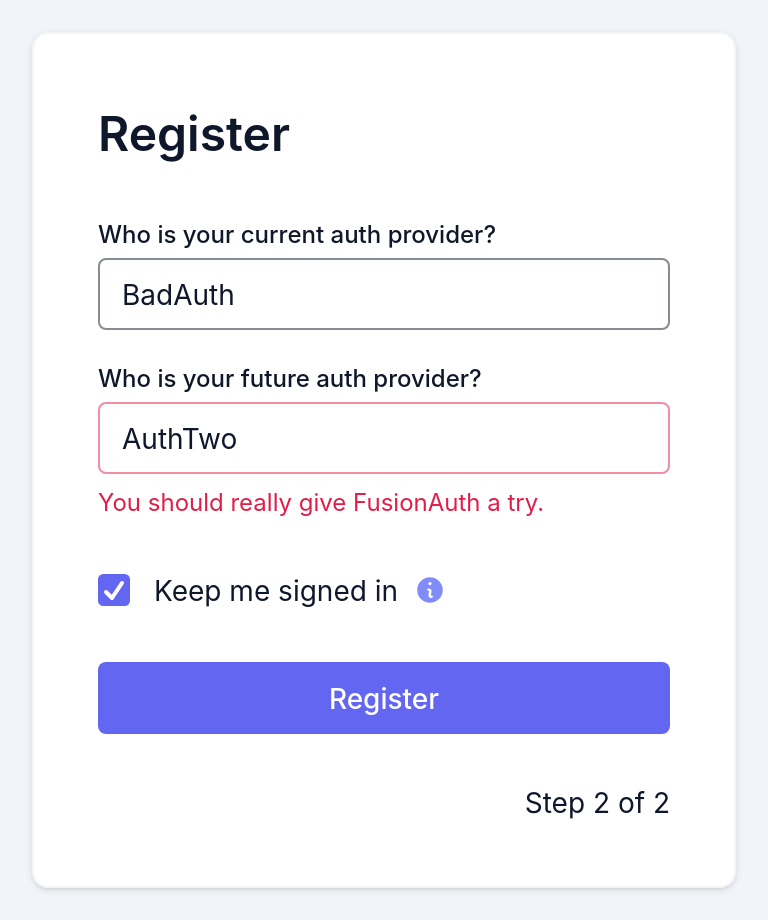
When the user enters a future auth provider other than FusionAuth, the lambda rejects the step, and FusionAuth shows the message from the theme:
Related
Learn about lambdas, the JavaScript functions that customize how FusionAuth logs users in and issues tokens.
Learn how to call an external API from a lambda.
Learn how to allow or reject the CIMD clients that register with a CIMD domain.
Learn how to add your own validation to a login and reject logins that fail it.