Entity Management
This feature is only available in paid plans. To learn more, see our pricing page.
There are many use cases where it is helpful to model entities in addition to users. Examples might include devices, cars, computers, customers, or companies.
Enter Entities. Entities allow you to model everything right from FusionAuth! Entities allow you to model relationships and enable machine-to-machine authentication using the Client Credentials grant.
Features#
Scalability#
- FusionAuth Entity Management supports large volumes of Entities right out of the box.
- This is especially helpful for Internet of Things (IoT) devices; FusionAuth scales right alongside them.
Typecasting#
- Entities can have a type.
- For example, an Entity could be a type of
lock,car,company,corporate division,computer,AI agent, orAPI - Entity Types can define permissions.
- You are limited only by your business need and imagination!
Permissions Aware#
- Permissions can be assigned to each Entity Type.
- Entities can be granted permissions on other entities (In OAuth terms, entities can initiate a Client Credentials Grant to obtain access to other entities).
- Users can have permissions to access Entities.
Common Applications#
- Corporate relationship modeling
- Per use device permissions
- Internet IoT
- Controlling agent to agent communication
Below is an diagram using the client credentials grant, where a customer is getting a token from FusionAuth with permissions for the EmailService to send an email.
graph LR
    A["Source: Customer #1"] --> CCG
    B["Target: EmailService"] --> CCG

    subgraph AUTH["Authentication"]
        subgraph CCG["Client Credentials Grant"]
            S1["Customer #1 provides client_id, client_secret & scope (ent:<id> perm:SendEmail)"]
            S2["FusionAuth verifies client_id & client_secret"]
            S3["FusionAuth checks permissions"]
            S4["FusionAuth generates access token with permissions granted to Customer #1 for EmailService"]
            S1 --> S2 --> S3 --> S4
        end
    end

    CCG --> D["Valid Token"]
Successful Client Credentials Grant.
Consider instead the case where the customer does not have permissions for the EmailService.
graph LR
    A["Source: Customer #2"] --> CCG
    B["Target: EmailService"] --> CCG

    subgraph AUTH["Authentication"]
        subgraph CCG["Client Credentials Grant"]
            S1["Customer #1 provides client_id, client_secret & scope (ent:<id> perm:SendEmail)"]
            S2["FusionAuth verifies client_id & client_secret"]
            S3["FusionAuth checks permissions"]
            S4["FusionAuth returns an error"]
            S1 --> S2 --> S3 --> S4
        end
    end
Failed Client Credentials Grant.
Can't I Just Use a Group?#
In some cases, Groups work as a model for such ideas like customers. However, the flexibility of Groups is limited by their lack of typing (very much needed as use cases evolve). Additionally, Groups do not have permissions functionality built in.
Entity Types#
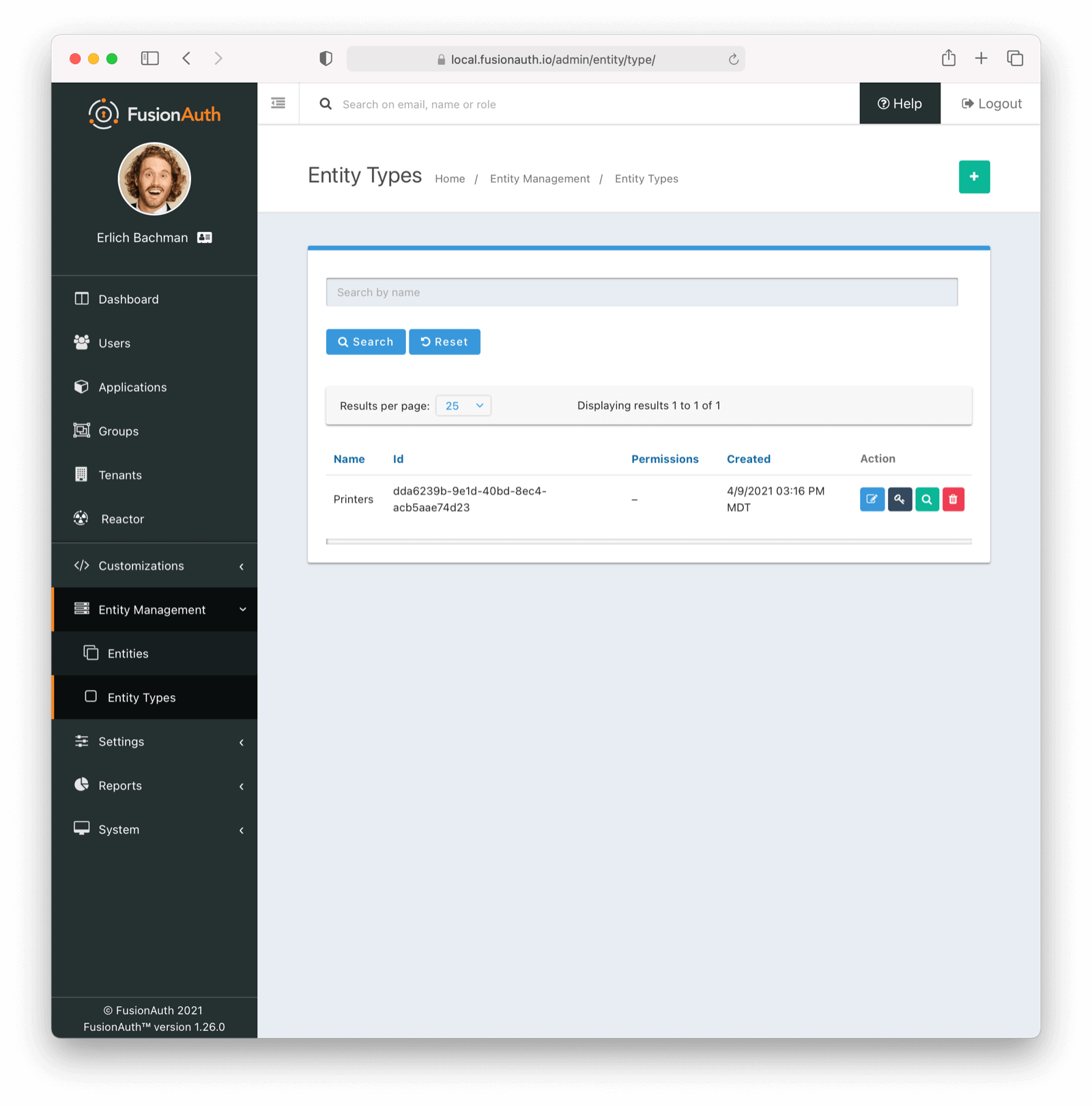
This is the Entity Types homepage. Here you can:
| Create a new Entity Type | |
| Edit a previously created Entity Type | |
| Manage Permissions on Entity Type | |
| View the previously created Entity Type | |
| Remove the previously created Entity Type |
Entity Type Form Fields#
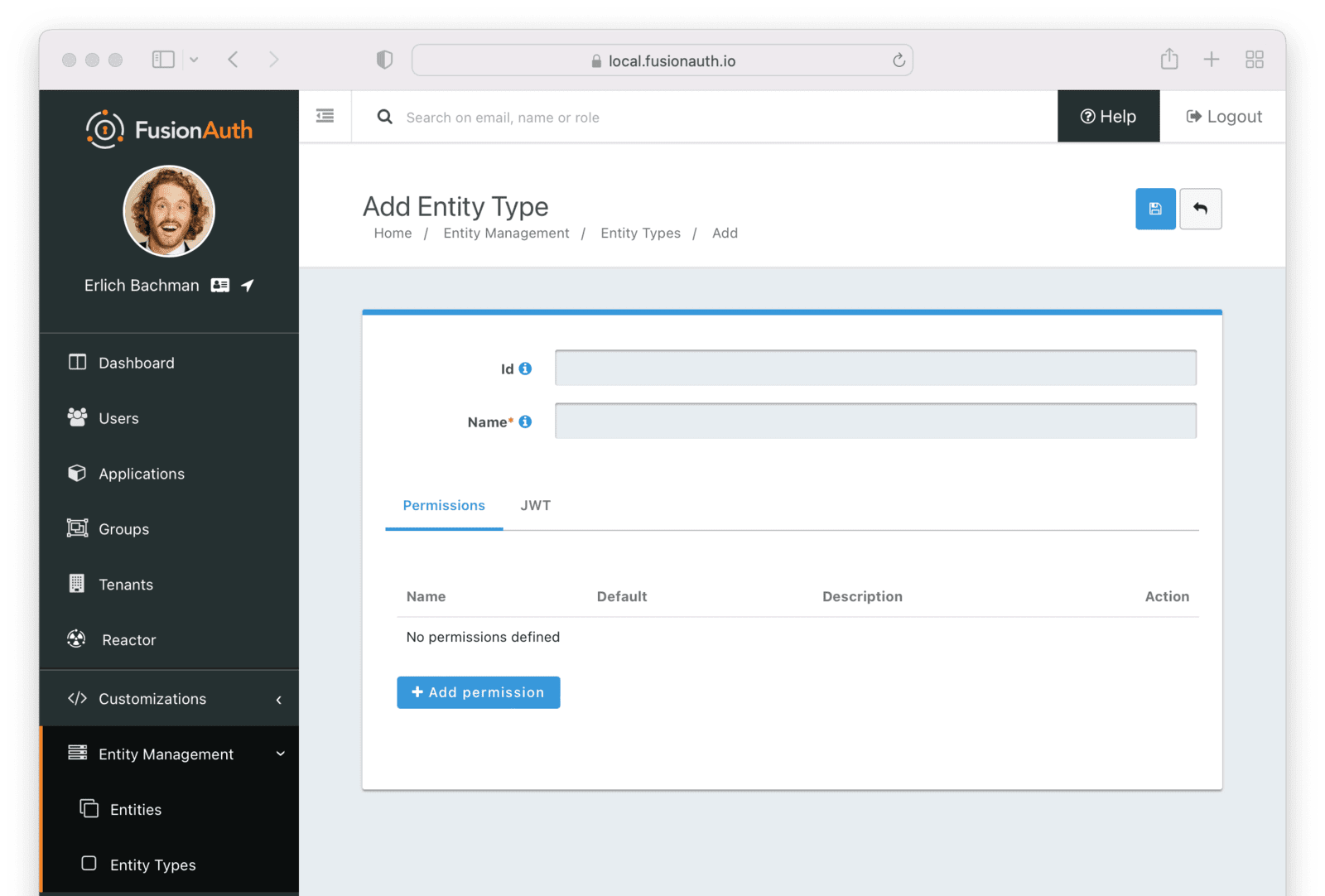
IdAn optional UUID. When this value is omitted, a unique Id will be generated automatically.
NamerequiredThe name of the Entity Type. This value is for display purposes only and can be changed at any time.
Permissions#
Add and manage custom permissions.
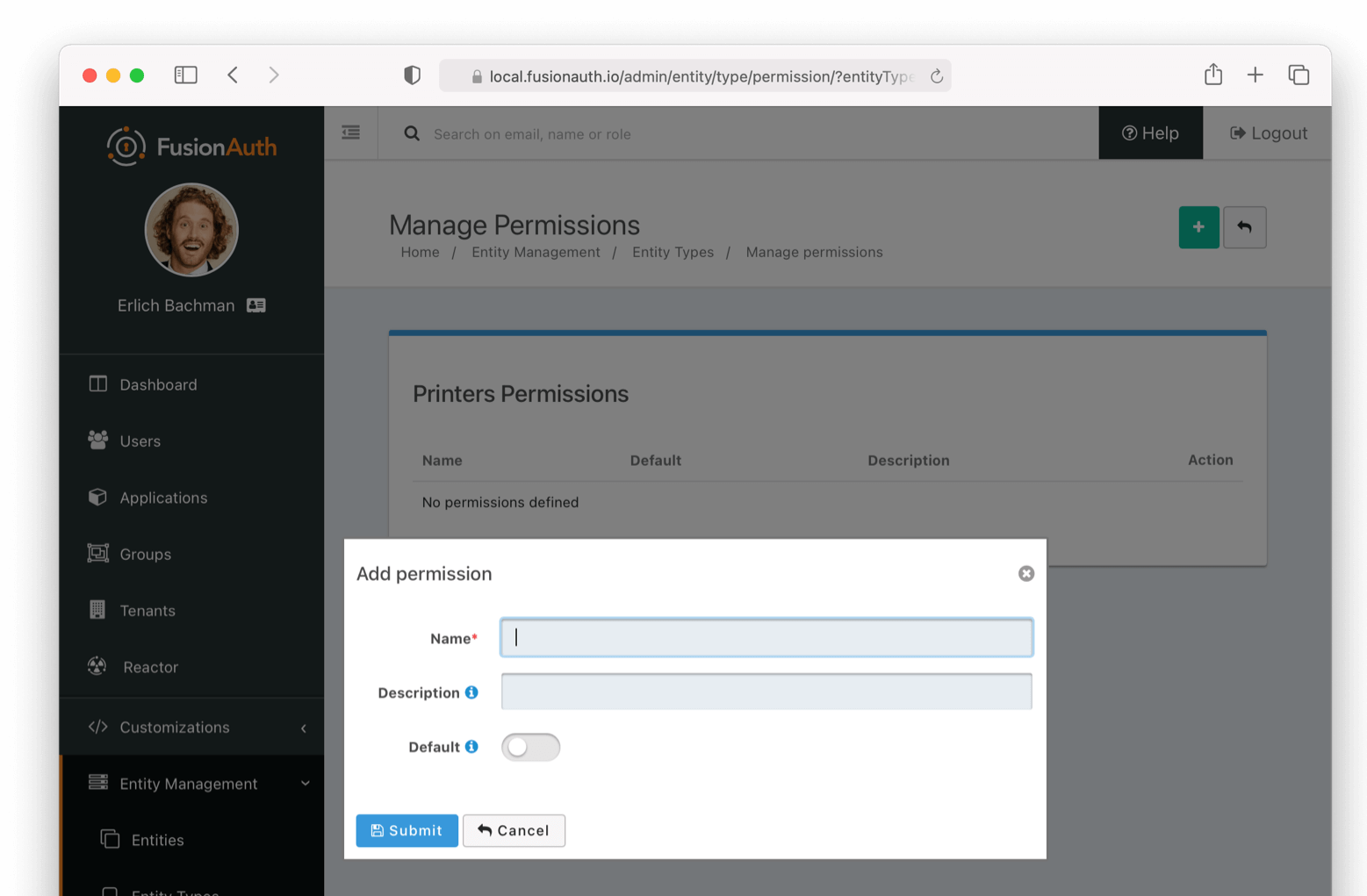
NamerequiredThe name of the permission
DefaultIf this permission should be assigned once the Entity Type is created (by default). More than one default can be set.
DescriptionPlease write a helpful description of the permissions' purpose.
JWT#
Controls the JWT settings used for this entity type.
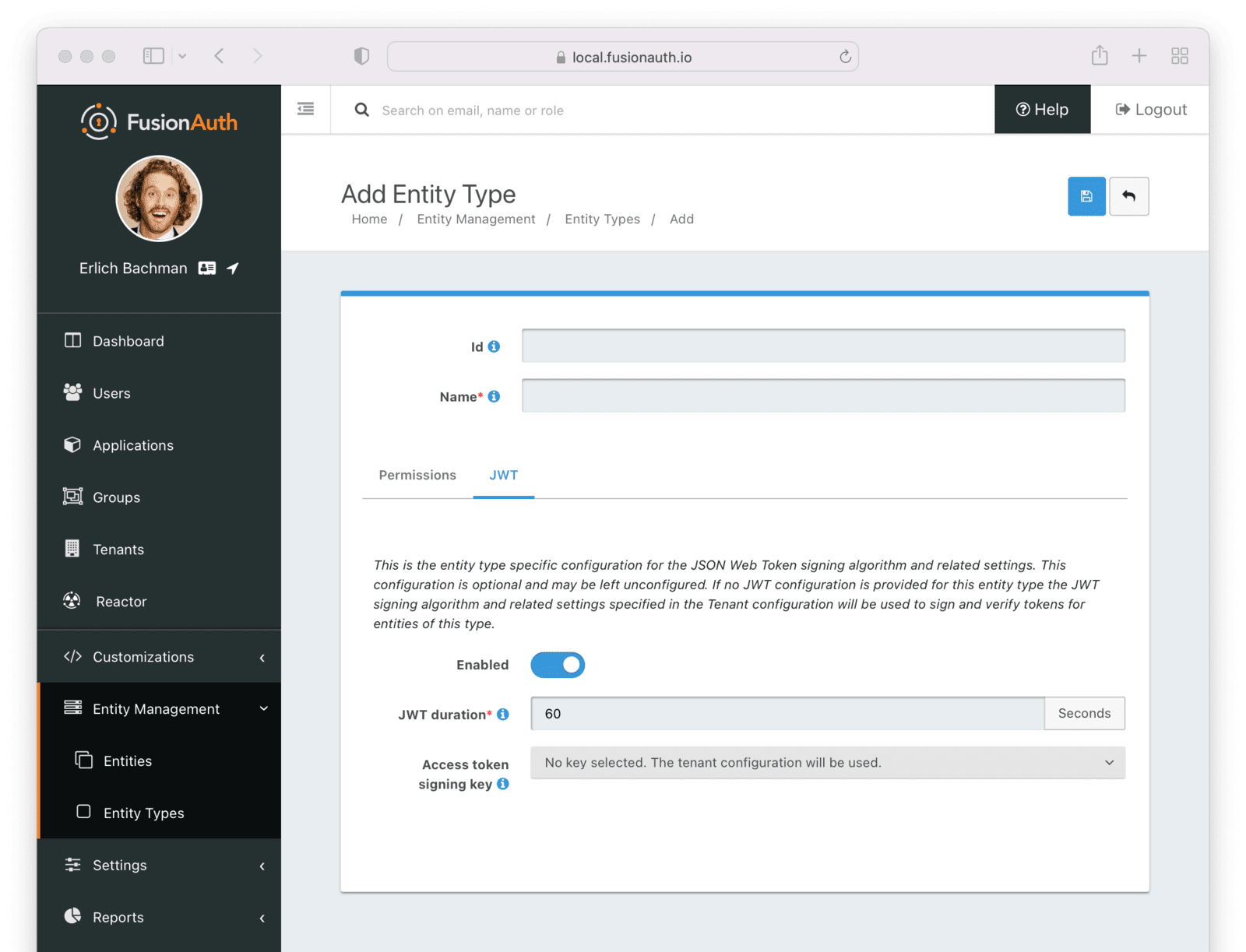
EnabledWhen enabled, you can specify JWT settings for this entity type. If disabled, settings for the entity's tenant will be used.
JWT DurationrequiredThe length of time specified in seconds that the issued token is valid. This value must be greater than 0.
When JWT customization is enabled, this is required.
Access token signing keyThe key used to sign the JWT.
Entity#
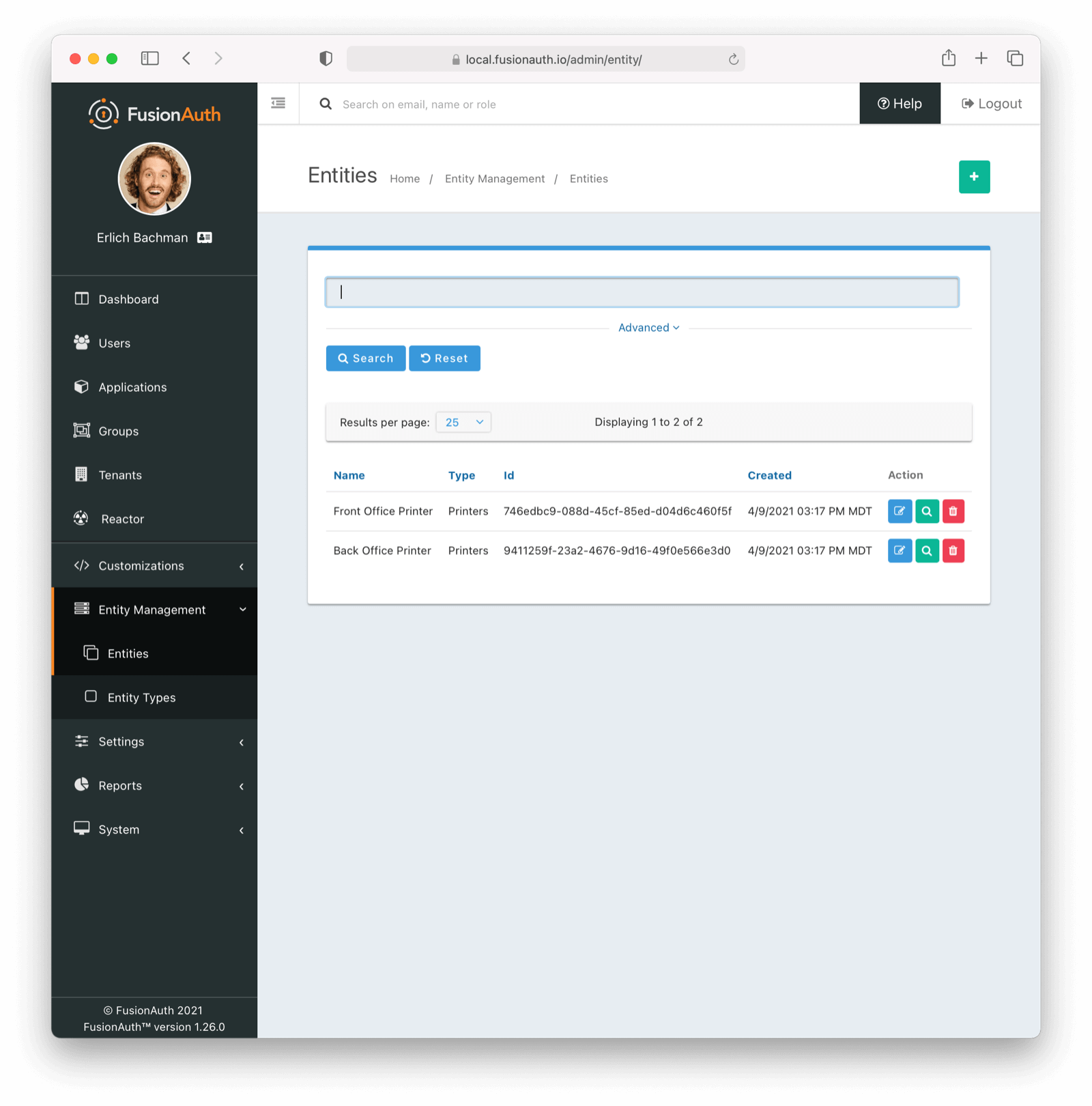
This is the Entity homepage. Here you can:
| Create a new Entity | |
| Edit a previously created Entity | |
| View the previously created Entity | |
| Remove the previously created Entity |
Entity Form Fields#
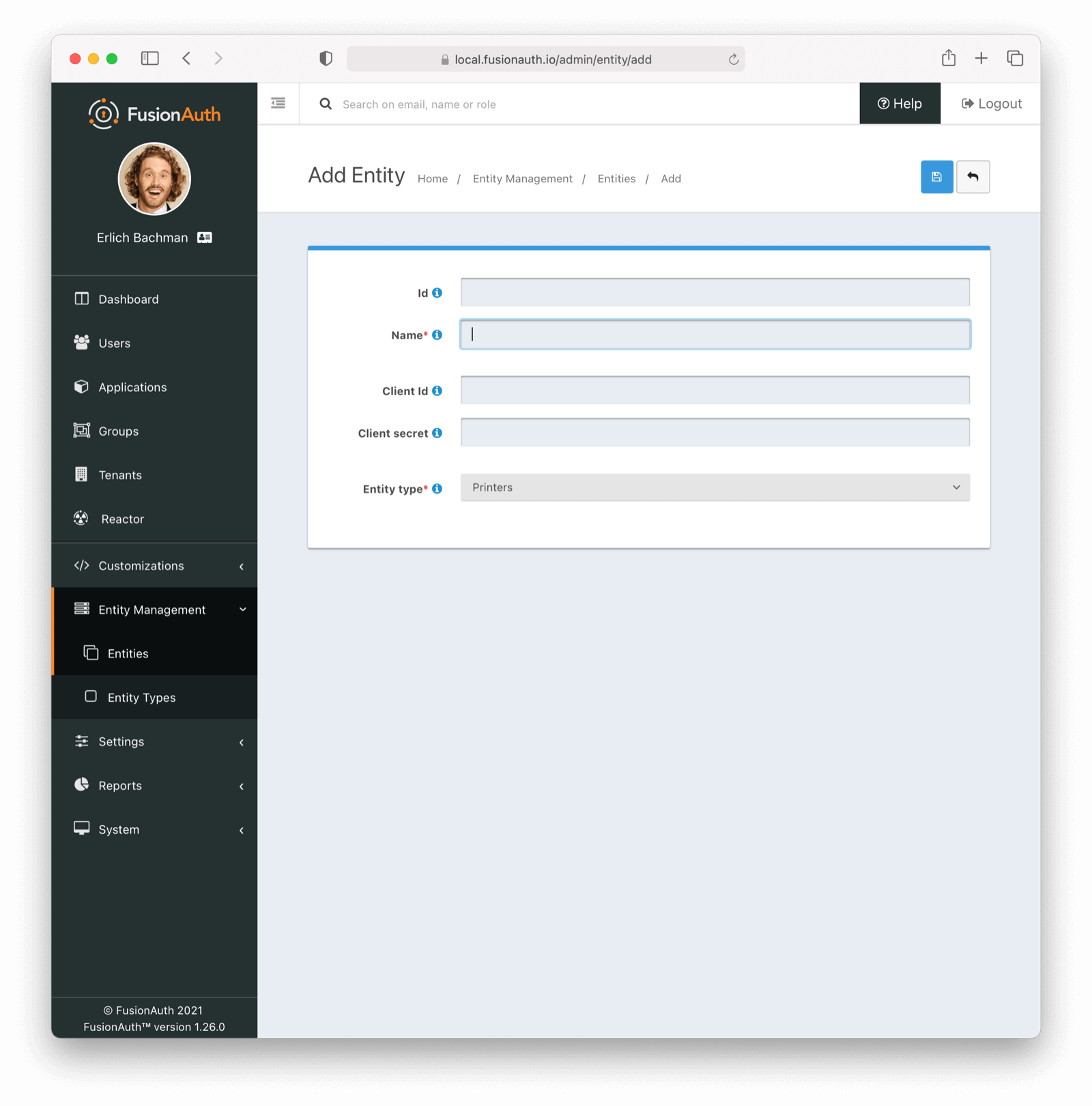
Creating a new Entity is straightforward
Just complete the following fields:
IdAn optional UUID. When this value is omitted, a unique Id will be generated automatically.
NamerequiredThe name of the Entity. This value is for display purposes only and can be changed at any time.
TenantrequiredAssign the new Entity to a Tenant
Client IdWhen this value is omitted a unique Client Id will be generated automatically.
Client secretWhen this value is omitted a unique Client secret will be generated automatically.
Entity TyperequiredWhen creating this Entity, you can assign it to a previously created Entity Type
SCIM Configuration#
This functionality has been available since 1.36.0
When configuring FusionAuth to accept SCIM requests, you must create a SCIM server Entity and a SCIM client Entity. These entities will be used by the Client Credentials grant which will provide the access token which is used to authenticate calls to the SCIM endpoints. These entities must be of the Entity Type configured in the Tenant SCIM configuration. They also must have the SCIM permissions granted to successfully call SCIM API endpoints requiring authentication.
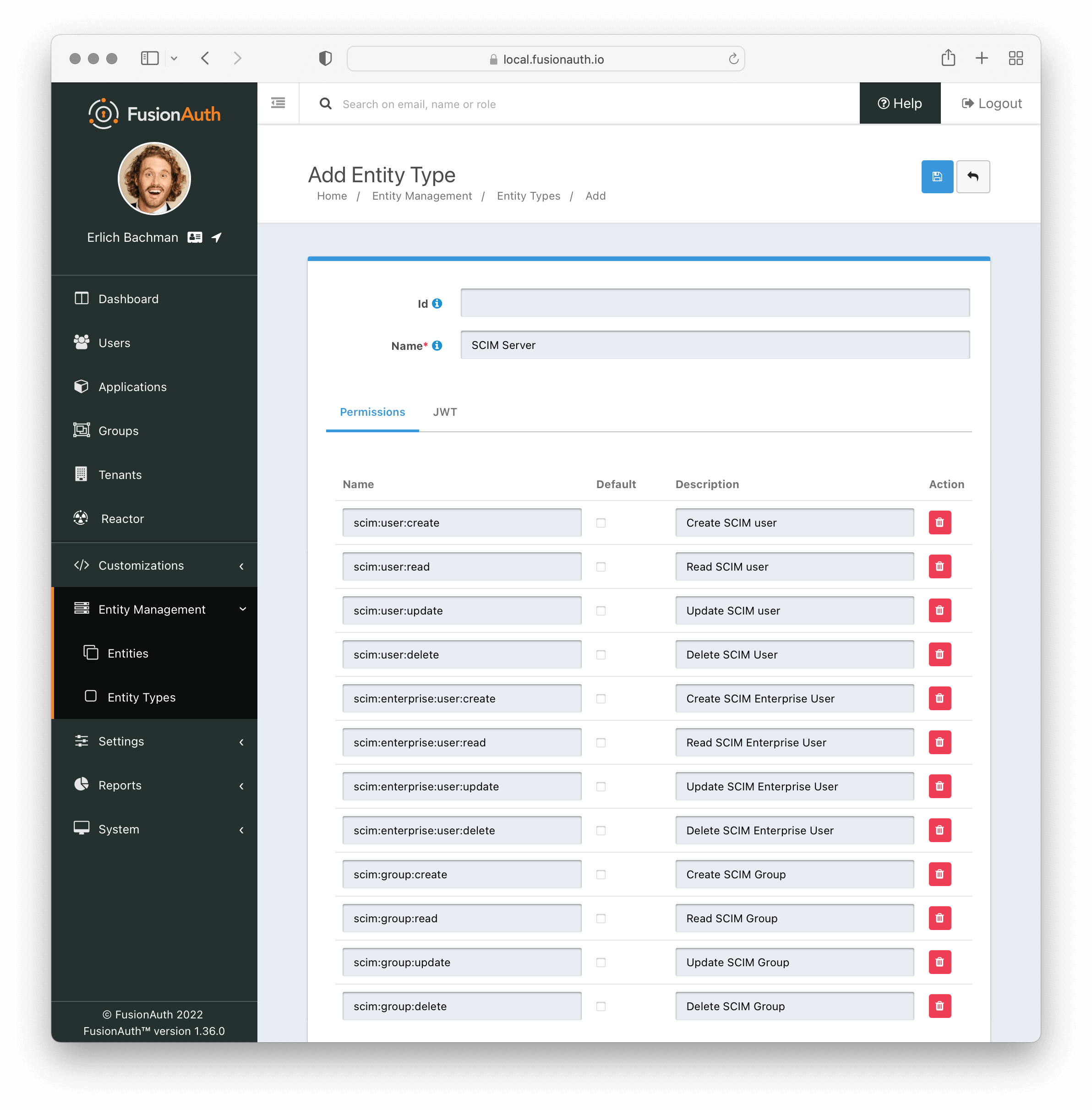
The necessary Entity Types can be created by navigating to Entity Management > Entity Types and selecting the clicking the drop down Add button in the top right of the page. In most cases you will find these two entity types have been created for you by FusionAuth.
The default entity types are named [FusionAuth Default] SCIM client and [FusionAuth Default] SCIM server. Below is a screenshot of adding a new Entity Type for the SCIM Server, but if you wish to use the default Entity Type, you do not need to create an additional Entity Type.
SCIM Server Permissions#
Below is a list of available permissions that can be included in your SCIM server entity type. Each controls access to a single API endpoint. You can choose to create as few or as many of these as you require. The names must match exactly.
| Name | Access to API |
|---|---|
scim:enterprise:user:create | Create an Enterprise User |
scim:enterprise:user:read | Retrieve an Enterprise User |
scim:enterprise:user:update | Update an Enterprise User |
scim:enterprise:user:delete | Delete an Enterprise User |
scim:group:create | Create a Group |
scim:group:read | Retrieve a Group |
scim:group:update | Update a Group |
scim:group:delete | Delete a Group |
scim:resource-types:read | Retrieve Resource Types |
scim:schemas:read | Retrieve Schemas |
scim:service-provider-config:read | Retrieve Service Provider Configuration |
scim:user:create | Create a User |
scim:user:read | Retrieve a User |
scim:user:update | Update a User |
scim:user:delete | Delete a User |
Limitations#
It is not currently possible to utilize an OAuth2 grant to retrieve user permissions to an entity. Please review GitHub Issue #1295 and vote if you would like to see this capability in FusionAuth.
It is also not possible to rename or otherwise customize scopes used with Entity Management. Please review GitHub Issue #1481 and vote if you would like to see this capability in FusionAuth.
Agents#
FusionAuth entities can be used to represent AI agents. You can create an Entity Type of AI Agent with a permission of execute.
Each agent can be given a unique identity and a secret, uniquely identifying them.
Agents can obtain tokens via the client credentials grant and present them to other services.
Agent identities can be created and destroyed via the Entity API; when destroyed, their secrets are no longer valid.
You can also search for agents using the Entity Search API.
Agent metadata, such as the user or job that created the agent and a system prompt for that agent, can be stored in the entity data field.
Agent Permissions#
You can grant agents permissions to call other agents. This provides a deterministic set of guardrails around the agent system.
For example, suppose you have a system with agents A, B, and C. With entities, you can build a permission graph such that:
- agent A can call agent B
- agent B can call agent C
- agent A cannot call agent C
- agent B cannot call agent A
- agent C cannot call either A or B
flowchart LR
    A([Agent A])
    B([Agent B])
    C([Agent C])

    A -->|"<span style='color:green'>✓ can call</span>"| B
    B -->|"<span style='color:green'>✓ can call</span>"| C
    A -.->|"<span style='color:red'>✗ cannot call</span>"| C
    B -.->|"<span style='color:red'>✗ cannot call</span>"| A
    C -.->|"<span style='color:red'>✗ cannot call</span>"| A
    C -.->|"<span style='color:red'>✗ cannot call</span>"| B
Agentic permissions.
Whenever an agent wants to call another agent, they:
- present their id, secret, and desired target to FusionAuth, who returns an access token or error, depending on agent permissions
- present their access token to the other agent, who verifies the token, then accepts or denies the request
This permission graph can be managed using entities or FusionAuth FGA.
More Information#
- An example client credentials grant using Entities.
- The Entity Management APIs.
- A guide to using Entities to model organizations.