CIMD Domains
On this page
This feature requires an Enterprise plan.
1.70.0
Client ID Metadata Documents (CIMD) is an OAuth extension, described by draft-ietf-oauth-client-id-metadata-document, in which the client_id is itself an HTTPS URL. That URL hosts a JSON document describing the client: its name, its redirect URIs, and the rest of its metadata.
When a client presents such a client_id, FusionAuth fetches the document, validates it, caches it, and registers the client just-in-time. Once you've configured a CIMD domain for that origin, neither you nor the client's developer has to register each individual client ahead of time.
CIMD addresses a trust issue with Model Context Protocol (MCP) clients: clients (e.g. claude.ai) cannot preregister with every MCP server. CIMD provides a way to dynamically register MCP clients with your MCP server. Dynamic Client Registration (DCR) previously solved the same problem, but CIMD involves less state and complexity.
CIMD Domains#
CIMD configuration starts with a CIMD domain, which names one origin that clients may register from (e.g. https://claude.ai). You configure CIMD domains at the Tenant level.
CIMD domains do not support:
- paths, query strings, or fragments
- wildcards (e.g.
https://*.example.com) - bare IP addresses
localhost- loopback addresses.
To register a client from any origin, specify a CIMD domain with the wildcard *. Since the wildcard matches any domain, you cannot specify specific domains in addition to the wildcard. However, you can use a registration Lambda to filter clients even when you allow any domain with the wildcard.
FusionAuth also validates the Client Ids provided in client metadata. Client Ids must:
- use HTTPS
- include a path
- contain no fragment and no userinfo component
- be no longer than 2048 characters
- match one of the tenant's CIMD domains (or the wildcard)
Fixed OAuth Behavior#
FusionAuth's implementation of the CIMD standard requires the following security measures and has the following limitations:
- Clients must implement PKCE.
- Clients can only use the
authorization_codeandrefresh_tokengrants. - Redirect URLs must exactly match the redirect URIs specified in the client's metadata document. The only exception is the port of an
httploopback redirect URI, which can differ, as described in RFC 8252. - Clients can only request scopes enabled on the domain, or the OAuth request will fail. Optional scopes the user declines on the consent screen are left out of the grant.
- Clients must send exactly one
resourceparameter, and it must be one of the domain's Authorized resource URIs. - CIMD clients cannot use roles, SAML, the one-time password authentication method, WebAuthn, and self-service registration.
- A client's MFA trust only comes from logins through the same CIMD domain.
- Many CIMD clients are public, so client authentication is not required.
Identity Providers#
Users can log in to CIMD clients with a subset of identity providers. Each CIMD domain appears in the identity provider's application list as CIMD: <domain>, such as CIMD: https://claude.ai. Enable the identity provider for that entry to offer it to the domain's clients. When using the API, use the CIMD domain's Id as the application Id in the identity provider's applicationConfiguration.
The following restrictions apply:
- An identity provider can't create user registrations for a CIMD domain. FusionAuth ignores createRegistration for a CIMD domain, and the admin UI disables it.
- A SAML v2 identity provider with IdP-initiated login enabled can't be enabled for a CIMD domain. FusionAuth rejects the configuration with a validation error. The SAML v2 IdP Initiated identity provider doesn't list CIMD domains.
Hosted Login Pages#
Available since1.70.0
CIMD clients log in through the FusionAuth hosted login pages, with these differences:
- Users are not registered for CIMD clients. The
userStatereturned to the client is alwaysAuthenticatedNotRegistered. - Every OAuth request must include the Tenant Id, because the
client_idURL does not identify a Tenant. Use the Tenant's endpoints, such as/oauth2/authorize/{tenantId}. - Users cannot log in with a magic link or a passkey. The login page does not show these options.
- FusionAuth prompts for consent even when the client requests no scopes. The prompt shows the client's name and where its metadata document is hosted. See Consent Prompt.
- You can enable identity providers for the CIMD clients of a domain, except for IdP-initiated SAML.
Managing CIMD Domains#
Click CIMD Domains in the left navigation to see every CIMD domain in the tenants you can administer.
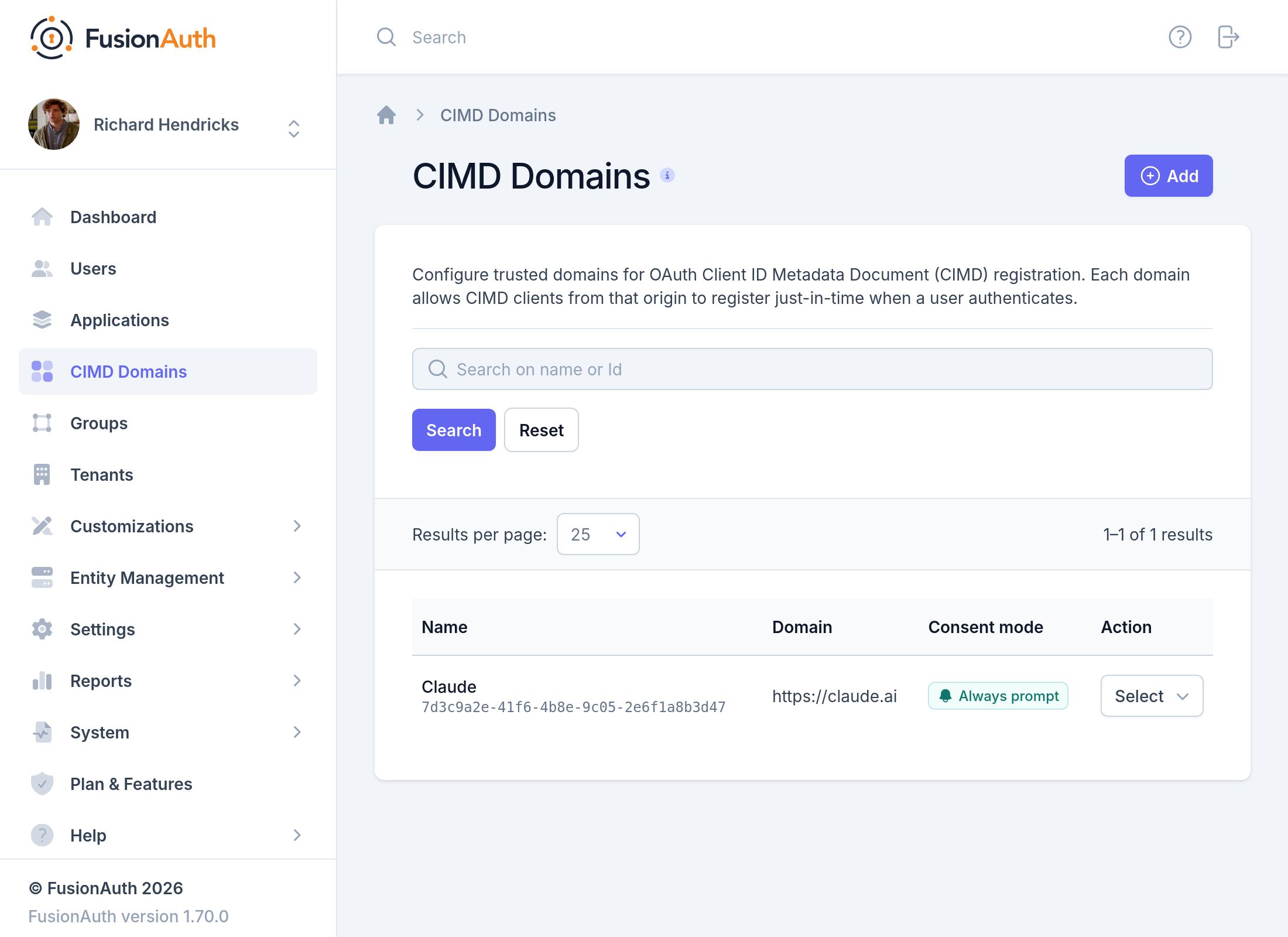
From here you can see each domain's name, origin, and consent mode, search by name or Id, and filter by Tenant. When you have more than one Tenant, the list also shows each domain's Tenant. You can also:
- Create a new CIMD domain.
- Edit a previously created CIMD domain.
- Manage scopes for a previously created CIMD domain.
- View a previously created CIMD domain.
- Delete a previously created CIMD domain.
Managing CIMD domains requires the admin or cimd_domain_manager role. Deleting a CIMD domain requires the admin or cimd_domain_deleter role. To manage CIMD domains via the API, an API key needs permission for the relevant CIMD Domain APIs endpoints.
Create and Edit a CIMD Domain#
Click CIMD Domains in the left navigation, then click the Add button at the top of the page.
When creating a new CIMD domain, you will see the following form:
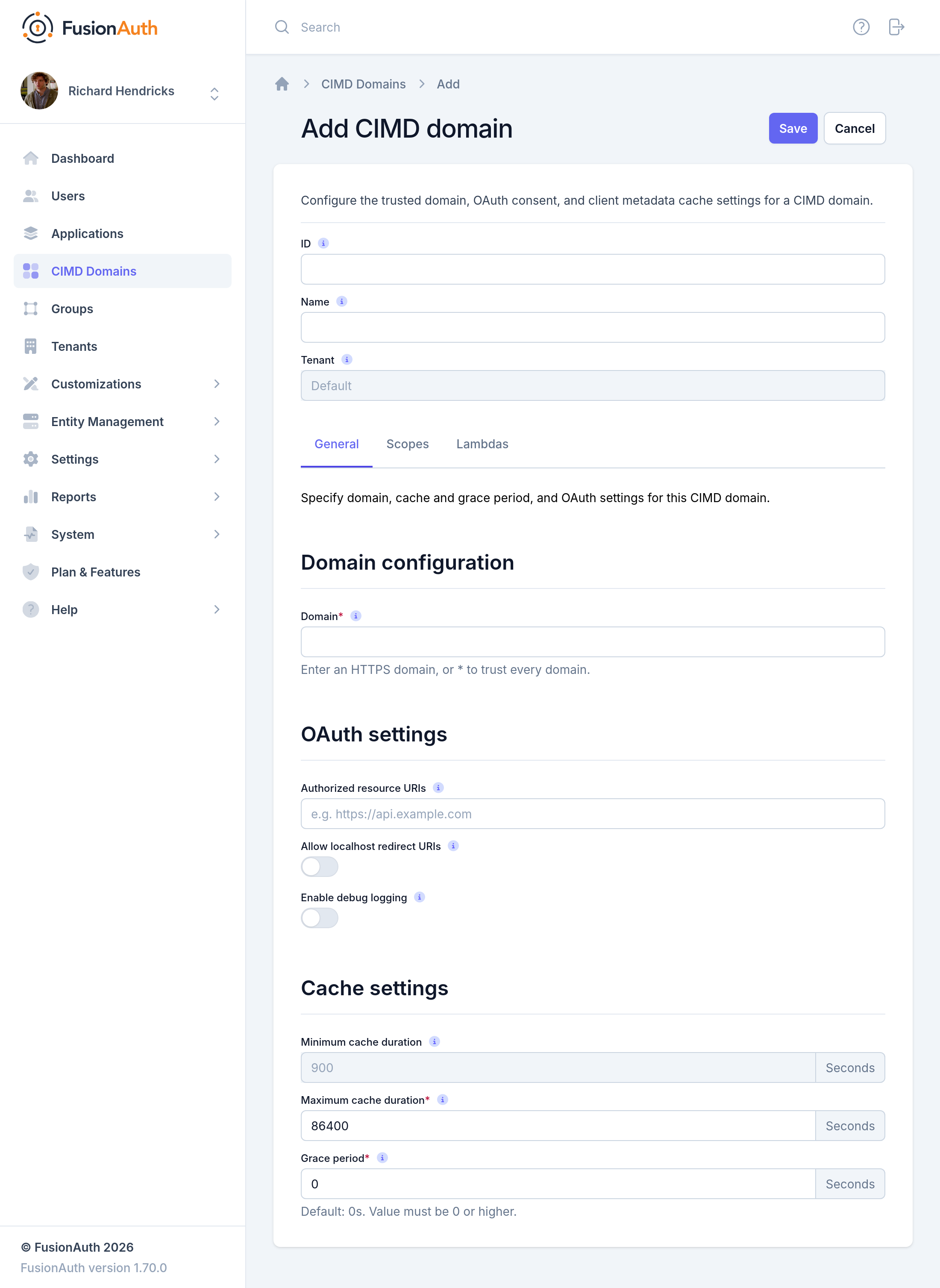
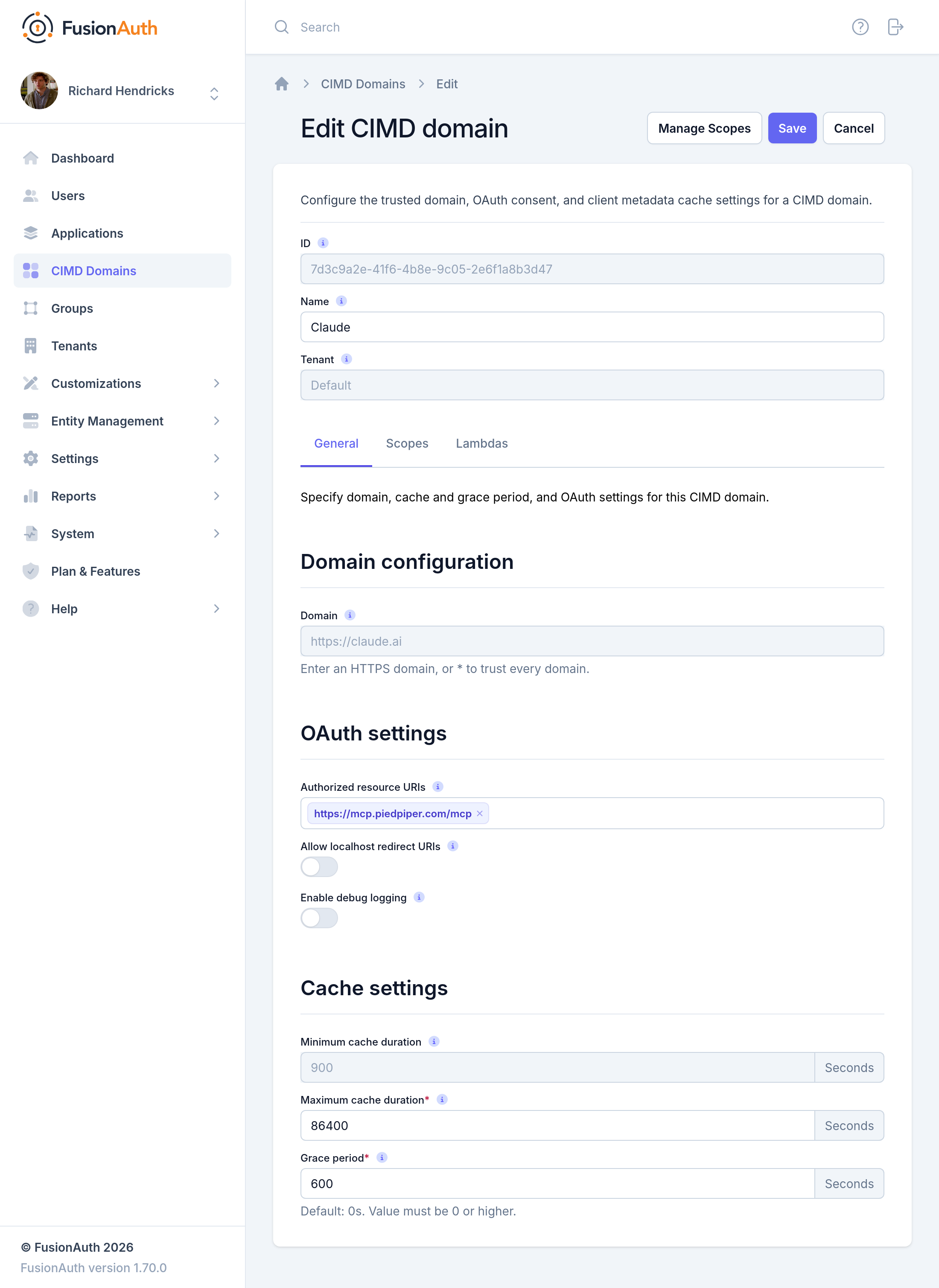
Editing a saved CIMD domain presents the same form, with two differences: the Domain and Tenant values are read-only, and custom scopes can now be added through the Manage scopes action.
Here is what you can expect when updating an existing CIMD domain:
Form Fields#
IDAn optional UUID. When this value is omitted a unique Id will be generated automatically. This value cannot be changed after creation. CIMD domain Ids are unique across all tenants.
NameA name used to identify the CIMD domain in the admin UI. Leave it blank to use the Domain value as the name.
TenantThe Tenant this CIMD domain belongs to. This value cannot be changed after creation.
General Tab#
DomainThe origin CIMD clients register from, including the scheme, hostname, and optional port of the URL where FusionAuth expects to find the CIMD document. FusionAuth uses this to validate each client's client_id URL. Use * to allow CIMD registrations from any domain. This value cannot be changed after creation.
Authorized resource URIsThe resource URIs that clients on this domain may request using the RFC 8707 resource parameter. Every CIMD client must send exactly one resource, and FusionAuth rejects the request with invalid_target unless it appears in this list. Clients on a domain with no authorized resource URIs cannot log in.
Allow localhost redirect URIsWhen enabled, CIMD clients on this domain may use a localhost redirect URI that appears in their metadata document. Loopback IP addresses such as 127.0.0.1 are always allowed. RFC 8252 recommends loopback IP addresses over localhost, so enable this only for CIMD clients that require it.
Enable debug loggingWhen enabled, FusionAuth writes the standard OAuth debug Event Log entries, such as the authorization code exchange, for this domain's clients. View them under System -> Event Log . The authorization code exchange entry lists the requested resources. FusionAuth also writes a Debug entry when it creates a client registration, refreshes one after its cache expires, or adds a new resource to an existing one. FusionAuth always writes an Error entry for a failed client registration, whether or not this is enabled. It always writes an Information entry when it rate limits a registration.
Minimum cache durationThe shortest time, in seconds, that a client's CIMD document is cached. This value is always 15 minutes and can't be changed.
Maximum cache durationThe longest time, in seconds, that a client's CIMD document is cached. When the document's response includes a smaller Cache-Control: max-age value, the smaller value is used. When the response has no max-age, the document is cached for 15 minutes. This value must be at least 900. See CIMD Registration Caching And Lifecycle.
Grace periodHow long, in seconds, to honor an expired CIMD document when re-fetching it fails. See CIMD Registration Caching And Lifecycle.
Scopes Tab#
Consent modeWhether users must grant consent each time scopes are requested, or whether FusionAuth remembers their decision. The available values are Always prompt and Remember decision. A CIMD domain cannot skip the consent prompt entirely. FusionAuth remembers a decision separately for each client and resource. Changing this to Always prompt deletes every remembered decision for the domain's clients.
Provided scopesControls how FusionAuth handles the standard OpenID Connect scopes (address, email, phone, and profile) for clients on this domain. Marking a scope Enabled allows clients to request it; a disabled scope is treated as unknown and will fail the request. Marking a scope Required means users must consent to it before they can complete authorization. Each scope is enabled and not required by default.
The offline_access scope is always enabled and cannot be turned off. When a client requests it, a refresh token is issued alongside the access and Id tokens, governed by the Tenant's refresh token settings. It is not shown on the consent screen.
Custom scopes beyond the standard ones are managed separately, through the Manage scopes action on a saved domain, or through the CIMD Domain OAuth Scopes API. They are available to every client that registers through the domain.
Lambdas Tab#
Registration lambdaA CIMD client registration lambda that can override registration decisions and scopes for this domain's clients. This is the only way to filter which clients may register when the Domain is *. No lambda is selected by default.
JWT populate lambdaA JWT populate lambda that adds or modifies claims in the tokens issued to this domain's clients. The selected lambda populates both the access token and the Id token. No lambda is selected by default.
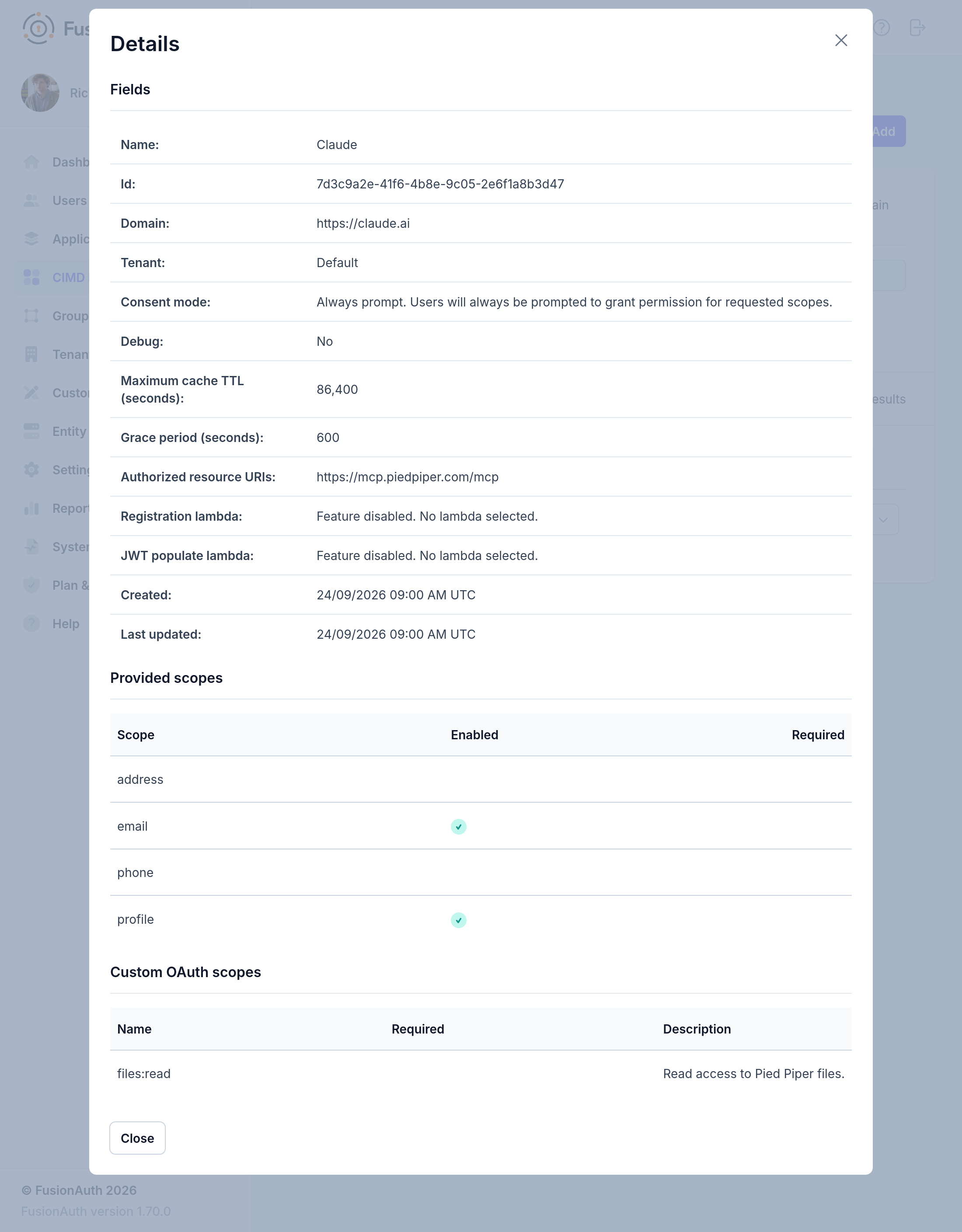
View a CIMD Domain#
Additional details about a particular CIMD domain, including its scopes, can be viewed by clicking the action:
Remove a CIMD Domain#
When a CIMD domain is no longer needed, it can be removed by clicking the action:
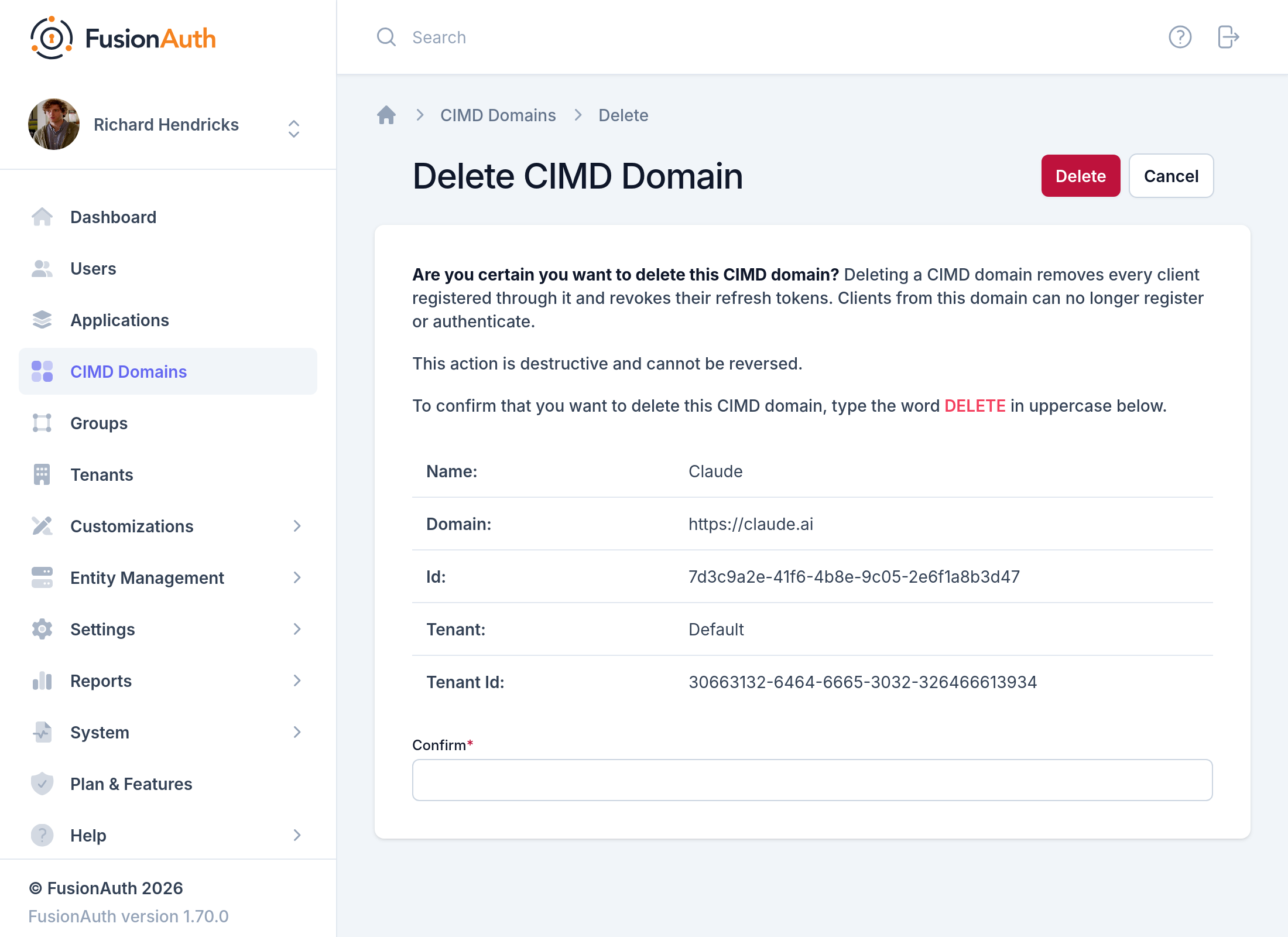
Deleting a CIMD domain is permanent and cannot be reversed. It removes every client registered through the domain and revokes those clients' refresh tokens. Clients from the domain can no longer register or authenticate.
When you add, update, or delete a CIMD domain in the admin UI, FusionAuth records the change in the Audit Log. It does the same when you add, update, or delete one of the domain's custom scopes.
Manage CIMD Domain Scopes#
Click the action on a CIMD domain to add and manage its custom OAuth scopes. These scopes are available to every client that registers through the domain, in addition to the standard OpenID Connect scopes enabled on the Scopes tab.
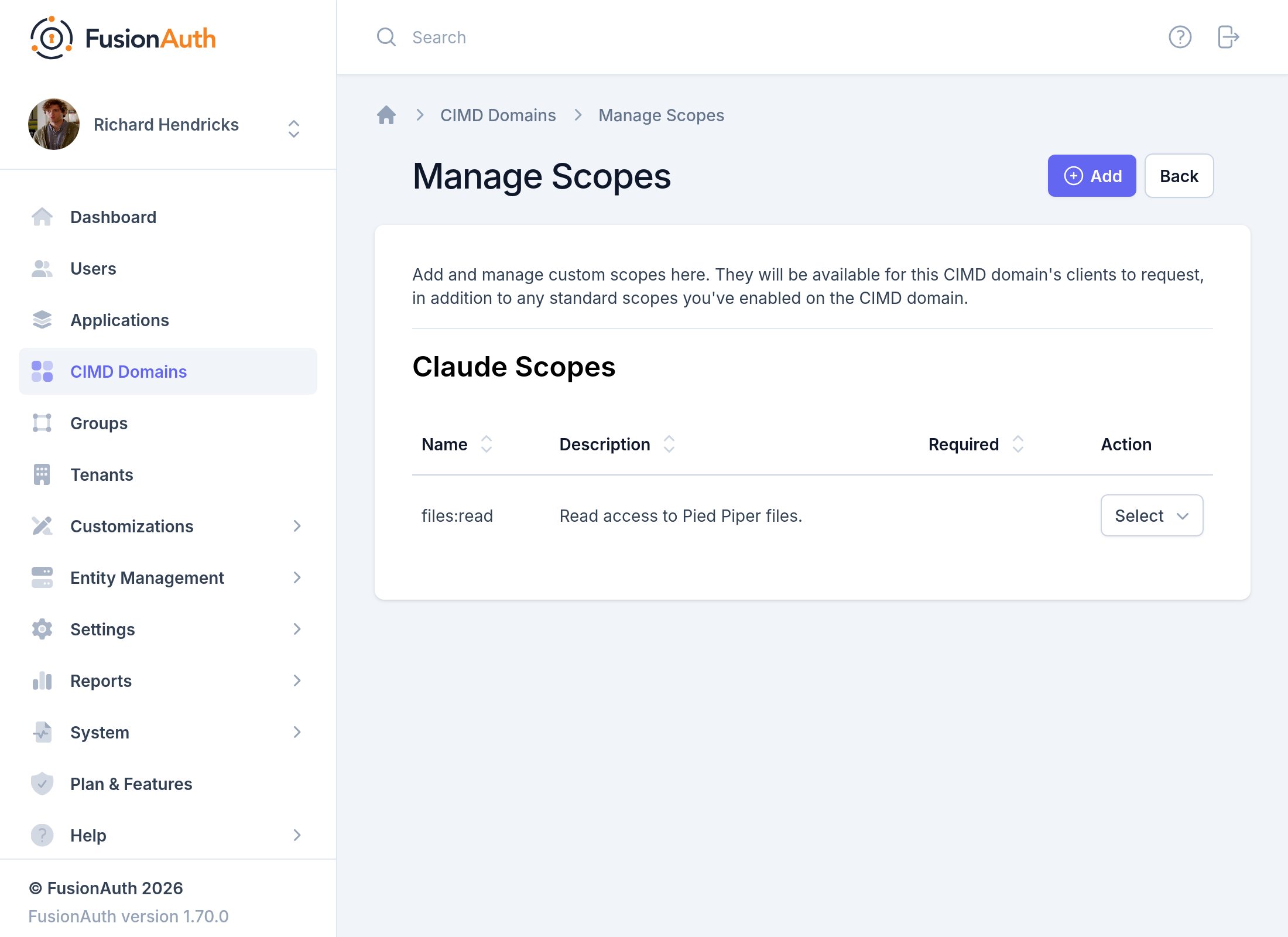
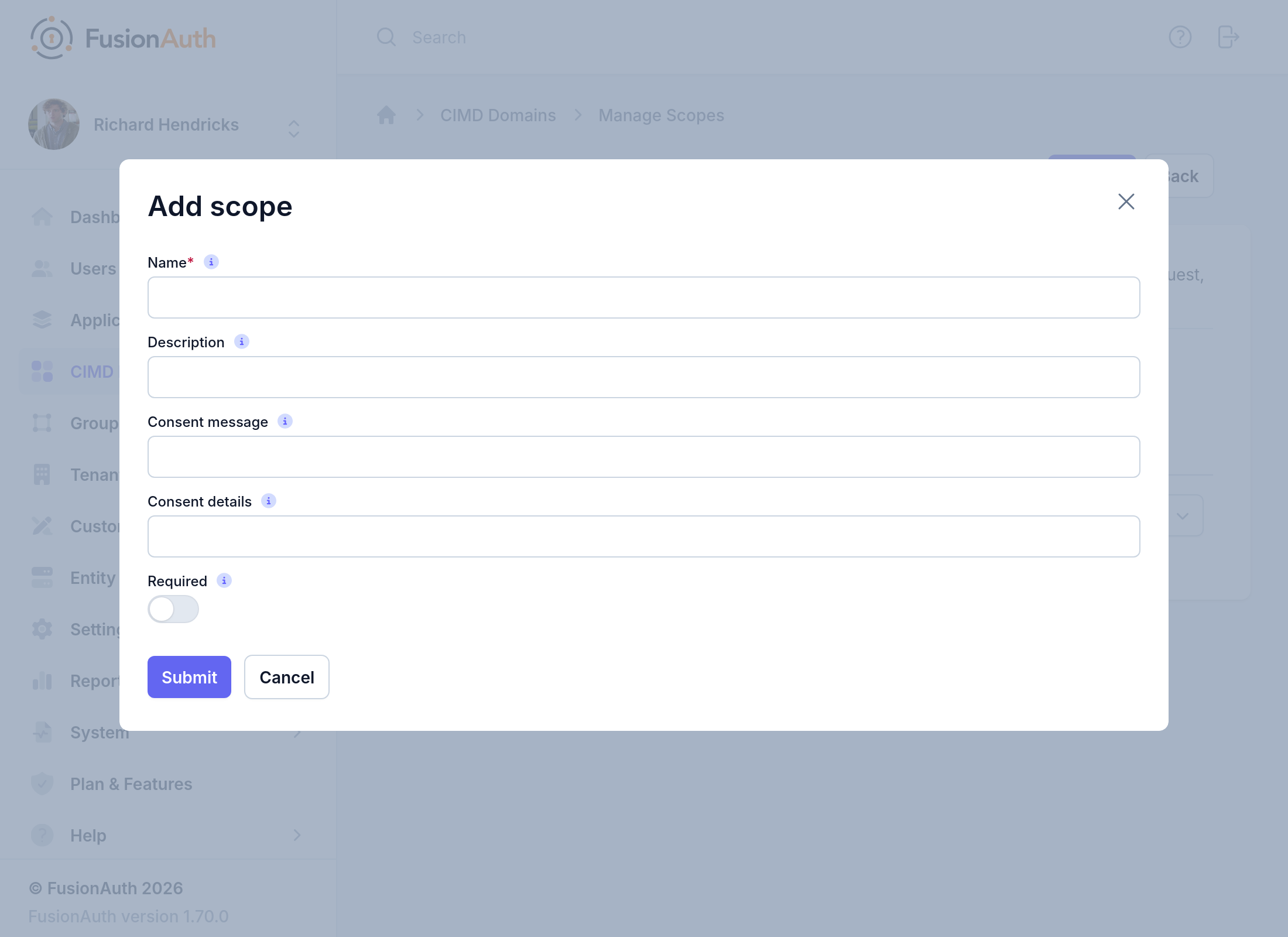
Click the Add button to create a new custom scope:
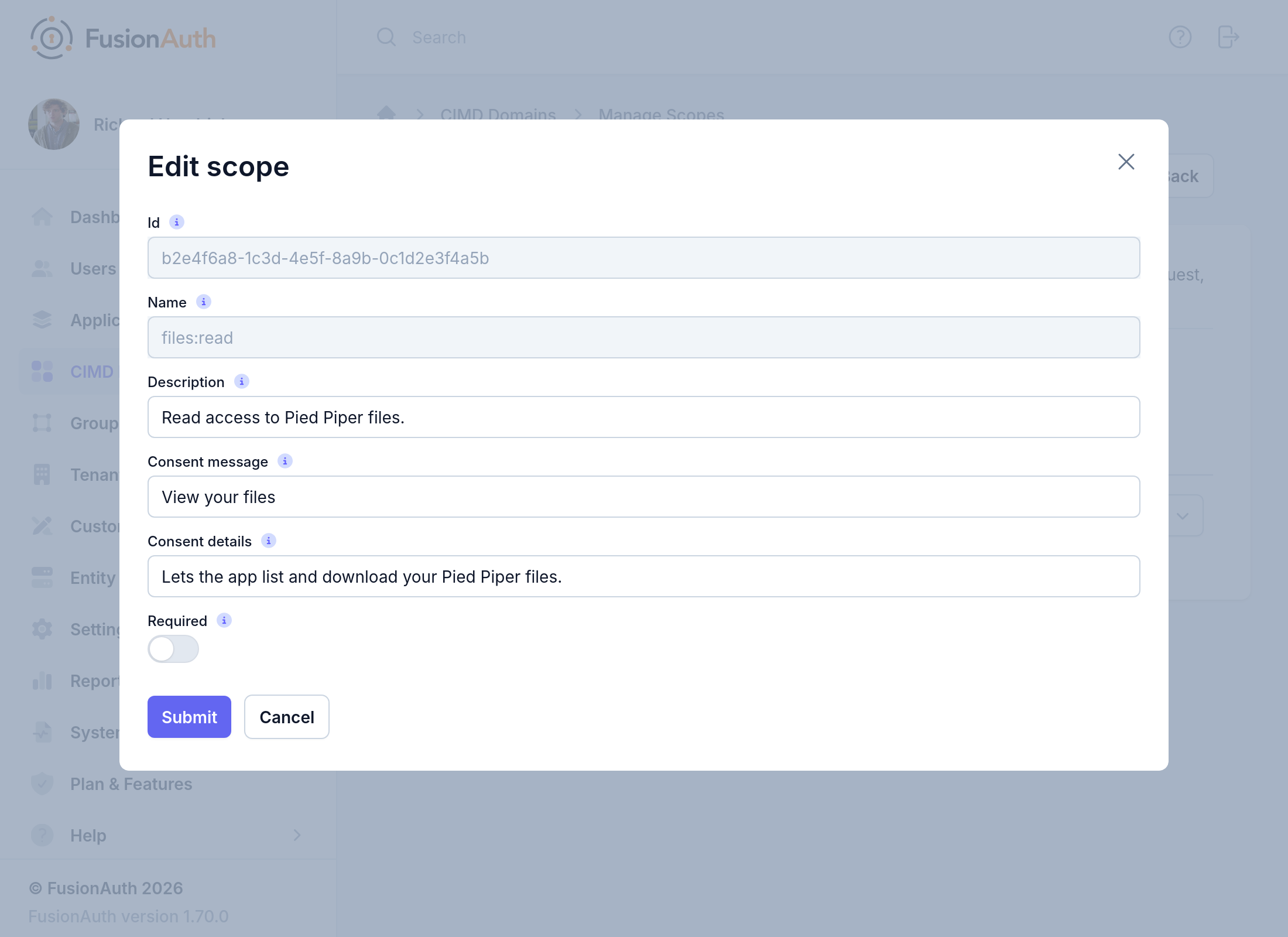
Editing a saved scope presents a similar form that also shows the scope's Id. The Id and Name values are read-only:
A custom scope can also be removed from the same row's action menu. This cannot be reversed. A client that registers after the removal fails if it requests the removed scope, because a CIMD domain always rejects unknown scopes.
FusionAuth saves a copy of the domain's scope settings in each client's registration, so changes to scopes, provided scopes, or authorized resource URIs don't apply to an already-registered client until FusionAuth fetches its document again. See CIMD Registration Caching And Lifecycle for when that happens.
Form Fields#
IdThe Id of the OAuth scope, generated automatically when the scope is created. This field only appears when editing a scope. To choose your own Id, create the scope with the CIMD Domain OAuth Scopes API.
NameThe name of the OAuth scope. This is the value that will be used to request the scope. This value cannot be changed after creation.
DescriptionA description of the OAuth scope for internal use.
Consent messageThe default message to display on the OAuth consent screen if one cannot be found in the theme. Learn more about setting this value using themes.
Consent detailsThe default detail to display on the OAuth consent screen if one cannot be found in the theme. Learn more about setting this value using themes.
RequiredDetermines if the OAuth scope is required when requested by a client.
Configure CIMD Domains With the API#
Everything on this page can also be configured through the API:
- Use the CIMD Domain API to create, retrieve, update, search, and delete CIMD domains.
- Use the CIMD Domain OAuth Scopes API to manage a domain's custom OAuth scopes.
- Use the CIMD Client Registration API to retrieve, search for, and delete the clients registered through a domain. The admin UI doesn't show these registrations.